.svg)

Let's talk about Facebook Messenger for a second.
With over 1.3 billion active users, it's one of the most direct lines you can have to your customers. They're already there, scrolling through messages from friends and family. And when they message your business, they expect a response, fast.
The problem? Unless you've got a support team working 24/7 (and who does?), those messages are going to sit unanswered for hours. Maybe longer.
That's where Facebook chatbots come in. The good ones can handle customer questions instantly, qualify leads while you sleep, and even close sales without any human involvement.
But here's the thing: not all Facebook chatbots are created equal. Some are brilliant. Others are very well below mid that'll do more harm than good to your brand.
I've spent the last few months testing some platforms, reading hundreds of user reviews, and talking to businesses actually using these tools. Here are the 7 best Facebook Messenger chatbots in 2026, what they're good at, where they fall short, and who should actually use them.
What Makes a Great Facebook Messenger Chatbot?
A great Facebook chatbot needs to:
Understand conversational language. Your customers aren't going to type perfect, robotic questions. They'll say "when's my stuff getting here" not "please provide order tracking information." Your bot needs to get it.
Handle the full customer journey. From first contact to purchase to post-sale support, good bots work across the entire lifecycle.
Know when to hand off to humans. The worst chatbots are the ones that trap you in an endless loop of unhelpful responses. The best ones recognize when they're out of their depth and get a real person involved.
Integrate with your business tools. If your chatbot can't talk to your CRM, email system, or eCommerce platform, you're going to be manually copying data around. Nobody has time for that.
Actually convert. It should drive measurable business results, more leads, more sales, higher customer satisfaction.
Now let's look at the platforms that actually deliver on these promises.
1. Heyy
Pricing: Free plan available, paid plans from $49/month
Best for: Businesses that use Facebook Messenger as part of a broader multiple channel strategy
Look, I'm biased because we're Heyy. But let me tell you why we built this differently.
Most Facebook chatbot tools are only for Facebook. That's fine if you're running a pure social commerce business. But most companies are dealing with customers across multiple channels, Facebook Messenger, Instagram DMs, website chat, WhatsApp, email.
Heyy was built to handle all of that in one inbox.
What Heyy Does Well
When a customer messages you on Facebook, then switches to Instagram DMs, then emails you, Heyy shows you one conversation thread with full context.
The chatbot works across all these channels using the same conversation flows. Build it once, deploy everywhere.
The AI is genuinely smart. It understands natural language, learns from conversations, and gets better over time. You're not stuck programming keyword triggers for every possible variation of a question.
The Downsides
Heyy is newer than some competitors, so the Facebook-specific template library isn't as extensive as ManyChat or Chatfuel. You'll need to build more from scratch.
If you're only using Facebook Messenger and have no plans to expand to other channels, you're paying for capabilities you won't use.
Who Should Use Heyy
Growing businesses that are present on multiple platforms and want one platform to manage it all. If you're handling support and sales across Facebook, Instagram, your website, and other channels, Heyy gives you the unified view you need.
2. ManyChat
Pricing: Free plan available, paid plans from $15/month
Best for: Businesses focused heavily on Facebook and Instagram marketing automation.
ManyChat is the 800-pound gorilla of Facebook Messenger chatbots. They've been around since the early days, and they've built a seriously impressive platform.
What ManyChat Does Well
The template library is massive. Want to build an abandoned cart recovery flow? There's a template. Lead magnet delivery? Template. Product recommendation quiz? Template.
You can be up and running with a solid Facebook chatbot in literally 10 minutes.
The marketing automation features are top-notch. Broadcasts, drip sequences, segmentation, if you want to use Messenger as a marketing channel, ManyChat has every tool you need.
Integration with Facebook Ads is seamless. You can literally send people from an ad straight into a Messenger conversation that continues the pitch. Conversion rates on this can be insane (12%+ vs 3% for traditional funnels).
The Downsides
ManyChat is really built for Facebook, Instagram, and WhatsApp. If you need a chatbot on your website or want to manage email on the same platform, you'll need another tool.
The AI isn't as advanced as some newer platforms. It's more about building structured conversation flows than having truly intelligent, adaptive conversations.
Pricing can get expensive fast if you have a large contact list, since they charge per contact in addition to monthly fees.
Who Should Use ManyChat
Social-first businesses that do most of their customer interaction through Facebook and Instagram. If you're running a lot of Facebook Ads and want to maximize conversions through Messenger automation, this is your tool.
3. SendPulse
Pricing: Free plan available, paid plans based on subscriber count (from ~$10/month)
Best for: Small to mid-sized businesses that want chatbots as part of a broader marketing stack — email, SMS, and Messenger all in one place
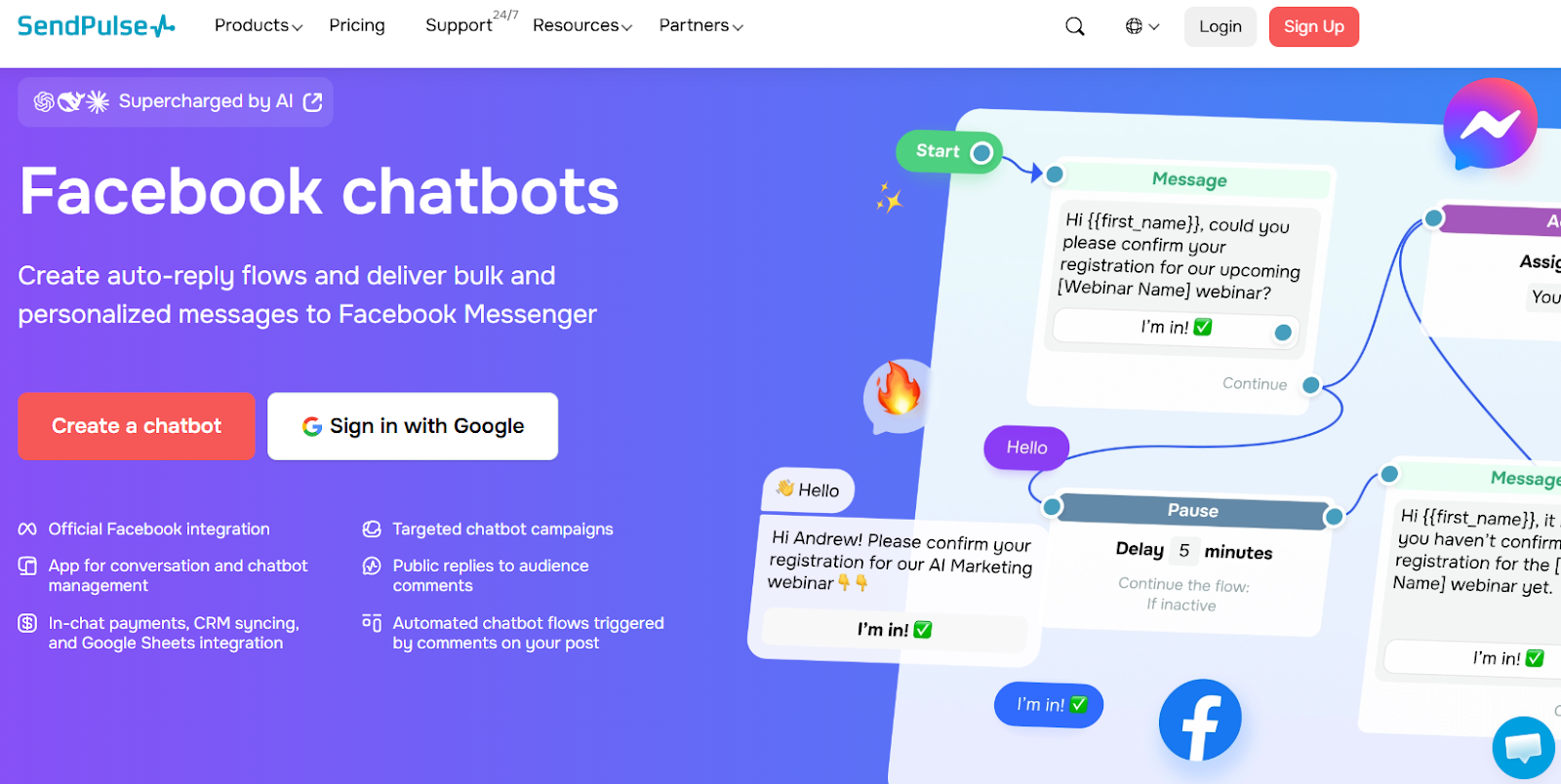
SendPulse has been around as an email marketing platform for years, but its chatbot product has quietly grown into something genuinely impressive. If you're already running email campaigns and want to include Facebook Messenger automation into the same workflow without jumping to a separate tool, SendPulse makes a compelling case.
What SendPulse Does Well
The multi-channel angle is real here. You can manage Facebook Messenger, Instagram, WhatsApp, Telegram and even TikTok bots from one dashboard, and those chatbots are natively connected to SendPulse's built-in CRM, email campaigns, SMS, and subscriber segmentation. That means a Facebook Messenger lead can automatically flow into an email nurture sequence without any Zapier gymnastics.
The visual flow builder is solid and intuitive, no coding required, and it comes with a library of pre-built templates for things like appointment booking, webinar registration, and FAQ automation.
In-chat payments are supported natively, which puts SendPulse ahead of most tools in this price bracket for businesses that want to close sales directly inside Messenger.
The free plan is attractive: 3 chatbots, up to 500 subscribers, and 10,000 messages per month across all your bots. That's enough to test and prove value before spending a cent.
The Downsides
SendPulse's roots are in email marketing, and that shows. The chatbot interface, while functional, doesn't feel as purpose-built for Facebook Messenger as ManyChat or Chatfuel. The Messenger-specific features — like click-to-Messenger ad integrations — aren't as deep.
The subscriber-based pricing model can also be harder to predict than a flat monthly fee, especially once you start scaling past a few thousand contacts.
Who Should Use SendPulse
Businesses that are already running (or planning to run) email marketing or SMS campaigns and want to add Facebook Messenger automation without managing a second platform. It's particularly well-suited for ecommerce businesses, course creators and entrepreneurs that want the chatbot tightly integrated with their CRM and email list. If you're purely a social-first brand focused on Facebook, Heyy can get the job done— but if Messenger is one piece of a bigger marketing puzzle, SendPulse handles the whole picture surprisingly well.
4. Chatfuel
Pricing: Free plan available, paid plans from $15/month
Best for: Small businesses that need basic automation on a tight budget
Chatfuel is one of the original Facebook chatbot builders, and it's stayed relevant by being simple and affordable.
What Chatfuel Does Well
The drag-and-drop interface is dead simple. If you've never built a chatbot before, Chatfuel won't overwhelm you. It's very beginner-friendly.
The free plan is genuinely useful, you can build and deploy a basic bot without paying anything. For a small business just testing the waters, that's huge.
Facebook and Instagram integration is solid. Since Chatfuel focuses primarily on these platforms, the integration is smooth and reliable.
The Downsides
The AI is pretty good. You're mostly building keyword-based flows, which means you need to anticipate every way someone might phrase a question.
Advanced features are limited compared to competitors. If you want sophisticated conversation logic or integrations with business tools, you'll hit walls.
The interface feels a bit dated compared to newer platforms.
Who Should Use Chatfuel
Very small businesses or solo founders who need basic Facebook Messenger automation and don't want to spend much money. If your needs are simple, answering FAQs, collecting contact info, maybe sending some basic marketing messages, Chatfuel gets it done.
5. MobileMonkey
Pricing: Free plan available, paid plans from $19/month
Best for: B2B companies using Messenger for lead gen
MobileMonkey positions itself specifically as a lead generation tool that happens to use Facebook Messenger. That focus shows in the feature set.
What MobileMonkey Does Well
Lead capture forms and qualification flows are excellent. The bot can ask qualifying questions, score leads, and route high-value prospects to your sales team automatically.
The OmniChat feature lets you use the same bot across Facebook Messenger, Instagram, and website chat. Not as sophisticated as full omnichannel platforms, but useful for consistency.
Drip campaigns and follow-up sequences are powerful. You can nurture leads through Messenger over days or weeks with personalized content.
The Downsides
The interface can be clunky. It's powerful, but not always intuitive.
Pricing is a bit confusing with multiple add-ons and features locked behind different tiers.
Customer support has gotten mixed reviews, some users say they're very responsive, others complain about slow responses.
Who Should Use MobileMonkey
B2B companies and service businesses that want to use Facebook Messenger primarily for lead generation and qualification. If your goal is to capture contact info and qualify prospects before handing them to sales, this is built for that.
6. Tidio

Pricing: Free plan available, paid plans from $29/month
Best for: Online stores that want simple Facebook integration plus website chat
Tidio is primarily a website chat platform, but it includes solid Facebook Messenger integration that works well for eCommerce businesses.
What Tidio Does Well
The eCommerce templates are excellent, abandoned cart recovery, product recommendations, order tracking. If you're selling products, these pre-built flows save tons of time.
The Shopify integration is particularly smooth. One-click setup, automatic product catalog sync, and order status updates pulled directly from Shopify.
Website chat and Messenger are unified in one inbox, so your team can manage conversations from both channels in one place.
The Downsides
Facebook Messenger isn't really Tidio's main focus, it's more of an add-on to their website chat product. The Messenger-specific features aren't as deep as dedicated Facebook bot platforms.
The AI (called Lyro) is okay. It struggles with anything beyond straightforward questions.
Who Should Use Tidio
eCommerce stores that want both website chat and basic Facebook Messenger functionality in one affordable platform. If you're on Shopify and want something that just works, this is a solid choice.
For a deeper comparison of Tidio against other options, check out our Tidio vs Heyy comparison, it breaks down exactly where each platform shines.
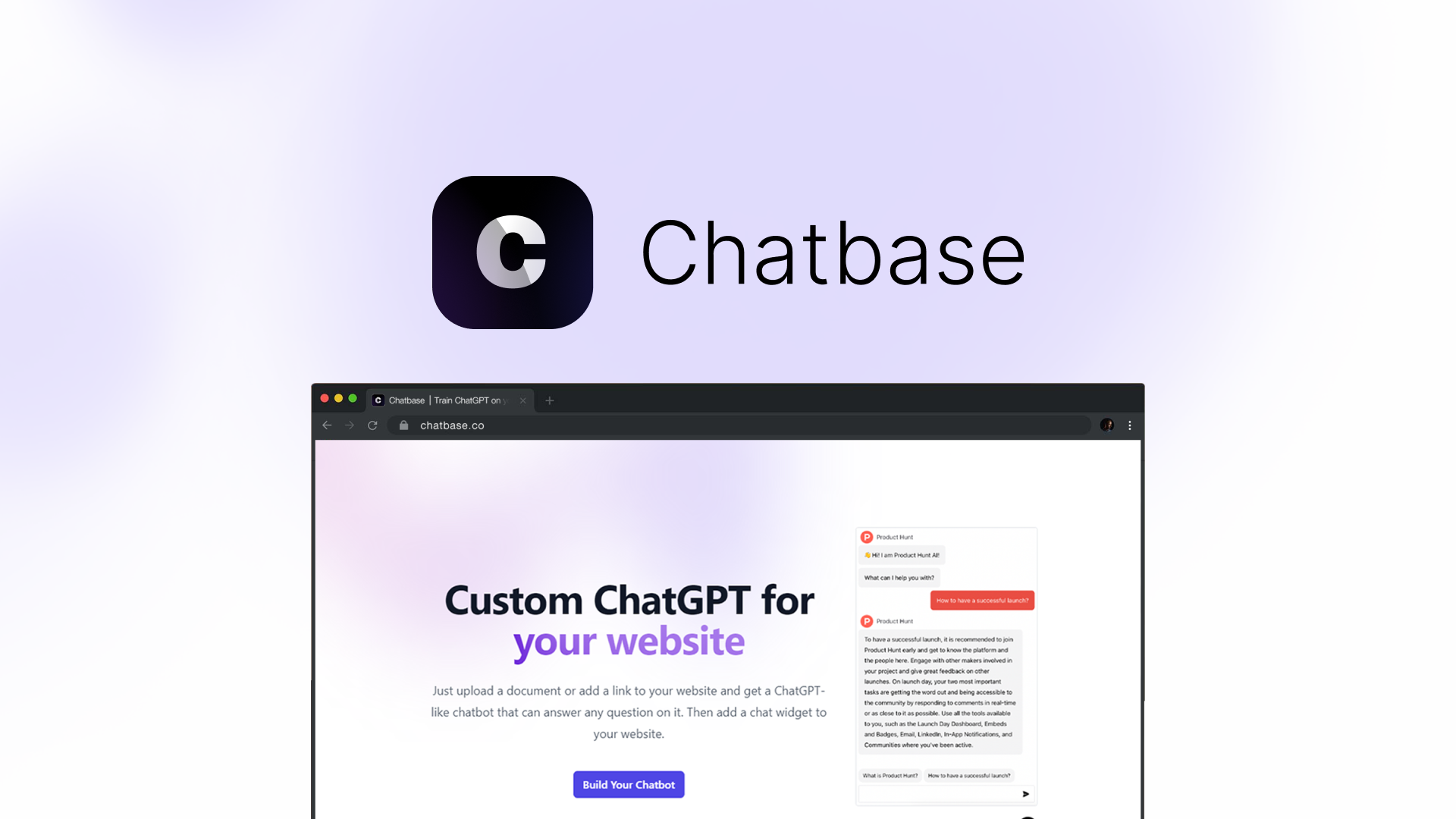
7. Chatbase
Pricing: Free plan available, paid plans from $19/month
Best for: Businesses with extensive documentation who want AI trained on their specific content
Chatbase takes a differnt approach. Instead of building conversation flows, you train an AI on your existing content, website, documentation, PDFs, whatever and it answers questions based on that knowledge.
What Chatbase Does Well
Setup is incredibly fast. Upload your documents or point it at your website, and you've got a working chatbot in 5-10 minutes.
The AI can handle complex, nuanced questions because it's actually reading and understanding your content rather than following pre-programmed paths.
You can review every response and refine the AI's answers to make them better over time.
The Downsides
It's less about structured conversation flows and more about pure Q&A. If you need to qualify leads or guide people through a specific sales process, you'll need to build additional logic.
The Facebook Messenger integration exists but isn't as polished as platforms built specifically for Messenger.
Who Should Use Chatbase
Businesses with lots of existing documentation (help articles, knowledge base, product guides) who want an AI that can answer questions based on that content. Works especially well for SaaS companies and technical products.
8. Intercom
Pricing: From $74/month
Best for: Larger companies with budget for a premium, full-featured platform
Intercom is the enterprise heavyweight. It's way more than just a Facebook chatbot, it's a complete customer messaging platform. But if you've got the budget and the scale, it's incredibly powerful.
What Intercom Does Well
The Fin AI agent is legitimately impressive. It can handle complex support conversations, pulls from your help center automatically, and knows when to escalate to humans.
Multi-channel support is excellent. Facebook Messenger is just one of many channels you can manage through Intercom.
The reporting and analytics are enterprise-grade. You get deep insights into customer conversations, support team performance, and business impact.
The Downsides
It's expensive. Really expensive. Unless you're a large company with a serious budget, Intercom is probably overkill.
Setup and implementation take time. This isn't a "10 minutes and you're live" solution.
Who Should Use Intercom
Large companies (usually 50+ employees) with complex customer communication needs and budget for a premium solution. If you're doing millions in revenue and customer communication is mission-critical, Intercom delivers.
How to Choose the Right Facebook Chatbot for Your Business
With all these options, how do you actually decide?
Start by asking yourself these questions:
1. What's Your Primary Goal?
Lead generation? → MobileMonkey or Heyy
Social commerce and marketing automation? → ManyChat
Basic customer support on a budget? → Chatfuel
eCommerce with Shopify? → Tidio
Training AI on your existing content? → Chatbase
Enterprise-level everything? → Intercom
2. Do You Only Use Facebook Messenger?
If yes: ManyChat or Chatfuel will give you the most Facebook-specific features for the money.
If no (you also use Instagram, website chat, WhatsApp, etc.): Heyy, Tidio, or Intercom will serve you better with their multi-channel approach.
3. How Technical Is Your Team?
Not technical at all: Chatfuel or Tidio (simplest interfaces)
Somewhat technical: ManyChat or MobileMonkey (more power, but manageable)
Very technical: Chatbase or Intercom (can handle complexity and customization)
4. What's Your Budget?
Under $20/month: Chatfuel or ManyChat free/starter plans
$20-50/month: Heyy, MobileMonkey, or Chatbase
$50-100/month: Tidio or ManyChat with more contacts
$100+/month: Intercom or enterprise plans of other platforms
5. Will You Grow Beyond Facebook?
If you're planning to expand your customer communication to other channels in the next 6-12 months, start with a platform that supports that growth (Heyy, Tidio, or Intercom) rather than building everything in a Facebook-only tool and having to migrate later.
If you're looking to understand the broader landscape of customer messaging tools before committing, check out our guide on the best chat widgets for websites in 2026, it covers the full range of options beyond just Facebook.
Common Mistakes to Avoid
I've seen a lot of businesses mess up their Facebook chatbot implementation. Here's what to avoid:
Making it too complicated. Start simple. Answer the 5-10 most common questions and nail those before building elaborate conversation trees.
Being too salesy. People message you for help, not to get pitched. Lead with value, and the sales will follow.
Not having a human backup. Always, ALWAYS, give people an easy way to reach a real person if the bot can't help.
Ignoring mobile. Everyone's on their phone. Test your chatbot on mobile devices to make sure it actually works well in Messenger's mobile app.
Setting it and forgetting it. Your first version won't be perfect. Monitor performance, watch where people drop off, and keep improving.
Finally…
Facebook Messenger chatbots are pretty much essential if you're doing business on social media.
The platform you choose depends entirely on your specific situation:
- Growing multi-channel business? → Heyy
- Social commerce focused? → ManyChat
- Simple and cheap? → Chatfuel
- Lead generation priority? → MobileMonkey
- Shopify store? → Tidio
- AI trained on your content? → Chatbase
- Enterprise with big budget? → Intercom
The good news? Most of these platforms offer free trials or free plans. Test a couple, see which one feels right for your workflow, and commit to it for at least a month before deciding if you need to switch.
The businesses winning with Facebook Messenger in 2026 aren't necessarily the ones with the fanciest bots. They're the ones who picked the right tool for their needs and actually use it consistently.
Your customers are already on Messenger. The question is whether you're there to talk to them.
Ready to start automating your Facebook Messenger conversations?
Try Heyy free for 14 days and see how multi-channel messaging (including Facebook) can transform your customer communication. No credit card required.
FAQs
1. Do I need coding skills to set up a Facebook chatbot?
Nope. All the platforms on this list offer no-code builders with drag-and-drop interfaces.
2. Can Facebook chatbots actually make sales, or are they just for support?
They can absolutely drive sales. Businesses using Messenger for commerce regularly see 10-15% conversion rates, compared to 2-3% for traditional web funnels. The conversational format just works better for guiding people to a purchase.
3. Will a chatbot make my business feel impersonal or robotic?
Only if you build it that way. The best chatbots sound like a helpful team member. Use natural language, inject some personality, and always give people an easy path to a human when needed.
4. How long does it take to set up a Facebook chatbot?
For a basic bot answering common questions: 10-30 minutes using templates.
For a more sophisticated bot with custom flows: A few hours to a full day.
5. Can I use the same chatbot on Facebook and Instagram?
Most platforms (especially ManyChat, Heyy, and MobileMonkey) let you deploy the same bot across both Facebook Messenger and Instagram DMs. Build once, deploy everywhere.
7. What's better: a chatbot or hiring more support staff?
You need both. Chatbots handle the repetitive, simple stuff 24/7. Human staff handle complex conversations that need empathy and judgment. The combo of bots + humans is way more effective than either alone.
More blog posts to read

Ready to Automate Support
Across Every Channel?
.svg)
.avif)