.svg)
How a Better Inbox Helps Your Support Team Respond to Customers Faster

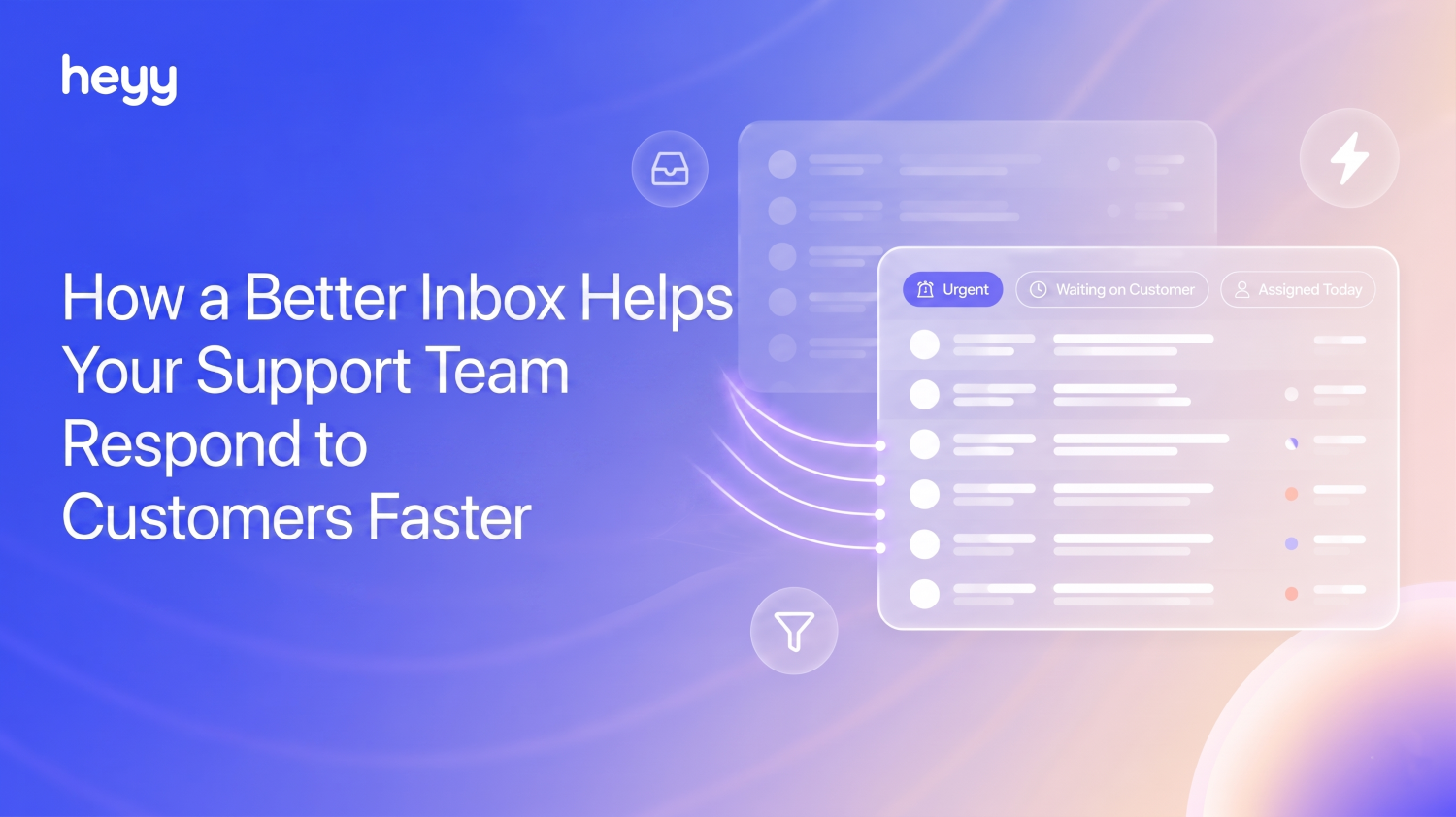
Every support team has the same moment. A message comes in on Instagram while someone is mid-reply on WhatsApp. A teammate asks in Slack whether anyone has seen the message from a VIP customer. Three tabs are open, two of them are the same conversation, and the customer is still waiting.
Most teams assume the bottleneck is volume, or staffing, or difficult customers. Often, it's none of those. It's the inbox itself.
60% of companies lack real-time context sharing across channels, which means a customer who messages on WhatsApp and follows up on Instagram has to explain their problem twice, to two different inboxes, possibly to two different agents. Each repeat explanation is a small frustration. Stacked across hundreds of conversations a week, it becomes the reason CSAT scores sit lower than they should.
The gap shows up clearly in the data. Connected, omnichannel support lifts CSAT to 67%, compared to just 28% for disconnected multichannel setups. Businesses with a true omnichannel approach see 89% higher customer retention and 33% more revenue than those still running separate inboxes per channel.
Closing that gap comes down to four things, in order.
The 4-step framework for a support inbox that doesn't lose messages
Step 1: Start with one dashboard your whole team can follow
Before anything else, every conversation needs to land somewhere your whole team can see, regardless of which channel it came in on. Not five inboxes that someone occasionally cross-checks. One dashboard, one queue, one place to look.
This sounds obvious until you watch how most teams actually work: a WhatsApp Business app on one phone, an Instagram inbox in a browser tab, a live chat widget in another, each checked at different intervals by different people. A shared dashboard means anyone on the team can open one screen and see the full picture of what's coming in, across every channel, without needing to ask "did anyone check Instagram today?"
Step 2: Make ownership visible, not assumed
"I thought someone else had it" is the most expensive sentence in customer support. It means two people replied to the same customer, or nobody did. Either way, the customer notices.
Visible ownership means any agent can look at the dashboard and immediately tell what's assigned, to whom, and what's still sitting untouched. Status (open, pending, resolved) needs to be obvious at a glance, not buried in a dropdown three clicks deep.
Step 3: Filter the dashboard down to what each person owns
A queue with 200 conversations in it is not useful to an agent who is responsible for 15 of them. Every minute spent scrolling past conversations that aren't yours is a minute not spent replying to the ones that are.
The fix is filtering that persists. Not a search box you have to re-type into every morning, but a saved, reusable view: "my open conversations," "anything waiting over an hour," "unassigned WhatsApp." The dashboard an agent sees should already be the slice they're responsible for.
Step 4: Make context survive a handoff
Shifts end. People go on break. Conversations get escalated. Every one of these moments is a risk that context gets lost, and the next person either repeats a question the customer already answered or makes a decision without the full picture.
The fix is a place for that context to live that isn't a Slack message that scrolls away. A note attached directly to the conversation, visible to the team and gone the moment it's no longer needed, means a handoff takes ten seconds instead of a five-minute catch-up.
Heyy recently built exactly this
Heyy's new inbox UI ships all four steps, channel by channel, built directly into the dashboard your team already opens every day.
One dashboard, every channel
WhatsApp, Instagram, Messenger, SMS, and live chat all flow into the same view. If a customer messaged about a delivery issue on WhatsApp last week and is now asking a follow-up on Instagram, your agent sees both messages in the same thread on the same dashboard. No more piecing together context from five different apps.
Assignment and status, visible at a glance
Every conversation can be assigned to a specific teammate, with status shown clearly. A conversation that's been sitting unassigned for twenty minutes is visually obvious, not buried. Nobody has to ask "has anyone looked at this?"
Saved views
Each agent can save a filtered slice of the dashboard, like "unassigned WhatsApp chats" or "anything waiting over an hour," and return to it in one click. The view an agent opens is already the queue they're responsible for.
Internal notes and tagging
Agents can leave notes on a conversation, visible only to the team, never the customer. A handoff note like "customer already confirmed their order number, just needs a refund processed" means the next person doesn't have to scroll back through twenty messages. Teammates can also be tagged directly on a conversation when a second opinion is needed.
Saved views in practice: what teams actually build
The flexibility of saved views means different teams use them differently. A few examples of how this looks in practice:
A small e-commerce team might build views for "WhatsApp orders awaiting confirmation," "Instagram DMs mentioning 'refund' or 'return,'" and "anything from a repeat customer." The result: the highest-stakes conversations never get buried under routine "is this in stock?" questions.
A support team split by shift might build a view per agent: "assigned to me, status open." Each person opens the dashboard and sees only their own queue.
A team triaging by urgency might build "waiting over 1 hour," "waiting over 4 hours," and "VIP customers, any wait time." This surfaces conversations at risk of becoming complaints before they get there, rather than after.
A team running a promotion or launch might build a temporary view for "mentions of [campaign name]" to track the spike in volume separately from day-to-day support, so the regular queue doesn't get swamped.
None of these require setup beyond filtering the dashboard once and saving it. The view updates live as new conversations come in.
Why this matters for response time
Customers who receive a response within 5 minutes report 92% satisfaction. At 1 hour, that drops to 78%. By 24 hours, it has fallen to 51%. Every hour of delay costs roughly 1.7 CSAT points. The math is almost linear: the longer the wait, the worse the experience, every time.
The four steps above aren't separate goals. They're the reason a message sits unanswered in the first place. Fix the dashboard, and response time drops as a side effect, not a separate project. For a closer look at the specific numbers worth tracking on your team, see our guide to customer support metrics.
A day in the new inbox
It helps to see what this actually looks like end to end.
An agent starts their shift and opens their saved view: "assigned to me, open." Five conversations are waiting, already sorted by how long they've been open. The oldest is a WhatsApp message from yesterday evening asking about an order that hasn't arrived. The agent opens it and sees the full history: the customer's original order confirmation message from three days ago, sent on Instagram, and last night's WhatsApp follow-up, in one thread. No need to ask the customer to repeat anything.
While replying, a second message comes in on Messenger from a different customer, flagged in the "VIP" saved view. The agent finishes the first reply, leaves an internal note ("refund processed, awaiting confirmation"), and moves to the VIP conversation. A teammate, seeing the VIP view is now empty, picks up the next incoming message from that view without needing to ask "has anyone looked at this yet?"
At no point does anyone open a second app, forward an email, or ask in Slack whether a message has been seen. The dashboard already answered that question.
Getting started
If you're already using Heyy, the new inbox is live in your workspace now. Connect any channels you haven't yet, invite your team if you haven't already, and build the saved views that match how your team actually splits work, whether that's by channel, by priority, or by who's handling what.
Start with two or three saved views rather than building out a dozen on day one. The most useful views tend to be the ones that map directly to a question your team already asks every day, like "what's unassigned?" or "what's been waiting too long?"
New workspaces get a guided onboarding checklist inside the inbox itself, so there's no guesswork about what to set up first. From there, layer on automation so incoming conversations route to the right person or team automatically, keeping every saved view populated with exactly what that person should be looking at.
The bottom line
A support team's biggest enemy is not difficult customers. It's the message that sits unseen until it's too late.
One dashboard, visible ownership, focus through filtering, and context that survives a handoff: get those four steps right, and response time takes care of itself. Heyy's new inbox is where all four now live, built directly into the dashboard your team opens every day.
If your team is still juggling tabs between WhatsApp Business, Instagram, and a separate live chat tool, this is the upgrade that brings it all together. See plans and pricing to find the right fit for your team.
FAQs
What channels does the new inbox support?
WhatsApp, Instagram, Messenger, SMS, and live chat all flow into the same dashboard, so your team works from one place regardless of where a customer messages from.
Can I see who's handling a conversation?
Yes. Every conversation can be assigned to a teammate with a visible status, so it's clear at a glance who owns what and nothing gets answered twice or never.
What are saved views and how many should I set up?
Saved views are filtered slices of your dashboard, by channel, assignee, priority, or status, that you can reopen in one click instead of re-filtering each time. Most teams start with two or three views that map to questions they already ask daily, like "what's unassigned?" and "what's been waiting too long?", then add more as needed.
Can my team leave notes on a conversation that the customer won't see?
Yes. Internal notes are visible only to your team and are useful for handoffs, so the next person to pick up a conversation has full context without scrolling back through the whole thread.
Does the new inbox work with automations?
Yes. Conversations can be routed automatically based on channel, keyword, or other rules, so they land directly in front of the right person without manual sorting, and saved views stay populated with exactly what each person is responsible for.
Do I need to set anything up to use the new inbox?
If you're already on Heyy, it's live in your workspace now. New workspaces get a guided onboarding checklist to help connect channels, invite teammates, and set up saved views.
Will this work for a small team, or is it built for larger support operations?
Both. A two-person team benefits from not duplicating replies to the same customer across channels. A larger team benefits from saved views and routing that keep each agent focused on their own queue. The setup scales with the team, not the other way around.
More blog posts to read

Ready to Automate Support
Across Every Channel?
.svg)
.avif)