.svg)
How to Train ChatGPT on Your Own Data: A Business Guide

We have a problem...
You set up ChatGPT to handle customer questions. It sounds smart. It responds fast. But then a customer asks about your specific refund policy, and the AI... guesses. Badly.
"Most companies offer 30-day refunds, but you should check your specific policy."
Thanks for nothing, robot.
Generic ChatGPT doesn't know your products. It can't explain your policies. When customers ask real questions about your business, it wings it. And those wrong answers? They're costing you customers.
The fix is simple: train ChatGPT on your own data.
Let me show you exactly how.
What Does "Training ChatGPT on Your Data" Actually Mean?
A recent Founder Reports study revealed that 89% of workers already use AI in their jobs, but in most cases, they're using off-the-shelf tools that are not trained on their company's data. Think of this process as building a custom AI knowledge base that lives on top of ChatGPT’s existing intelligence.
We're giving ChatGPT access to your specific information so it can answer questions about your business accurately.
Think of it like onboarding a new employee. They're smart and capable, but they don't know your company's products, processes, or policies yet. You need to train them.
When you train ChatGPT properly, you create what's called a custom AI knowledge base, an AI that actually understands your business instead of guessing based on generic internet data.
Why Generic ChatGPT Fails for Business
Here's what happens when you skip custom training:
It gives useless, generic answers. The customer asks about your shipping times and ChatGPT responds with "Most e-commerce stores ship within 2-5 business days." Cool, but what about your shipping times?
It can't maintain your brand voice. Maybe you're friendly and casual. Maybe you're professional and formal. Generic ChatGPT doesn't know which, so every interaction feels disconnected from your brand, and since directly generated outputs can sometimes lose originality, this is where an AI text humanizer tool becomes relevant in making responses feel more natural and aligned with the intended tone.
It lacks product knowledge. Ask it to compare your pricing tiers or explain a specific feature, and it's making stuff up. Confidently. Which is worse than admitting it doesn't know.
Your knowledge base sits unused. All those FAQs, support articles, product docs, and training materials you've created? They don't exist in ChatGPT's world unless you feed them to it.
Custom training solves all of this. Your AI stops guessing and starts knowing.
Two Ways to Train ChatGPT on Your Business Data
You have two main options, depending on what you're trying to accomplish:
Option 1: Custom GPTs (For Internal Team Use)
If you have ChatGPT Plus ($20/month), you can create Custom GPTs, personalized versions of ChatGPT trained on your specific files and instructions.
The process is straightforward:
- Go to chat.openai.com and click "Explore GPTs"
- Click "Create" and describe what you want
- Upload your training files (PDFs, docs, text files—up to 20 files)
- Give it instructions on how to behave
- Test it and refine
- Save and share with your team
Setup takes 15-30 minutes.
The limitation? Custom GPTs live inside ChatGPT's platform. You can't embed them on your website, connect them to your support inbox, or deploy them on WhatsApp. They're great for internal use (helping your team draft responses, access company knowledge, etc.) but don't work for customer-facing applications.
Option 2: No-Code AI Platforms (The Best Route for No-Code AI Training)
This is where platforms like Heyy.io, Zapier Chatbots, and similar tools come in.
These let you train AI on your data and deploy it wherever your customers are: website chat, WhatsApp, Instagram DMs, email support, all from one unified system.
The process:
- Sign up for the platform
- Create a new AI agent or chatbot
- Upload your training documents or connect to knowledge sources (your website, Google Drive, help center)
- Write instructions defining the AI's personality and behavior
- Set escalation rules (when to hand off to humans)
- Deploy across your channels
- Monitor and refine based on real conversations
Basic setup takes under an hour. Full optimization takes a couple weeks as you refine based on actual customer interactions.
The big advantage here is unified deployment. Your AI learns from conversations across all channels, creating consistency whether someone messages you on Instagram or emails support. Building this kind of automated support system properly means balancing AI efficiency with knowing when human judgment is needed, that's where smart AI customer service strategies make the difference. The beauty of no-code AI training is that you don't need a massive budget or a technical degree to get started.
Step-by-Step: Training ChatGPT on Your Business Data
Alright, let's get practical.
Step 1: Gather Your Training Data

You need to collect the information you want your AI to know.
Start with:
- Product documentation (specs, features, how-tos)
- Your FAQ page
- Help center or support articles
- Company policies (refunds, shipping, terms of service)
- Brand voice guidelines
- Previous support conversations (examples of good responses)
Export everything as PDFs, Word docs, or text files.
Quality matters more than quantity. Twenty well-written, accurate documents beat 200 messy, contradictory ones.
Step 2: Clean and Organize
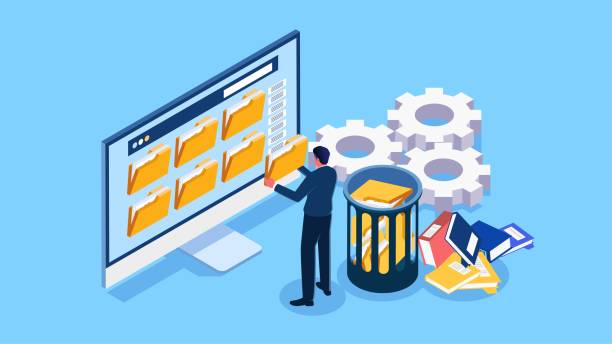
Raw data is messy. Before feeding it to your AI:
- Remove outdated information
- Fix inconsistencies and typos
- Organize by topic (products, policies, troubleshooting, etc.)
- Make sure everything is current
Bad data creates bad AI responses. This cleanup step is crucial.
Step 3: Write Clear Instructions

Don't just upload files and hope for the best. Give your AI explicit instructions on how to use that information.
Here's what good instructions look like:
For a customer support bot:
You are a customer support assistant for [Company Name].
Your role is to answer customer questions accurately using our knowledge base.
Guidelines:
- Be friendly and professional
- If you don't know the answer, say so and offer to connect them with a human
- Never make up information or guess
- When a customer is frustrated, escalate immediately
- Cite specific policies when explaining rules
For a sales assistant:
You are a sales assistant for [Company Name].
Your goal is to help potential customers find the right solution for their needs.
Guidelines:
- Focus on solving problems, not listing features
- Ask about their needs, budget, and timeline to qualify them
- Provide accurate pricing from our pricing document
- Be consultative, not pushy
- Escalate to a human sales rep when they're ready to buy
The more specific your instructions, the better your AI performs.
Step 4: Upload and Train

If using Custom GPTs:
- Create your GPT through the builder
- Upload your files
- Add your instructions
- Test with real questions
If using a no-code platform:
- Create your AI agent
- Connect your knowledge sources (upload files, connect your website, link Google Drive, etc.)
- Add instructions and customize behavior
- Configure escalation rules
- Connect to your channels
Most platforms make this process visual and straightforward. When you're setting up these automations across multiple touchpoints, chat, email, social, you're essentially creating an interconnected system where chatbot automation handles repetitive tasks while your team focuses on complex issues.
Step 5: Test Thoroughly

Don't launch until you've tested extensively.
Try these types of questions:
- Your most common customer questions
- Edge cases and unusual requests
- Questions that should escalate to humans
- Requests with frustrated or angry tone
Get multiple team members to test. What makes sense to you might confuse others.
Step 6: Deploy and Monitor

Launch your AI, but don't walk away.
Track these metrics weekly:
- Resolution rate: What % of conversations does AI handle without human help?
- Accuracy: Are the answers factually correct?
- Customer satisfaction: Are people happy with AI interactions?
- Escalation rate: How often does it hand off to humans?
Use this data to refine your training. Add missing information, update outdated docs and adjust instructions.
Most businesses see major improvements after the first month of real-world use.
What to Include in Your Custom AI Knowledge Base
Not sure what to feed your AI? Here's a priority list:
Essential (Include These First):
- Product/service descriptions
- Pricing information
- Top 20-30 FAQs
- Refund/return policies
- Shipping details
- Contact info and business hours
- Basic troubleshooting guides
Advanced (Add for Better Performance):
- Detailed product specs
- Comparison guides (you vs. competitors)
- Customer success stories
- Industry terminology
- Common objections and how to address them
- Escalation procedures
Brand Consistency:
- Voice and tone guidelines
- Sample conversations showing your style
- Words/phrases to use (and avoid)
- How to handle sensitive topics
The more comprehensive your knowledge base, the more capable your AI becomes.
Common Mistakes (And How to Avoid Them)
Let me save you from the mistakes I see constantly:
Mistake #1: Uploading too much unorganized data: More isn't better. Five hundred random documents with conflicting info will confuse your AI. Fix: Curate carefully. Only include accurate, current information.
Mistake #2: Vague instructions: "Be helpful" isn't useful guidance. Fix: Be specific. Define exactly what "helpful" means for your brand. Give examples.
Mistake #3: Never updating training data: Your business changes. New products launch. Policies update. Static training data becomes outdated fast. Fix: Schedule monthly reviews. Update as needed.
Mistake #4: No escalation plan: Your AI won't handle everything. Some situations need humans. Fix: Define clear rules for when to escalate. Make this part of your training.
Mistake #5: Not testing before launch: You wouldn't hire an untrained employee to talk to customers, right? Fix: Spend at least a week testing internally before going live.
Mistake #6: Ignoring performance data: If you're not tracking metrics, you have no idea if your AI is helping or hurting. Fix: Monitor resolution rate, accuracy, and customer satisfaction weekly.
Maintaining Brand Consistency Across Channels
Achieving AI brand consistency across every touchpoint is one of the biggest challenges for growing businesses.
You train your website chatbot to sound friendly and casual. Great! Then you set up a WhatsApp bot that's formal and robotic. And your Instagram bot has a completely different personality.
Your customers notice. And it's confusing.
Solution: Use one central knowledge base. Don't create separate training data for each channel. When you update a policy or add a product, it should update everywhere simultaneously.
Define your brand voice clearly in your training instructions:
- Tone (friendly? professional? playful?)
- Language level (simple? technical?)
- Personality traits (helpful? consultative? direct?)
You can adjust formatting for different channels (shorter messages on WhatsApp vs. longer email responses), but the underlying voice should stay consistent.
Think of it like this: you might text differently than you email, but you're still the same person.
In Conclusion
Generic ChatGPT is impressive but Custom-trained ChatGPT that knows your business is transformative.
You don't need coding skills or a massive budget. You just need to invest time training your AI properly.
Start small. Pick one use case, customer support, lead qualification, or FAQ answering. Train your AI on that specific data. Test it. Refine it. Deploy it.
If you're exploring different options for implementation, comparing platforms helps you find the right fit for your specific needs. Looking at AI chatbots built for small businesses shows you what features matter most and which tools offer the best balance of power and ease of use for teams without technical resources.
Frequently Asked Questions (FAQs)
Q: Do I need a ChatGPT Plus subscription to train ChatGPT on my data?
A: For Custom GPTs (personal use), yes, you need ChatGPT Plus at $20/month. For business applications using platforms like Heyy.io or Zapier, no, the platform handles the AI integration with their own infrastructure.
Q: How much data do I need to build a custom AI knowledge base effectively?
A: Quality beats quantity. Most businesses start with 10-20 core documents (product info, FAQs, policies) and see good results. You can expand later as needs grow. Focus on answering your most common customer questions first.
Q: Can I train ChatGPT on my website content?
A: Yes. Most platforms can scrape your website automatically and use that content as training data. This is one of the easiest starting points since your website already contains most public information about your business.
Q: How often should I update my training data?
A: Review monthly at minimum. Update immediately when you launch new products, change policies, or notice outdated responses. Some businesses schedule quarterly audits to refresh all training data systematically.
Q: Can I use the same trained AI across multiple channels?
A: Yes, if you use a multi-channel platform. The AI pulls from the same knowledge base whether someone contacts you via website, WhatsApp, Instagram, or email, ensuring consistency everywhere.
Q: What if my AI doesn't know the answer?
A: Proper training includes instructions for handling uncertainty. Your AI should: (1) admit when it doesn't know, (2) offer to escalate to a human, or (3) provide the best related information it has. Never let it make up answers.
More blog posts to read

Ready to Automate Support
Across Every Channel?
.svg)
.avif)