.svg)
17 Best Chatbot Builders in 2026 (Tested, Ranked, No-Code): A Complete Guide

I'll be honest with you: three years ago, building a chatbot meant hiring developers, spending months on implementation, and dealing with code you didn't understand.
In 2026? You can build a fully functional AI chatbot in under an hour. No coding. Just drag, drop, train, and deploy.
The chatbot builder market is now over saturated. There are now hundreds of platforms promising "easy chatbot creation" and "no-code AI." But here's the problem: most of them suck.
Some platforms look simple but can't handle anything beyond basic FAQs. Others promise advanced AI but require technical knowledge to actually use. And plenty of them lock essential features behind expensive enterprise plans.
How We Evaluated These Platforms
I tested 20+ chatbot builders by building the same customer support chatbot on each platform, uploading a 15-page knowledge base, connecting a Shopify store, configuring a human escalation trigger, and testing 30 common support queries. Each platform was evaluated against five criteria:
• Setup time: Must be live in under 2 hours without developer help. Platforms requiring technical configuration past this threshold were marked down.
• AI response accuracy: Tested against 30 support queries across 3 categories: factual (policy-based), transactional (order-related), and ambiguous (multi-intent). Accuracy scored on a 10-point scale.
• Channel coverage: Evaluated for native support of: website chat, WhatsApp, Instagram, Facebook Messenger, Telegram. Bolt-on integrations that required third-party tools counted as partial credit.
• Human handoff quality: Triggered escalation on 5 test queries and evaluated whether the agent received: full conversation history, customer context, identified intent. Platforms failing any of these were flagged.
• Pricing transparency: Evaluated headline price vs. real-world cost at 1,000 conversations/month. Platforms with hidden per-resolution fees or mandatory add-ons for core features were rated lower.
Some platforms had me live in 15 minutes. Others took days of configuration and still didn't work properly.
Below, I'm breaking down the 16 best chatbot builders in 2026, ranked by ease of use, features, pricing, and real-life performance.
Whether you're a small business wanting to automate customer support, an e-commerce store looking to boost sales, or a SaaS company needing AI-powered onboarding, this guide will help you pick the right platform.
Let's get into it.
What Is a Chatbot Builder?
A chatbot builder is a software platform that lets you create, customize, and deploy conversational AI without writing code.
Think of it like website builders (Wix, Squarespace) but for chatbots. Instead of building from scratch using programming languages, you use visual interfaces, drag-and-drop flows, templates, and pre-built integrations, to design how your chatbot behaves.
Modern chatbot builders in 2026 include:
- Visual flow builders — Design conversation paths by dragging and connecting nodes
- AI training tools — Upload documents, FAQs, and website content to teach your bot
- No-code integrations — Connect to CRMs, messaging apps, e-commerce platforms without technical setup
- Multi-channel deployment — Launch your bot on websites, WhatsApp, Instagram, Facebook, SMS, and more
- Analytics dashboards — Track conversations, resolution rates, and user satisfaction
The best platforms combine ease of use with powerful AI capabilities. You shouldn't need a computer science degree to build a chatbot that works.
What to Look for in a Chatbot Builder
These six criteria separate platforms that genuinely work from ones that look good in a demo but fall apart in production.
1. AI vs. Rule-Based Engine
Rule-based builders use decision trees, the customer picks from menus, the bot follows a pre-set path. They are predictable and easy to configure, but they break the moment a customer asks something outside the script. AI-powered builders use natural language understanding to interpret what the customer means, not just what they typed. For customer support and open-ended queries, AI is the minimum viable standard in 2026. For simple, scripted marketing flows, rule-based can still work.
2. No-Code Usability
A chatbot builder that requires developer involvement for basic changes defeats the purpose. The right platform should let a non-technical team member upload new knowledge base content, adjust conversation flows, and update policies without opening a single support ticket to IT. Test this before committing: create an account, upload a document, and see if the bot goes live without help. If you need documentation to get through setup, reconsider.
3. Channel Coverage
Your chatbot is only useful on the channels where your customers actually reach you. If 60% of your inbound volume is WhatsApp and Instagram DMs, a website-only chatbot builder solves the wrong problem. Before shortlisting any platform, map your top two customer contact channels and verify native support. Heyy covers WhatsApp, Instagram, Facebook Messenger, Telegram, and website chat natively. ManyChat covers Instagram and Facebook. Most others default to website only.
4. Knowledge Base Integration
The difference between a chatbot that gives generic answers and one that resolves real queries is whether the AI has access to your actual business information, your return policy, your product specs, your shipping rules. Platforms that support RAG (Retrieval-Augmented Generation) connect the AI to your live knowledge base and pull the relevant section before generating a response. This prevents hallucination and keeps answers accurate. Chatbase, Heyy, and Botpress all support this. Basic flow builders do not.
5. Human Handoff
Even the best chatbot will hit its limit. When it does, the transition to a human agent has to be seamless, full conversation history, customer context, and identified intent transferred automatically, not starting over. Platforms that lack a clean escalation path generate more customer frustration than they prevent. Test the handoff before going live: trigger a scenario the bot cannot resolve and verify that the agent receives everything they need to pick up mid-conversation without asking the customer to repeat themselves.
6. Pricing Model
There are three common models: per-seat (you pay per agent), per-conversation (you pay per interaction), and flat-fee (unlimited usage at a fixed monthly rate). Per-seat pricing escalates as your team grows. Per-conversation pricing can spike during high-volume periods, a successful campaign that drives 5x normal message volume will 5x that line item. Flat-fee models are predictable but may cap usage in ways that limit scale. Calculate your cost at 2x current volume for each model before committing to any platform.
Why Your Business Needs a Chatbot Builder (Not Custom Development)
The old way:
- Hire developers ($80-150/hour)
- Spend 2-4 months building
- Pay ongoing maintenance costs
- Total cost: $15,000-50,000+
The chatbot builder way:
- Sign up for a platform ($0-300/month)
- Build in hours or days
- Update and maintain yourself
- Total cost: $0-3,600/year
The ROI is obvious. But beyond cost savings, chatbot builders give you:
Speed: Launch in hours instead of months. Test, iterate, and improve without waiting for developer availability.
Control: You can make changes yourself. No more submitting tickets to IT or waiting weeks for simple updates.
Flexibility: Easily add new features, channels, or integrations as your needs evolve.
Scalability: Handle 10 conversations per day or 10,000, the platform scales automatically.
According to Grand View Research, the global chatbot market is projected to hit $27.3 billion by 2030, growing at 23.3% annually. Businesses aren't building chatbots because they're trendy, they're building them because customers expect instant responses, 24/7 availability, and personalized experiences.
A chatbot builder is the fastest, cheapest way to meet those expectations.
The 17 Best Chatbot Builders in 2026 (Ranked & Compared)
I'm organizing these by use case, not some arbitrary ranking. Find the category that matches your biggest need.
Best Overall Chatbot Builders
1. Heyy.io — Best for Customer Messaging & AI Automation
I'm putting Heyy.io first because it solves the problem most businesses have in 2026: customers messaging you on WhatsApp, Instagram, and Facebook, not just your website.
Traditional chatbot builders focus on website chat widgets. That's fine if you're living in 2018. But in 2026, your customers are DMing you on Instagram asking about product availability, messaging on WhatsApp at midnight asking where their order is, and hitting you up on Facebook Messenger wondering about return policies.
Heyy was built for this.
How Heyy Actually Works:
Instead of building a chatbot for just your website, Heyy creates a unified AI agent that works across WhatsApp, Instagram, Facebook Messenger, Telegram, SMS, and your website, all from one platform.
Every message lands in one unified inbox. Your team (or the AI) responds from one place, and the customer receives it on whatever channel they originally messaged from.
The AI is trained on your business data:
- Upload FAQs, product documentation, shipping policies
- Connect your Shopify or WooCommerce store for live order data
- Add return procedures, sizing guides, troubleshooting steps
- Import your knowledge base articles
The AI learns your business and gives accurate, specific answers based on your real information.
Key Features:
- Unified inbox for WhatsApp, Instagram, Facebook, Telegram, SMS, website chat
- AI trained on your business data
- No-code setup, you’ll be live in 15-30 minutes
- E-commerce integrations (Shopify, WooCommerce) for order tracking
- Workflow automation for routing, tagging, escalations
- Multi-language support (80+ languages)
- Analytics dashboard showing AI performance, resolution rates, common questions
Pros:
- Dramatically simpler than traditional chatbot builders — No complex flow diagrams or decision trees to build
- Modern channels included — WhatsApp and Instagram work out of the box, and so do other platforms
- AI that actually resolves — Doesn't just deflect to help articles; answers based on your data
- Fast setup — 15-30 minutes from signup to live chatbot
- Great for e-commerce — Deep Shopify integration, order tracking built-in
- Affordable — $49-499/month vs thousands for enterprise platforms
Cons:
- Best for messaging-first businesses — If 90% of your support is email-only, simpler options exist
- Newer platform — Less brand recognition than ManyChat or Tidio
Best For: E-commerce stores, social commerce businesses, teams supporting customers on messaging apps (WhatsApp, Instagram, Telegram), businesses handling 500-10,000 conversations/month.
For more on unified messaging platforms, see Unified Customer Messaging Platforms.
2.ProProfs Chat — Easiest Live Chat & AI Customer Service Agent for Instant, Automated Support
ProProfs Chat is built for businesses that want live chat and an AI customer service agent up and running without a steep setup process.
What makes ProProfs Chat different from generic chatbot builders: it's codeless from the start. The AI agent trains directly on your website, help center, uploaded files, and FAQs, so it answers accurately from day one instead of needing weeks of scripting.
The AI agent runs sentiment analysis to detect customer emotions in real time, and scores churn risk as High, Medium, or Low. It also generates a resolution summary after every chat, so agents have full context the moment they need to step in. Conversations deploy across web, WhatsApp, Facebook, Instagram, and SMS, with intelligent chat routing sending each one to the right operator automatically.
ProProfs Chat integrates natively with Salesforce, HubSpot, Shopify, and Zendesk, so support workflows stay connected to the rest of your stack.
Key Features:
- Codeless AI agent trained on your own website, help center, and FAQs
- Sentiment analysis and churn risk scoring (High, Medium, Low)
- AI-generated resolution summaries after every chat
- Intelligent chat routing across web, WhatsApp, Facebook, Instagram, and SMS
- Real-time visitor tracking
- Salesforce, HubSpot, Shopify, and Zendesk integrations
Pros:
- Codeless Setup — Fast, developer-free deployment
- Early Risk Detection — Sentiment and churn scoring flag at-risk conversations early
- Instant Availability — AI agent keeps support running 24/7 without added headcount
- Trained on Your Content — AI pulls from your own website, help center, and FAQs
- Smart Routing — Conversations reach the right operator automatically
Cons:
- Cloud-only — no offline access
- No dark theme
Best For: Growing businesses and enterprises wanting easy live chat with AI baked in, teams that want fast setup without sacrificing automation depth.
Pricing:
- Free Forever: 1 operator, full feature access
- Essentials: $19.99/month
- Business: $29.99/month
- Business Complete Elite: $179.97/month (3 operators, 1,500 AI chats/month)
- Customer Delight Suite: starts at $499/month
3. Tidio — Best for E-Commerce & Shopify Stores
Tidio is specifically designed for online stores that want live chat + AI chatbot in one platform.
What makes Tidio different from generic chatbot builders: it's optimized for the e-commerce customer journey. The visual flow builder includes pre-made templates for abandoned cart recovery, product recommendations, discount code delivery, and order status tracking.
Lyro is Tidio's AI chatbot feature. It pulls information from your knowledge base to answer customer questions automatically. Unlike rule-based bots that need you to map every possible conversation path, Lyro uses natural language understanding to figure out what customers are asking and responds with relevant information.
The live chat widget shows visitor tracking, you can see what page someone is on, what they've added to cart, and previous conversations. When an agent jumps in, they have full context without asking the customer to repeat themselves.
Tidio integrates natively with Shopify, WooCommerce, WordPress, and major e-commerce platforms. Order data syncs automatically, so your chatbot (and agents) can check order status, process refunds, or send tracking information without switching tools.
Key Features:
- Visual drag-and-drop flow builder
- Lyro AI for natural language understanding
- Live chat with visitor tracking
- Pre-made e-commerce templates (cart recovery, product recs, FAQs)
- Shopify, WooCommerce, WordPress integrations
- Email marketing campaigns
- Analytics on conversion rates, chatbot performance
Pros:
- Perfect for e-commerce — Built specifically for online stores
- Easy to use — Visual builder is beginner-friendly
- Combines live chat + chatbot — One platform for both
- Affordable — Free plan available, paid from $29/month
- Great templates — Don't start from scratch
Cons:
- Limited to e-commerce use cases — Not ideal for SaaS, B2B, or service businesses
- AI requires paid plan — Lyro starts at higher tiers
- Less advanced than enterprise platforms — Limited custom logic
Best For: Small to mid-sized e-commerce businesses, Shopify and WooCommerce stores, teams wanting live chat + chatbot together.
Pricing:
- Free: Basic live chat, limited chatbot features
- Starter: $29/month (50 live chat conversations, basic chatbots)
- Growth: $59/month (Lyro AI, 100 live chat conversations)
- Plus: Custom pricing (unlimited everything)
For a detailed comparison, see Tidio vs Heyy: Which Platform Is Right for Your Business?.
4. YourGPT — Best for Multi-Channel Support Automation & Real Business Actions
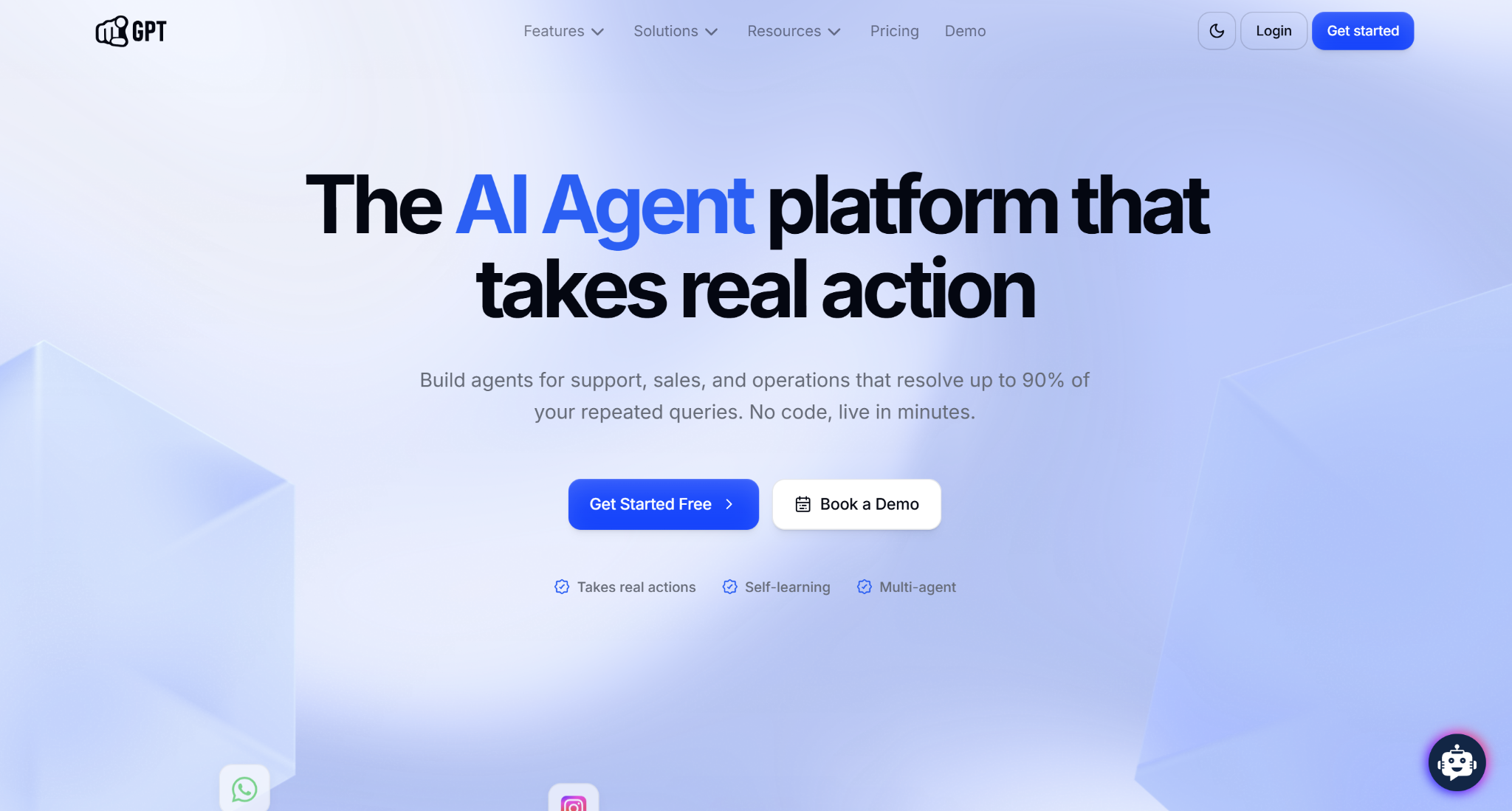
YourGPT is designed for growing teams that want AI automation across all customer channels with genuine workflow execution in one platform. What makes it different from generic chatbot builders: it's optimized for the complete support and operations journey. The visual no-code builder includes pre-made automation templates for common use cases, and agents improve automatically without manual flow rebuilds. Self-learning means your AI gets smarter from every conversation.
YourGPT's self-learning AI agents pull information from your knowledge base, documents, PDFs, Notion, and websites to understand customer questions in context. The AI handles conversations dynamically and improves automatically from every interaction. When a human agent takes over, they have the full conversation history and understand exactly where the customer is in their journey.
YourGPT integrates natively with Shopify, Stripe, Zendesk, and Airtable. Agents can check order status from Shopify, process refunds through Stripe, create tickets in Zendesk, and update customer records in Airtable without switching between tools. Real business actions execute directly from conversations, turning WhatsApp and email into operational workflow channels.
Key Features:
- Visual no-code builder with pre-made automation templates
- Self-learning AI that improves automatically from conversations
- Omnichannel deployment (WhatsApp, Instagram, Slack, Discord, Telegram, email, web, phone)
- Multi-agent specialization for billing, refunds, support, and sales
- Real business action execution: process refunds, create tickets, update CRM
- Live chat integration with visitor tracking
- Analytics on resolution rates, automation performance
- Shopify, Stripe, Zendesk, Airtable integrations
- Email campaign automation
Pros:
- Perfect for omnichannel — Deploy one agent across WhatsApp, Instagram, Slack, email, and web simultaneously
- No-code setup — Build and launch without developers or technical resources
- Real business actions — Agents create tickets, process refunds, update CRMs, and execute workflows automatically
- Self-learning AI — Improves from every conversation without manual retraining
- Transparent pricing — No per-resolution fees; fixed monthly cost scales predictably
Cons:
- Advanced features on higher tiers — AI Studio and custom branding only available on higher tier plans
- Setup quality impacts performance — Self-learning AI requires quality knowledge base training upfront for best results
- Complex workflows in AI Studio require more technical understanding.
Best for: E-commerce, SaaS, and service businesses wanting AI-powered support across WhatsApp, Instagram, email, and web. Scales from growing teams to enterprises managing high support volume across multiple channels.
Pricing:
- Starter: $39/month (2 agents, 10M AI credits, basic automation)
- Growth: $129/month (5 agents, AI Studio, advanced features)
- Plus: $499/month (custom branding, unlimited everything)
5. Chatbase — Best for Knowledge Base Chatbots
Chatbase focuses on one thing: turning your existing documentation into an AI chatbot that actually gives accurate answers.
The core use case: you have a knowledge base, help center, product docs, or internal wiki. You want a chatbot that can answer questions based on that content without making stuff up.
Chatbase excels at this. Upload PDFs, paste website URLs, connect Notion pages, or import text files. Chatbase indexes the content and uses retrieval-based reasoning to ensure answers are grounded in your actual documentation.
The "Suggestions" feature is clever: it analyzes conversations where the AI struggled to answer properly and highlights missing information in your training data. You can update the knowledge base directly from these suggestions, continuously improving accuracy.
Setup is genuinely fast. Most teams are live in under 10-30 minutes. Upload docs → test chatbot → embed on website. Done.
Key Features:
- Upload documents (PDF, TXT, DOCX), websites, or Notion pages for training
- GPT-4 powered responses grounded in your content
- Embed chatbot on unlimited websites
- Customize appearance (colors, AI logo, welcome message)
- Lead collection forms
- Conversation history and analytics
- API access for custom integrations
- WhatsApp and Slack integrations
Pros:
- Fastest setup — Live in 10-30 minutes
- Excellent at knowledge-based Q&A — Best for FAQ-heavy businesses
- Suggestions feature — Identifies gaps in training data
- Affordable — Free plan available
- No technical skills needed — Upload docs and go
Cons:
- Limited workflow automation — Not built for complex multi-step processes
- Basic UI customization — Less design control than some platforms
- Best for information retrieval — Not ideal for transactional chatbots (e.g., booking appointments)
Best For: SaaS companies with help centers, businesses with extensive documentation, teams wanting to reduce FAQ tickets.
Pricing:
- Free: 1 chatbot, 30 message credits/month
- Hobby: $19/month (2 chatbots, 2,000 message credits)
- Standard: $99/month (5 chatbots, 10,000 message credits)
- Unlimited: $399/month (10 chatbots, 40,000 message credits)
Best for Visual Flow Building
6. ManyChat — Best for Instagram & Facebook Marketing
ManyChat is currently one of the most popular marketing automation on Instagram, Facebook Messenger, and WhatsApp.
They’re a marketing engine disguised as a chatbot platform.
The visual Flow Builder lets you create complex conversation sequences: when someone comments "SALE" on your Instagram post, the bot automatically DMs them a discount code. When they click a link in your Instagram bio, the bot qualifies them and sends product recommendations. When they message on WhatsApp, the bot captures their email and adds them to your CRM.
ManyChat excels at three things:
- Lead generation: Capture contact info, qualify leads, route hot prospects to sales
- Broadcast messaging: Send promotional messages to your subscriber list (within platform rules)
- E-commerce automation: Cart abandonment, order confirmations, product launches
The platform includes Instagram automation specifically, auto-reply to story mentions, DM keywords, comment triggers. For businesses selling via social media, this is invaluable.
Key Features:
- Visual flow builder for Instagram, Facebook, WhatsApp automation
- Instagram comment and story mention triggers
- Broadcast messaging to subscriber lists
- A/B testing for conversation flows
- E-commerce integrations (Shopify, WooCommerce)
- Payment processing inside chat conversations
- Analytics on open rates, click rates, conversion
Pros:
- Best Instagram automation — Comment triggers, story mentions, auto-DM all work smoothly
- Great for marketing — Lead gen, broadcasts, product launches
- Easy to use — Visual builder is intuitive
- Free plan available — Up to 1,000 contacts
- Excellent for social commerce — Selling through Instagram DMs
Cons:
- Not ideal for customer support — Built for marketing, not complex support workflows
- Platform policy dependent — Meta changes rules frequently; features can break
- Limited AI — More flow-based than intelligent conversation
Best For: Social media marketers, e-commerce businesses selling on Instagram, coaches and consultants, businesses with active social followings.
Pricing:
- Free: Up to 1,000 contacts
- Pro: $15/month (500 contacts, then $15 per 500 contacts)
7. Voiceflow — Best for Advanced Conversation Design
Voiceflow is for teams that need sophisticated, multi-step conversation flows with branching logic, conditional responses, and deep customization.
Think of it as the "developer-friendly" chatbot builder. You don't need to code, but you do need to think like a designer, mapping out complex user journeys, decision trees, and edge cases.
Voiceflow's visual canvas lets you build conversation flows that handle multiple scenarios: if the user says X → do Y, but if they say Z → do A, unless condition B is true, then do C. It supports variables, API calls, conditional logic, and multi-step processes.
The platform also supports voice assistants (Alexa, Google Assistant) in addition to text chatbots, making it unique for teams building voice-first experiences.
Voiceflow is particularly strong for prototyping. Teams use it to design and test conversation flows before building them into production systems. The collaboration features let designers, product managers, and developers work together on chatbot design.
Key Features:
- Advanced visual canvas for complex flows
- Support for voice assistants (Alexa, Google Assistant)
- API integrations and webhook support
- Variables and conditional logic
- Team collaboration and version control
- Prototyping and testing tools
- Multi-channel deployment
- Analytics and conversation tracking
Pros:
- Most powerful visual builder — Handles incredibly complex flows
- Great for prototyping — Test conversation designs before building
- Voice + text support — Build for Alexa, Google Assistant, web chat
- Developer-friendly — API calls, webhooks, custom code
- Team collaboration — Multiple people can work together
Cons:
- Steeper learning curve — Not as beginner-friendly as Tidio or ManyChat
- Can be overwhelming — Lots of features and options
- Pricing scales fast — Higher tiers get expensive
Best For: Product teams building complex chatbots, businesses needing voice assistants, agencies designing chatbots for clients, teams that need advanced customization.
Pricing:
- Free: Limited projects and collaborators
- Pro: $40/month per seat (unlimited projects)
- Team: Custom pricing (advanced features, analytics)
Best AI-Powered Chatbot Builders
8. Botpress — Best for Developers & Custom AI Agents
Botpress is an open-source chatbot platform that bridges no-code simplicity with full developer control.
The visual flow builder is clean and powerful, but what sets Botpress apart is the ability to write custom code when needed. You're not locked into the platform's limitations, you can extend functionality with JavaScript, call external APIs, and integrate with any system.
Botpress uses large language models (GPT-4, Claude, custom models) natively. You can switch between LLMs, combine multiple models in one chatbot, and fine-tune responses based on your specific use case.
The platform supports multi-channel deployment out of the box: website, WhatsApp, Telegram, Facebook Messenger, Slack, Microsoft Teams. One bot, multiple channels.
Key Features:
- Open-source core with cloud hosting option
- Visual flow builder + custom code support
- Native LLM integration (GPT-4, Claude, custom models)
- Multi-channel deployment (web, WhatsApp, Slack, Teams, etc.)
- Built-in NLU (natural language understanding)
- Developer-friendly with full API access
- Self-hostable for data privacy
- Analytics and conversation logs
Pros:
- Open-source flexibility — Full control over your chatbot
- Developer-friendly — Extend with custom code when needed
- LLM-native — Use latest AI models easily
- Self-hosting option — Keep data on your servers
- Free tier available — 500 messages/month free
Cons:
- Learning curve — More complex than beginner platforms
- Requires technical knowledge for advanced features — Not entirely no-code
- Documentation can be dense — Geared toward developers
Best For: Development teams, tech-savvy businesses, companies with data privacy requirements, teams needing custom integrations.
Pricing:
- Pay-as-you-go: Free for 500 messages/month, then usage-based
- Plus: $89/month (1,000 messages, premium features)
- Team: $495/month (10,000 messages, collaboration tools)
- Enterprise: Custom pricing
9. Intercom — Best for SaaS & Product-Led Growth

Intercom is a complete customer communication platform with AI chatbots, live chat, help desk, and marketing tools built-in.
It's an entire customer engagement platform. But the chatbot features (Fin AI Agent) are exceptional for SaaS products.
Fin AI is designed specifically for in-app support: helping users complete tasks, troubleshooting issues, and guiding product adoption.
The platform integrates deeply with your product. You can trigger messages based on user behavior (e.g., "I see you haven't completed onboarding, need help?"), show product tours, collect feedback, and route high-value users to your sales team.
For SaaS companies, Intercom replaces multiple tools: helpdesk (Zendesk), live chat, product analytics, and marketing automation all in one platform.
Key Features:
- Fin AI Agent for autonomous conversation resolution
- In-app messenger for product support
- Proactive messaging based on user behavior
- Product tours and onboarding flows
- Live chat with team inbox
- Help desk ticketing
- Outbound marketing campaigns
- CRM functionality
- Analytics on engagement, resolution rates, CSAT
Pros:
- Best for SaaS products — Built specifically for in-app support
- Powerful AI (Fin) — Actually resolves complex questions
- Proactive engagement — Reach users before they have problems
- All-in-one platform — Chatbot + helpdesk + marketing
- Great analytics — See exactly how Fin performs
Cons:
- Expensive — $0.99 per AI resolution adds up fast
- Overkill for simple use cases — Too much if you just need website chat
- Best for tech companies — Not ideal for e-commerce or local businesses
Best For: SaaS companies, web apps, mobile apps, product-led growth businesses.
Pricing:
- Essential: $29/seat/month
- Advanced: $85/seat/month
- Expert: $132/seat/month
- Fin AI Agent: $0.99 per resolved conversation
For more on AI customer service, see AI Customer Service: Everything You Need to Know.
Best for Specific Use Cases
10. Landbot — Best for Conversational Landing Pages

Landbot turns traditional landing pages into interactive conversations.
Instead of a static form asking for name, email, company, etc., Landbot creates a chatbot interface that asks questions one at a time conversationally. It feels more engaging and typically converts better than standard forms.
The visual builder is specifically designed for lead generation and conversion optimization. You can easily A/B test different conversation flows, add conditional logic based on user responses, and integrate with marketing automation tools.
Pros:
• Conversation-first interface dramatically outperforms traditional forms for lead capture, typical conversion uplift of 30–40% vs static forms.
• No-code builder designed specifically for marketers, not developers, flows are visual and can be built without technical knowledge.
• A/B testing built in, you can test different conversation flows and see which version converts better before committing.
Cons:
• Limited to lead generation and marketing use cases, not built for ongoing customer support or post-purchase workflows.
• Pricing starts higher than some alternatives with no free tier, a barrier for teams wanting to test before committing.
Best For: Marketing teams focused on lead capture, businesses running paid ad campaigns, companies optimizing conversion rates.
Pricing: Starts from $40/month.
11. Drift — Best for B2B Sales & Lead Qualification
![Drift Review: Features, Pricing, & Alternatives [2026]](https://cdn.prod.website-files.com/68b0a30773f876f5f4c5c09a/69579f17e62bc7337401af5a_drift-review.png)
Drift is a conversational marketing platform focused on B2B sales.
The chatbot qualifies website visitors in real-time, routes high-intent prospects to sales reps immediately, and books meetings automatically. It's designed to convert website traffic into sales pipeline.
Pros:
• Account-based targeting: it identifies high-value company visitors and routes them to the right sales rep instantly, bypassing the standard queue.
• Meeting booking built directly into the chatbot, a qualified prospect can go from first message to booked demo in under two minutes.
• Intent-based routing, this triggers specific conversation flows based on which pages a visitor has viewed, their company size, or firmographic data.
Cons:
• Pricing is prohibitive for most businesses, it starts at $2,500+/month, making it inaccessible outside well-funded B2B SaaS.
• Not fully suitable for customer support, it's built as a sales tool, not a support tool; using it for post-purchase support creates workflow friction.
Best For: B2B SaaS companies, sales-driven organizations, businesses with high-value deals.
Pricing: Custom (typically $2,500+/month for full platform).
12. Chatfuel — Best for Facebook Messenger Bots
![Chatfuel Review: Features, Pricing, & Alternatives [2026]](https://cdn.prod.website-files.com/68b0a30773f876f5f4c5c09a/69579ee99643f586cfbbdf2b_chatfuel-review.png)
Chatfuel specializes in Facebook Messenger chatbots for e-commerce and marketing.
It's similar to ManyChat but with a different interface and feature set. Popular for businesses heavily invested in Facebook as a primary marketing channel.
Pros:
• Deep Facebook Messenger integration, it's built natively for Meta's platform with comment-triggered flows, broadcast messaging, and re-engagement sequences.
• Visual flow builder is beginner-friendly, you can set up a working Messenger bot without any coding or technical background.
• E-commerce integrations with Shopify and WooCommerce, easily pull order data, trigger cart abandonment flows, and send order updates directly in Messenger.
Cons:
• Facebook-only focus: if your customers are on WhatsApp or Instagram, you need a separate tool, defeating the point of a unified platform.
• Meta policy dependency: when Facebook changes its Messenger policies (which happens regularly), features can break or become unavailable without warning.
Best For: E-commerce businesses on Facebook, social media marketers, Facebook-first brands.
Pricing: Free plan available, paid from $15/month.
13. Zapier Chatbots — Best for Workflow Automation

Zapier Chatbots integrates with 6,000+ apps to create chatbots that trigger actions across your tech stack.
The chatbot can add leads to your CRM, send calendar invites, create tasks in project management tools, and execute complex workflows, all from a conversation.
Pros:
• 6,000+ app integrations, so if your chatbot needs to trigger an action in any tool in your stack, Zapier almost certainly has the connector.
• Action-first design: conversations are designed around triggering outcomes (create a record, send a notification, update a field) rather than just answering questions.
• Free tier available: it’s accessible for teams wanting to automate simple workflows without a paid platform commitment.
Cons:
• Not conversational in the traditional sense: it’s built for structured, action-oriented flows rather than natural dialogue or complex customer support.
• Latency can be a factor: multi-step Zaps add processing time that makes real-time live chat feel slow compared to native chatbot platforms.
Best For: Businesses with complex automation needs, teams using multiple tools, operations-focused companies.
Pricing: Free tier available, scales based on tasks.
14. Jotform AI Chatbot — Best for Form Completion
Jotform's AI Chatbot guides users through form completion conversationally.
Instead of presenting a long form all at once, the chatbot asks questions one by one, making the experience feel less overwhelming and improving completion rates.
Pros:
• Proven conversion improvement over static forms: it has a conversational question-by-question format that reduces abandonment on long data capture flows.
• Existing Jotform users get a fast upgrade path: if you are already using Jotform for forms, adding AI chat requires minimal additional setup.
• Handles complex multi-field data capture well: it’s suitable for lead qualification, event registration, and intake forms with conditional logic.
Cons:
• Niche use case: it’s primarily useful for form completion scenarios; not suitable as a general customer support or marketing automation tool.
• The AI layer is GPT-powered but shallow on customization, responses stay close to the form context and do not handle open-ended conversational queries well.
Best For: Businesses relying on form submissions, lead generation, event registrations, surveys.
Pricing: Free plan available, paid from $34/month.
15. Rasa — Best for Full Control & Data Privacy
Rasa is an open-source framework for building conversational AI with complete control.
Developers love Rasa for data privacy (self-hosted), full customization, and no vendor lock-in. But it requires significant technical expertise.
Pros:
• Complete data sovereignty: Rasa’s self-hosted deployment means your customer data never touches a third-party cloud server; essential for healthcare, finance, and defence.
• No vendor lock-in: Its open-source codebase means you can modify, extend, or migrate the platform entirely on your own terms.
• Full customisation capability: This means every aspect of NLU, dialogue management, and response generation can be tuned to your specific domain and use case.
Cons:
• Requires dedicated ML engineering resources: setup, training, and ongoing maintenance are not feasible for teams without Python and ML expertise.
• No managed infrastructure: you are responsible for hosting, scaling, monitoring, and security; the operational overhead is significant compared to hosted platforms.
Best For: Development teams, enterprises with strict data privacy requirements, companies needing full customization.
Pricing: Open-source free, enterprise licenses custom.
16. Appy Pie Chatbot — Best for Absolute Beginners
Appy Pie offers the simplest chatbot builder with templates and minimal configuration.
If you've never built a chatbot and want to get started in literally 10 minutes, this is your platform.
Pros:
• Fastest possible onboarding: its template-first approach means a first-time user can have a working chatbot live in under 15 minutes with no prior experience.
• Broad template library that covers common use cases (FAQ, lead capture, appointment booking) so most beginners do not need to design from scratch.
• Affordable starting price: it’s accessible for solopreneurs and small businesses that need basic automation without a monthly platform commitment.
Cons:
• Limited feature ceiling: once your needs grow beyond basic FAQ and routing, you will outgrow Appy Pie quickly and need to migrate to a more capable platform.
• AI capabilities are surface-level: the platform uses basic keyword matching and simple flow logic rather than genuine NLU or LLM-powered conversation handling.
Best For: Small businesses, solopreneurs, absolute beginners.
Pricing: From $16/month.
17. Chatbot.com — Best for Multi-Department Workflows
Chatbot.com excels at routing conversations to different teams based on user intent.
Sales questions → sales team. Support questions → support team. Billing questions → finance team. All handled automatically.
Pros:
• Intent-based routing is a strong suit: the platform excels at identifying what a user needs and directing them to the right team or knowledge base category automatically.
• Solid integration with popular helpdesks: It connects with Freshdesk, Zendesk, and Salesforce so escalated conversations land cleanly in your existing ticket system.
• Good mid-market fit: capable enough for teams of 10–50 agents needing structured routing without the complexity and cost of enterprise platforms.
Cons:
• Not best-in-class at any single capability: routing is good but not as advanced as Drift; AI is functional but not as capable as Intercom Fin or Heyy's trained AI agents.
• No free tier, the starting price of $52/month is a barrier for small teams wanting to test before committing to a monthly bill.
Best For: Mid-sized businesses with multiple departments, companies needing advanced routing.
Pricing: From $52/month.
How to Choose the Right Chatbot Builder for Your Business
Staring at 17 platforms is overwhelming. Here's a simple decision framework:
Step 1: What's Your Primary Use Case?
Customer Support: → Heyy.io (messaging apps), Chatbase (knowledge base), Intercom (SaaS products)
Marketing & Lead Generation: → ManyChat (Instagram/Facebook), Landbot (landing pages), Drift (B2B sales)
E-Commerce Sales: → Tidio (Shopify stores), Chatfuel (Facebook commerce)
Complex Custom Workflows: → Voiceflow (advanced flows), Botpress (developer control), Zapier (automation)
Step 2: Where Are Your Customers?
Messaging Apps (WhatsApp, Instagram): → Heyy.io, ManyChat
Website Only: → Chatbase, Tidio, Landbot
Inside Your Product (SaaS): → Intercom
Facebook/Social Media: → ManyChat, Chatfuel
Step 3: What's Your Technical Skill Level?
Beginner (No Technical Skills): → Heyy.io, Tidio, Appy Pie, Chatbase
Intermediate (Comfortable with Tech): → ManyChat, Voiceflow, Landbot
Advanced (Developers on Team): → Botpress, Rasa, Voiceflow
Step 4: What's Your Budget?
Under $50/month: → Heyy.io, Tidio, ManyChat, Chatbase
$50-200/month: → Voiceflow, Botpress, Landbot
$200-500/month: → Intercom (with AI), Drift
$500+/month: → Enterprise plans, custom development
Step 5: Test Before You Commit
Most platforms offer free trials or free tiers. Actually test them:
- Sign up for free trials on your top 3 choices
- Build the same simple chatbot on each platform
- Test with real users (or colleagues)
- Measure: setup time, ease of use, quality of responses
- Pick the one that felt best
Don't just pick based on features lists. Use the actual product.
Common Chatbot Builder Mistakes to Avoid
Mistake 1: Trying to Build Everything at Once
Problem: You map out a chatbot that handles 50 different scenarios, and it becomes overwhelming.
Solution: Start simple. Build a chatbot that handles 3-5 common questions really well. Expand from there.
Mistake 2: Not Training the AI Properly
Problem: You upload one FAQ doc and expect the AI to know everything.
Solution: The more training data, the better. Upload comprehensive docs, test thoroughly, and continuously improve.
Mistake 3: Forgetting to Plan the Human Handoff
Problem: The chatbot can't answer something, and there's no clear path to a human agent.
Solution: Always configure escalation. Complex questions, specific keywords, or frustrated customers should route to your team.
Mistake 4: Ignoring Analytics
Problem: You set up the chatbot and never look at performance data.
Solution: Check analytics weekly. See where the AI struggles, what questions are most common, and continuously optimize.
Mistake 5: Choosing Based on Price Alone
Problem: You pick the cheapest platform, then realize it can't do what you need.
Solution: Evaluate based on features, ease of use, and fit for your use case, not just price.
Frequently Asked Questions (FAQs)
Q: Do I need coding skills to use a chatbot builder?
A: No. The best chatbot builders in 2026 are designed for non-technical users. Platforms like Heyy.io, Tidio, ManyChat, and Chatbase require zero coding. You upload documents, configure settings, and deploy. More advanced platforms like Botpress and Voiceflow offer code-level customization if you want it, but it's not required for basic functionality.
Q: How long does it take to build a chatbot?
A: It depends on complexity. Simple FAQ chatbots can be live in 10-30 minutes on platforms like Chatbase or Heyy.io. More complex conversation flows with multiple integrations might take hours or days. Traditional custom development (without a chatbot builder) takes weeks or months. The whole point of chatbot builders is speed, hours instead of weeks.
Q: Can I build a chatbot for WhatsApp, Instagram, and Facebook?
A: Yes, but not all chatbot builders support these channels. Heyy.io and ManyChat are specifically designed for WhatsApp, Instagram, and Facebook automation. Platforms like Tidio and Intercom focus primarily on website chat. Always check which channels a platform supports before signing up. Multi-channel support is critical if your customers message you on social media.
Q: Do chatbot builders work with Shopify and e-commerce platforms?
A: Most do. Tidio, Heyy.io, ManyChat, and Gorgias (not on this list but worth mentioning) all integrate with Shopify and WooCommerce. These integrations let the chatbot access order data, track shipments, process returns, and answer purchase-related questions automatically. If you're running an online store, prioritize platforms with native e-commerce integrations.
Which Chatbot Builder Should You Choose?
Let's make this simple.
If you're supporting customers on WhatsApp, Instagram, or Telegram: → Heyy.io is purpose-built for almost all modern messaging channels.
If you run an online store (Shopify, WooCommerce): → Tidio is optimized for e-commerce with cart recovery and product recs.
If you want the fastest setup for FAQ automation: → Chatbase gets you live in 10 minutes with knowledge base training.
If you're marketing on Instagram and Facebook: → ManyChat dominates social media automation and lead generation.
If you need advanced conversation design: → Voiceflow offers the most powerful visual flow builder.
If you're a SaaS product: → Intercom is built specifically for in-app support and product-led growth.
If you're a developer wanting full control: → Botpress gives you open-source flexibility with no vendor lock-in.
Still unsure? Start with Heyy.io's free plan. Build a simple chatbot, test it with real customers, and see if it solves your problem. If you need different features, try another platform.
Don't overthink it, pick one, build, test, and iterate.
Ready to build your first AI chatbot?
Try Heyy.io free, no credit card required and you can go live in under 15 minutes.
More blog posts to read

Ready to Automate Support
Across Every Channel?
.svg)
.avif)