.svg)
9 Best Live Chat AI Tools for Business in 2026


You know that moment when a customer messages your business and then just... never hears back? Or they do, but three hours later, long after they have already bought from your competitor?
That is the everyday reality for most businesses still handling customer conversations manually or with outdated tools. And it is costing them more than they realize.
Here is what the data actually says: 79% of businesses report that live chat has had a positive effect on customer loyalty and sales. Customers who use live chat spend 60% more per purchase than those who do not. And leads contacted within 5 minutes of showing interest are 21 times more likely to convert than those reached after 30 minutes.
The gap between those numbers and your current results? That is exactly what the right live chat AI closes.
This guide covers the 9 best live chat AI tools for business in 2026. Before the list, you will find what to look for, why it matters, and exactly how to pick the right tool for your specific situation.
Quick Comparison Guide for the 8 Best Live Chat AI Tools
Why Live Chat AI Matters for Your Business

Before talking tools, let us talk stakes. Because "live chat" sounds like a feature decision. It is actually a revenue decision.
It is where your customers expect you to be. According to Forrester Research, 44% of online consumers say that having a live person answer questions during a purchase is one of the most important features a website can offer. That expectation has not gone away. It has expanded to WhatsApp, Instagram, and every channel your customers already use daily.
Speed is the new trust signal. A Harvard Business Review study found that companies responding to leads within an hour are 7 times more likely to have a meaningful conversation with a decision-maker than those who wait even 60 minutes. The average business response time via email or contact form is still 12 hours. The average live chat AI responds in under 10 seconds and when companies reply within 5 to 10 seconds, customer satisfaction rates jump to over 84%. That is a category change in the customer experience.
It directly lifts revenue, not just satisfaction scores. Businesses using live chat see real returns; in fact, 38% of consumers are more likely to buy from a company that offers live chat. Every percentage point of conversion rate improvement has a direct dollar value attached to it, and live chat AI is one of the fastest levers to pull without rebuilding your entire funnel.
It takes pressure off your human team. AI handles the repetitive 80%: order status, FAQs, pricing questions, booking confirmations. Businesses that implement AI-first live chat report their tools deflecting up to 70% of customer questions without any human involvement, freeing up support teams to handle higher volumes without adding headcount.
It works while you sleep. 51% of consumers say a business needs to be available 24/7. Live chat AI is the only realistic way to deliver that without running multiple shifts. For businesses serving customers across time zones, whether in Africa, Europe, or Southeast Asia, this is not a nice-to-have. It is the baseline expectation your customers already have.
The businesses ignoring live chat AI right now are not just missing a feature. They are handing revenue to competitors who have already figured this out.
What Makes a Live Chat AI Tool Actually Worth Your Money
The market is full of tools that look identical in a side-by-side comparison. Most will show you the same screenshots: a chat widget, an inbox view, a bot builder, a pricing table. Here is what actually separates the ones that deliver from the ones that collect dust six months after you install them.
Omnichannel reach that matches your customers: Your customers do not live on your website. They send Instagram DMs, WhatsApp messages, and Facebook comments, often about the same issue, in the same week. A live chat AI that only sits on your website misses a significant chunk of inbound demand. The right tool consolidates every channel into one place so no conversation falls through the gaps. If you are running a WhatsApp or Instagram-first business, channel coverage is the single most important factor on this list. Full stop.
AI that knows when to step aside: The most damaging thing a chatbot can do is pretend it has an answer when it does not. Customers who receive a wrong AI response are more frustrated than customers who received no response at all. The tools worth paying for recognize the limits of their confidence, ask a clarifying question when needed, and hand off to a human agent with the full conversation context attached. No restart. No re-explaining. The handoff experience is where most AI tools either earn or lose a customer's trust permanently.
Setup time that does not require a developer: A live chat tool that takes three months and a technical team to configure is not built for the real world of small and mid-market businesses. You need a tool your operations or customer service manager can set up, train, and adjust without filing a dev ticket. The best tools on this list are genuinely no-code. The ones that claim to be and are not will cost you weeks of internal time that should have been spent serving customers.
Integrations that are native, not bolted on: When a customer asks about their order status, your live chat AI should pull that information directly from Shopify or WooCommerce without a workaround. When a lead is captured through chat, it should land in your CRM automatically. Zapier workflows can fill gaps, but they break at the worst possible times and create data inconsistencies that take hours to untangle. Prioritize tools with native integrations to the platforms you already use.
Response quality, not just response speed: Speed matters. But a fast wrong answer is worse than a slow right one. The AI inside a quality live chat tool is trained on your specific product catalog, your FAQs, your pricing, and your policies. Not a generic language model that hallucinates details. The better tools let you feed your own documentation directly into the AI and test its answers before going live. Treat the quality of the AI's responses as seriously as you would treat a new hire's first week of training.
Analytics that show what is actually happening: Volume dashboards are not analytics. Real analytics show you which questions the AI is failing to answer, which conversations are escalating and why, where leads are dropping off in the chat flow, and how your first response time is trending week over week. If a tool cannot surface that data clearly, you are flying blind. You cannot improve what you cannot measure, and in live chat AI, what you cannot measure will eventually cost you customers.
Pricing transparency and real scalability: A tool that costs $49/month at 500 conversations might cost $490/month at 5,000 conversations. Some tools charge per seat. Some charge per AI resolution. Some charge for both, plus an add-on fee for each additional channel. Before you commit, model the cost at 3x your current volume. If the number surprises you, the tool is not built for where you are going. Most of the tools on this list have a sweet spot volume range. Know where that range ends before you are locked in an annual contract.
Security and data compliance: Especially if you are operating in regulated industries or handling customer data across borders. Look for tools with clear data residency policies, GDPR compliance documentation, and role-based access controls. SSO, audit logs, and user provisioning matter more than most buyers realize at the time of purchase. A data breach from an improperly configured chat tool is a business-ending event at small and mid-market scale. Do not treat this section as a checkbox.
1. Heyy — Best for Omnichannel AI Customer Messaging

Most live chat tools are built around your website, but Heyy is built around your customer. That distinction changes everything.
Heyy connects your website chat, WhatsApp, Instagram DMs, and Facebook Messenger into one unified inbox. Your team handles every conversation from a single dashboard. Your AI handles the ones that do not need a human at all.
The AI is trained on your product catalog, FAQs, and business rules. It qualifies leads, answers support questions, processes common requests, and escalates with full context when a human needs to step in. For e-commerce businesses running click-to-chat ads, the integration is direct: a customer clicks your Instagram ad, starts a conversation, and Heyy's AI closes the loop before your team even sees the ticket.
Businesses using Heyy across WhatsApp and Instagram report response times dropping from an average of 4+ hours to under 2 minutes. For e-commerce brands where a delayed reply on a product question means a lost sale, that difference is the gap between a customer and a refund request.
What sets Heyy apart: Most AI tools for customer support treat channels as separate modules. Heyy treats them as one conversation. A customer who messages you on Instagram on Monday and your website on Thursday is recognized as the same person. Context carries over. That is not a small thing. That is the difference between a customer feeling known and a customer feeling like they are starting from zero every single time.
Best for: Growing e-commerce brands and service businesses running on WhatsApp and Instagram who need AI automation across channels, not just on-site.
Pricing: Starts free. Paid plans start at $49/month and scale with usage, not seat count.
Pros:
- True omnichannel inbox: website, WhatsApp, Instagram, Facebook in one place
- AI that handles lead qualification and customer support without human intervention
- Easy setup with no coding required
- Deep integration with Shopify and major e-commerce platforms
Cons:
- Less suited for large enterprise support teams needing SLA enforcement at scale
- Reporting dashboard is still maturing compared to older platforms
2. Intercom — Best for SaaS and Product-Led Growth Teams
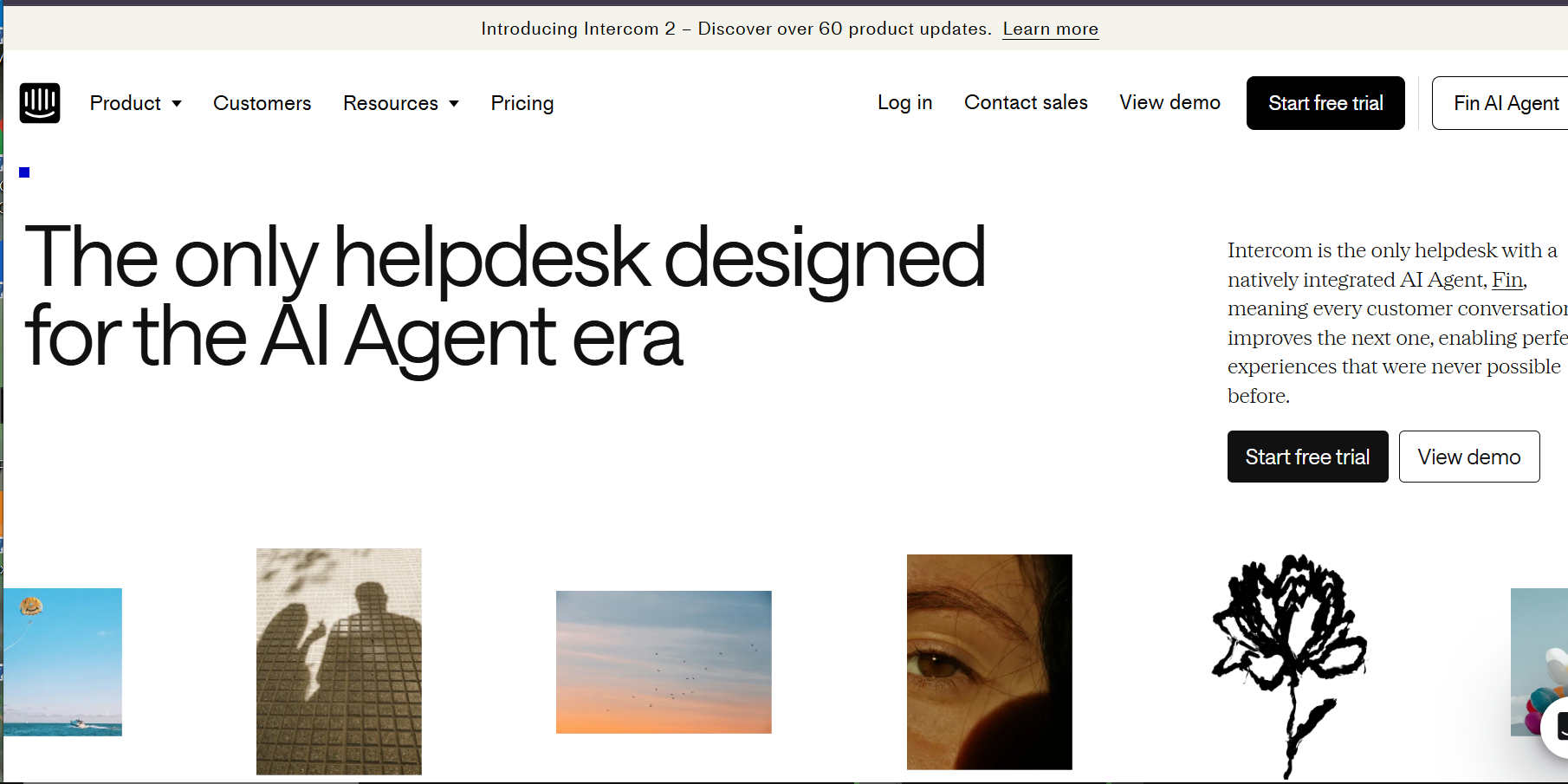
Intercom is the standard for SaaS customer messaging. It has been for nearly a decade. That reputation is earned.
The platform combines live chat, in-app messaging, a help center, and marketing automation into one product. Its AI agent, Fin, resolves common questions without human input. Teams at mid-market SaaS companies report Fin deflecting 40 to 50% of inbound support volume. At $0.99 per AI resolution, the math works if your ticket volume is high enough to justify the base platform cost.
The strength here is behavioral targeting. Intercom fires messages based on what users do inside your product, not just when they land on a page. A user who visits the pricing page three times in a week gets a proactive message. A user stuck on step four of onboarding gets a nudge. That kind of trigger-based conversational marketing is difficult to replicate elsewhere. SaaS companies using Intercom's proactive messaging report 15 to 20% improvements in trial-to-paid conversion rates.
Best for: SaaS companies where support and product engagement overlap. Especially strong for teams doing in-app onboarding, trial conversion, and account expansion.
Pricing: Starts at $29/seat/month. AI resolutions billed separately at $0.99 each. Costs compound fast at scale.
Pros:
- Best-in-class behavioral triggers and in-app messaging
- Fin AI handles a meaningful portion of support volume without human intervention
- Unified view of customer history across every interaction
- Strong product tour and onboarding features
Cons:
- Expensive once you add AI resolutions on top of seat costs
- Not built for ticketing-heavy support operations
- Overkill for businesses with simple chat needs
3. Zendesk Chat — Best for Enterprise Support Operations

Zendesk is not the most exciting tool on this list. It is the most reliable one at scale.
For enterprise teams running complex support operations across multiple product lines, regions, and languages, Zendesk Chat integrates directly into the broader Zendesk Suite. Tickets, SLAs, CSAT tracking, workforce management, and live chat all live in the same system. That unification is the value proposition.
The AI features have improved significantly. Zendesk's Answer Bot deflects common questions before they reach an agent. Advanced AI routing sends conversations to the right team without manual intervention. Multilingual support handles 40+ languages. For global support operations handling thousands of tickets a week, that infrastructure matters. Enterprise teams using Zendesk's AI-assisted routing report a 23% reduction in average handle time across support queues.
The trade-off is setup complexity and price. A mid-market company running a basic support operation will pay for capabilities they will never use. Zendesk is the right answer when you have genuinely complex requirements. It is the wrong answer when you just need a chat widget with good AI.
Best for: Enterprise teams with existing Zendesk investments, high ticket volumes, and complex routing requirements.
Pricing: Zendesk Suite starts at $25/agent/month. Full AI features require higher tiers.
Pros:
- Best-in-class ticketing and SLA enforcement
- Deep workforce management and analytics
- Native integration across the full Zendesk support suite
- Strong multilingual and global support capabilities
Cons:
- Setup complexity is significant without dedicated admin resources
- Expensive for smaller teams
- AI features lag behind pure-play AI platforms
4. Chatbase — Best for AI Agents Across Customer Service, Ecommerce, and Support
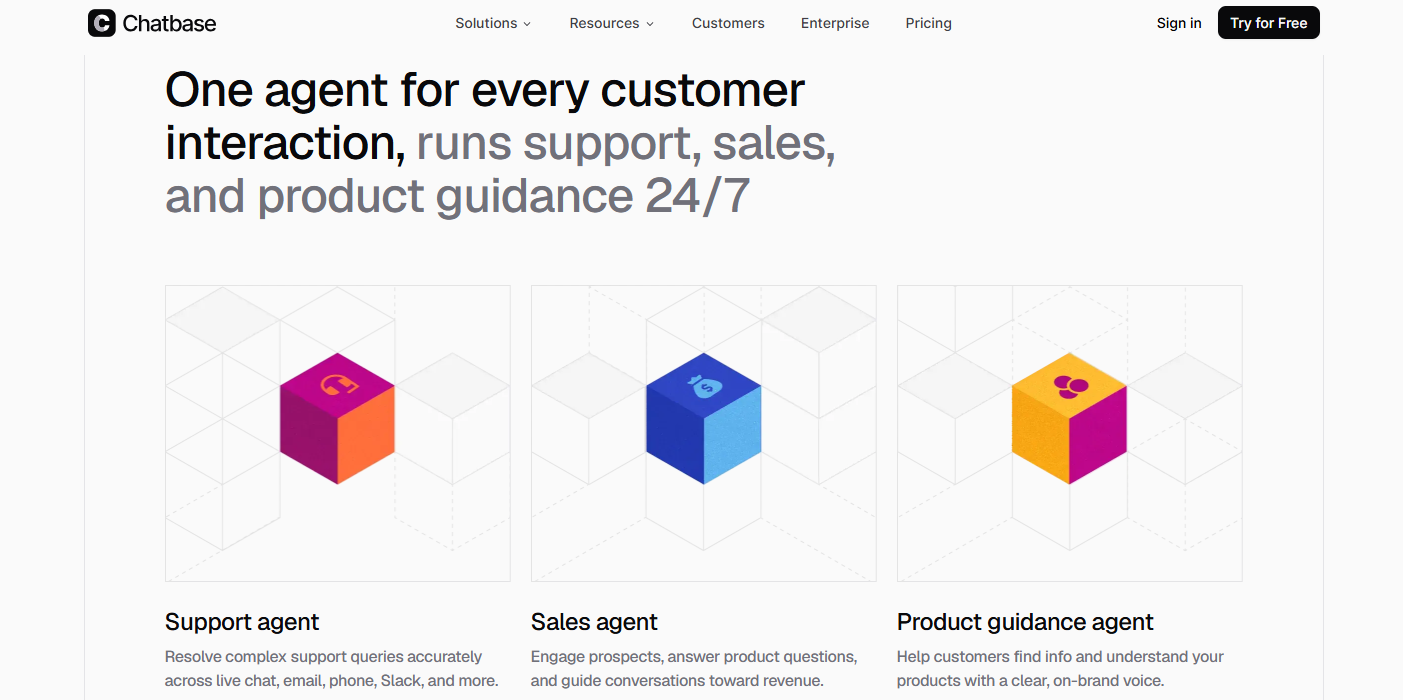
Chatbase helps businesses build AI agents that support customers across website chat, email, WhatsApp, Messenger, Slack, and voice. It is useful for ecommerce stores, SaaS companies, education teams, nonprofits, service businesses, and support teams that need faster customer conversations without adding more staff.
The agents can answer questions, recommend products, support order-related requests, explain policies, qualify leads, take approved actions, and hand off complex conversations to a human with context. For ecommerce teams, Chatbase connects with Shopify and supports workflows like product questions, cart actions, order status, and billing updates.
Chatbase is stronger than a basic live chat widget because it helps teams automate more than FAQs. It connects with tools like Shopify, Stripe, Zendesk, Salesforce, HubSpot, Intercom, Freshdesk, Gorgias, and Zapier, so teams can support real customer journeys before and after purchase.
Best for: Ecommerce, SaaS, education, nonprofit, and service teams that want AI agents for customer support, sales assistance, product questions, order support, lead qualification, and human handoff.
Pricing: Free plan available. Paid plans start at $32/month when billed annually.
Pros:
- Works across website chat, email, WhatsApp, Messenger, Slack, and voice
- Strong fit for ecommerce, SaaS, support, education, nonprofit, and service businesses
- Can answer questions, take approved actions, and hand off to humans
- Shopify support for product questions, carts, orders, and billing updates
- Integrates with Shopify, Stripe, Zendesk, Salesforce, HubSpot, Intercom, Freshdesk, Gorgias, and Zapier
Cons:
- Advanced workflows may need setup time
- Larger teams should review message-credit limits before choosing a plan
5. Tidio — Best Budget Option for Small Businesses

Tidio does something most tools on this list refuse to do. It gives small businesses real AI automation at a price that does not require a board approval.
The platform combines live chat, email, and a chatbot builder under one dashboard. Lyro, Tidio's AI, handles customer questions using your knowledge base content. Tidio reports that Lyro resolves up to 70% of customer questions without any human involvement. For a small team handling 200+ conversations a month, that is a meaningful workload reduction.
For a small e-commerce store or service business handling under 300 conversations a month, Tidio delivers most of what Intercom offers at a fraction of the cost. A business with 5 support agents that switches from reactive email support to Tidio's live chat and AI typically sees response time drop from 4 hours to under 3 minutes. That is not a small improvement. That is the difference between customers who stay and customers who churn.
The ceiling is real. At higher volumes or with complex support requirements, Tidio's reporting and integration depth start to show their limits. But for the right business, the value-to-cost ratio is unmatched.
Best for: Small e-commerce businesses and early-stage companies needing AI-powered chat without enterprise pricing. A strong option worth considering alongside other AI chatbots for small businesses.
Pricing: Free plan available. Paid plans start at $29/month. Lyro AI billed per conversation.
Pros:
- Affordable entry point with real AI capability
- Lyro resolves common questions with minimal setup
- Clean, intuitive interface that non-technical teams can manage
- Works on website, Instagram, and Messenger
Cons:
- Reporting limited compared to enterprise tools
- Integration depth is thinner than Intercom or Zendesk
- Lyro struggles with complex or highly technical queries
6. Drift — Best for B2B Sales and Conversational Marketing
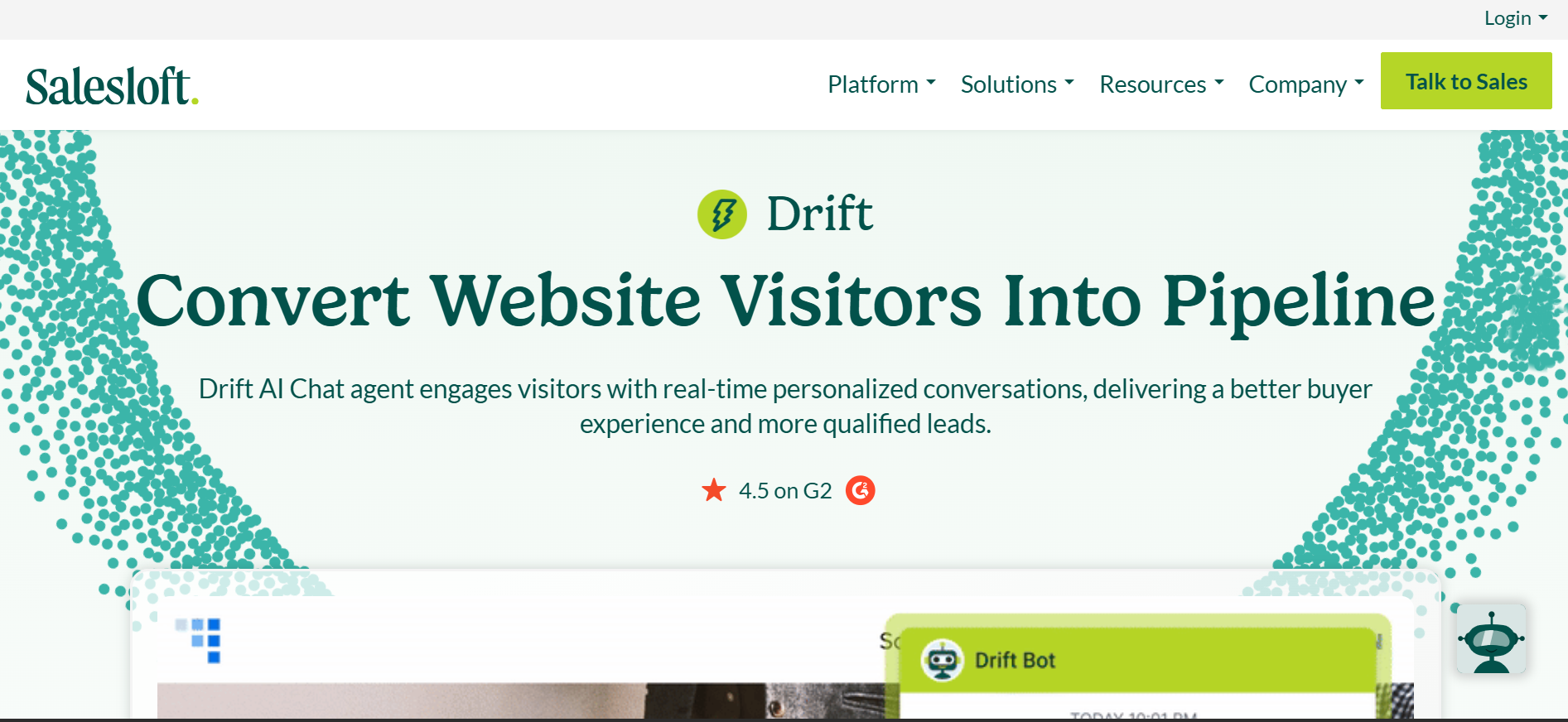
Drift redefined what live chat could do for B2B sales teams. Most chat tools are reactive. Drift is proactive.
The platform identifies who is visiting your site, matches them against your target account list, and fires a personalized message the moment a high-value prospect lands on a product page. A VP of Operations at a company in your ICP who visits your pricing page at 2pm on a Tuesday gets a different experience than an anonymous visitor.
Drift's AI qualifies leads, books meetings directly in the chat window, and routes qualified accounts to the right sales rep. One mid-market SaaS company with 12 sales reps reported Drift increasing pipeline-attributed meetings from 34 to 61 per month in the first quarter after deployment. A Forrester Total Economic Impact study found Drift users see an average 670% ROI over three years.
The caveat: Drift is expensive and built for sales teams, not support teams. If your primary need is customer service automation, Drift is the wrong tool.
Best for: B2B companies with defined ICP accounts, an ABM motion, and a need to convert high-intent website visitors into pipeline.
Pricing: Custom. Expect $2,500 to $5,000+ per month for meaningful features. No public pricing.
Pros:
- Best-in-class account-based targeting and personalization
- Meeting booking directly in chat reduces friction in the sales process
- Real-time alerts to sales reps when target accounts are on-site
- Strong CRM integrations with Salesforce and HubSpot
Cons:
- Expensive for small and mid-market teams
- Not built for customer support use cases
- Setup and optimization require dedicated sales ops resources
7. LiveChat — Best for Teams Wanting Speed and Simplicity
.png)
LiveChat does not try to be an all-in-one platform. It tries to be the best live chat experience, full stop. In that narrower mission, it succeeds.
The interface is clean. Agent response times are fast. Canned responses, chat routing, and customer tagging work exactly as you would expect. The chat widget loads in under 1 second on standard connections. LiveChat reports that teams using their platform see a 31% improvement in agent response time within the first 30 days.
The AI features are more limited than Intercom or Tidio. ChatBot, LiveChat's companion product, handles automation, but it is a separate product with a separate cost. That split adds friction. Teams wanting AI automation and live chat from one unified tool will find the structure slightly awkward.
Best for: Customer service teams handling high chat volumes who need speed, reliability, and clean agent UX without complex automation requirements. Worth considering if you are evaluating customer communication tools more broadly.
Pricing: Starts at $19/agent/month. ChatBot automation is an additional cost.
Pros:
- Fastest and cleanest agent interface of any tool on this list
- Excellent reporting on agent performance and chat volume
- Highly reliable uptime and widget performance
- Strong marketplace of integrations including Shopify, HubSpot, and Salesforce
Cons:
- AI and automation require a separate ChatBot subscription
- Not designed for proactive, outbound chat
- Limited multilingual AI capability
8. Crisp — Best for Early-Stage Startups on a Tight Budget
.png)
Crisp is what you pick when you need more than a basic contact form but are not ready for Intercom pricing. It covers the essentials: live chat, a shared inbox, a basic chatbot builder, and a knowledge base. All in one tool, all under $25/month for small teams.
The chatbot is rule-based rather than AI-native. It handles simple scenarios well: abandoned cart follow-ups, lead capture, FAQ deflection. It will not handle nuanced customer questions without human escalation. But for a startup at early stages managing 50 to 150 conversations a month, that limitation is acceptable and the cost savings are real.
The feature roadmap has moved in the right direction. AI-assisted agent responses, smarter routing, and better integrations are improvements over the 2024 version. But Crisp's value is its simplicity and price, not its AI depth. Use it while you are early. Migrate when you are not.
Best for: Early-stage startups needing a shared team inbox, basic automation, and live chat without the investment of a larger platform.
Pricing: Free plan for 2 agents. Paid plan starts at $45/month for up to 4 agents.
Pros:
- Extremely affordable, especially for small teams
- Clean shared inbox that non-technical teams adopt quickly
- Basic but functional chatbot builder included
- Knowledge base and live chat in one product
Cons:
- AI is limited compared to every other tool on this list
- Not suited for high-volume or enterprise support operations
- Integration ecosystem is smaller than most competitors
9. HubSpot Live Chat — Best for Businesses Already in the HubSpot Ecosystem
.png)
HubSpot Live Chat is not the most powerful tool on this list. It is the most convenient one if you are already running HubSpot CRM.
Every conversation is automatically logged to the contact record. Leads captured through chat flow directly into HubSpot workflows. Agents see full deal and contact history without leaving the chat window. Companies using HubSpot's live chat natively within the CRM report 25% faster lead response times compared to using disconnected chat tools with manual CRM logging.
The chatbot builder is functional without being sophisticated. It handles simple qualification flows, meeting booking, and FAQ routing. AI capability is limited compared to Intercom or Tidio. If you need serious AI automation, you will find HubSpot's chatbot underwhelming. But if your primary goal is clean CRM data and seamless handoff between marketing and sales, HubSpot Live Chat earns its place in the stack.
Best for: SMBs and mid-market companies already using HubSpot CRM who want chat-to-CRM without integration overhead.
Pricing: Free with HubSpot's free CRM tier. Advanced features require paid Marketing or Service Hub plans starting at $15/month.
Pros:
- Zero-friction CRM integration for HubSpot users
- Free to start with a genuinely capable feature set
- Conversations automatically linked to contact and deal records
- Meeting booking and lead routing work natively with HubSpot workflows
Cons:
- AI capability is significantly weaker than dedicated platforms
- Reporting is basic unless you upgrade to higher-tier plans
- Not suitable for businesses not using HubSpot CRM
How to Choose the Right Live Chat AI Tool for Your Business
I know that the feature lists might blur together and it might be difficult to make a decision, but the right framework cuts through them. Here is how to make this decision with confidence.
1. Start With Your Business Type
This is the fastest filter. Different business models have fundamentally different requirements, and picking a tool built for the wrong model means paying for features you will never use while missing the ones you actually need. Your industry and go-to-market motion determine which tool category you belong in before you evaluate a single feature.
If you sell on WhatsApp, Instagram, or Facebook: Heyy is the direct answer. No other tool on this list handles those channels with the same depth of AI automation. Your customers are on messaging apps. You need AI there, not a human checking DMs every few hours.
If you run a SaaS product: Intercom is the standard for a reason. The behavioral triggers, in-app messaging, and AI resolution rates justify the cost if your monthly recurring revenue is over $50,000.
If you run a B2B sales operation with target accounts: Drift is the only tool built specifically for account-based chat. The price is high. The pipeline impact justifies it for the right company.
If you are a small e-commerce or service business: Tidio delivers serious capability at an accessible price. Start there, upgrade when volume demands it.
If you are already inside the HubSpot ecosystem: Use HubSpot Live Chat. The CRM integration alone makes the decision obvious. Adding a third-party tool creates fragmentation that costs more than it saves.
If you run enterprise-scale support operations: Zendesk is built for your complexity. The setup overhead is worth it when you have the volume and team structure to justify it.
2. Audit Your Actual Support Needs
Business type gets you close, but your specific support needs get you to the right answer.
Make a list of the top 10 questions your customers ask most. If 8 of those 10 are simple and predictable, you need strong AI deflection above all else. Tidio, Heyy, and Intercom all deliver that well. If your customer questions are complex, product-specific, or require account data to answer, you need a tool with deep CRM and product integrations, not just a chatbot with a knowledge base.
Then look at your escalation volume. What percentage of conversations genuinely need a human? If it is under 30%, you are an AI-first operation and should optimize for AI quality. If it is over 60%, you need a tool that prioritizes agent experience and workflow management over bot sophistication.
3. Map Channels to Where Your Customers Actually Are
Do not pick a tool based on what channels you wish your customers used. Pick based on where they actually message you right now.
Pull your last 90 days of inbound contacts. Count by channel. If 60% of your inquiries come through Instagram DMs and WhatsApp, a website-only chat tool solves for 40% of your problem. Channel coverage is not a secondary feature. It is often the primary one. This single filter eliminates half the tools on this list for most businesses outside North America and Western Europe.
4. Test the AI Quality Before You Commit
Every tool on this list claims to have great AI. Not all of them do at your specific product complexity. Before signing a contract, run a trial with your real FAQs, your real product catalog, and your real customer questions. Ask the AI things your customers actually ask. See where it fails.
The best tools will fail gracefully, escalating to a human with context. The worst will confidently give wrong answers and damage trust faster than no chat tool at all. Treat this testing phase as non-negotiable.
5. Run the Real Pricing Calculation
Take your current monthly conversation volume. Multiply it by three. That is your growth scenario. Now calculate what each tool costs at that volume including per-seat fees, AI resolution fees, omnichannel add-ons, and integration costs.
If the number surprises you, the tool is not built for where you are going. The right tool scales without punishing you for growing. Most tools on this list have a price point that makes sense at a certain volume and becomes painful past it. Know where that ceiling is before you are stuck in an annual contract.
The Number Most Businesses Ignore
Here is the one metric that determines whether your live chat AI investment actually pays off: first response time.
Customers who receive a response within 5 minutes are 21 times more likely to convert than those who wait 30 minutes. The average business response time via email is still 12 hours. Every tool on this list can get you to under 60 seconds. Most can get you to under 10.
That is not a marginal improvement. That is the difference between a business customers trust and one they forget the moment they close the tab. Every tool on this list can help you hit that window. Pick the one that fits your channels, your team size, and your customer base.
The best live chat AI is the one your customers actually respond to. Get that right, and everything else follows, and if you’re a business that requires the full omnichannel experience, then you should start here.
Frequently Asked Questions
What is live chat AI and how does it work?
Live chat AI is a software layer that handles customer conversations in real time using artificial intelligence. Instead of a human agent responding to every message, the AI reads the customer's question, matches it against your product knowledge base and trained data, and generates an accurate response automatically. When a question falls outside what the AI can handle confidently, it escalates to a human agent with the full conversation context attached. No restarts. No re-explaining.
Is live chat AI worth it for small businesses?
Yes, and often more so than for large enterprises. Small businesses typically have smaller support teams managing a high volume of repetitive questions. Live chat AI handles that repetitive volume automatically, freeing up the human team to focus on complex issues that actually require judgment. For a business with 2 to 5 support staff, a well-configured live chat AI can effectively double their capacity without adding headcount. Tools like Tidio and Heyy are specifically built for this use case.
What is the difference between a live chat tool and a chatbot?
A live chat tool is primarily built for real-time conversations between customers and human agents. A chatbot is an automated system that handles conversations without human involvement. The best live chat AI tools in 2026 combine both: AI handles the conversations it can resolve automatically, and human agents take over for everything else. If you want to go deeper on this distinction, here is a full breakdown of chatbot vs live chat.
Can live chat AI work on WhatsApp and Instagram?
Yes, but not all tools handle this equally. Heyy is built specifically for omnichannel messaging across WhatsApp, Instagram, Facebook Messenger, and website chat. Intercom and Zendesk support some of these channels at higher pricing tiers. LiveChat and Crisp have limited native social channel support. If WhatsApp or Instagram is your primary customer channel, filter your shortlist to tools that treat social messaging as a first-class feature, not an afterthought.
How long does it take to set up a live chat AI tool?
It depends on the tool and your configuration needs. Simple tools like Tidio and Crisp can be live on your website in under an hour. More complex platforms like Zendesk or Intercom require several days to a few weeks of proper setup, training, and testing. AI-specific configuration, where you feed the tool your product documentation and FAQs, adds time but is non-negotiable for quality. Budget at minimum 2 to 3 days for a proper setup on any tool, and treat the first 30 days as a calibration period.
How much should a business expect to pay for live chat AI?
The range is wide. Free tiers exist on Crisp, Tidio, and HubSpot for basic needs. Mid-range tools like LiveChat and Tidio start at $19 to $29/month per seat. Enterprise platforms like Intercom and Zendesk scale from $55 to $150+ per agent per month depending on features. B2B-focused tools like Drift start at $2,500/month. The right spend depends on your conversation volume, channel requirements, and the revenue value of a resolved customer inquiry. Start with the free tiers if you are uncertain. Upgrade when volume and complexity demand it.
What should I do if the AI gives wrong answers to customers?
This is normal during early calibration and it is fixable. Review AI responses weekly for the first 60 days. Identify the questions it is failing. Update your knowledge base with better, more specific source material. The best tools surface failure patterns in their analytics, so you can see exactly which questions triggered incorrect responses. Do not skip this phase. The difference between a live chat AI that builds customer trust and one that destroys it is almost entirely in how thoroughly you train and monitor it in the first two months.
More blog posts to read

Ready to Automate Support
Across Every Channel?
.svg)
.avif)