.svg)
16 Best SaaS Tools for Customer Support in 2026

Grab a cup of coffee and let's talk about something every growing software company eventually hits: the support ceiling. You build a great product, users flock in, and suddenly, your inbox is a chaotic mess of feature requests, bug reports, and billing questions. Finding the right saas support tools isn't just about organizing an inbox anymore; it's about fundamentally changing how your customers experience your brand when things go wrong.
The data for 2026 paints a fascinating picture of what works. According to the 2026 Customer Service Benchmark Report by Freshworks, teams leaning into modern tech are seeing their first response times drop from over six hours to less than four minutes. That speed is exactly what a help desk software is meant to deliver when appropriately scaled.
However, speed without actual problem-solving is useless. According to 2026 industry benchmarks from Contentsquare, the average conversation resolution rate across all sectors is hovering around just 49%. More importantly, the data shows that human agents and bots working together resolve issues at nearly double the rate (50%) compared to bot-only setups (27%). Balancing AI support automation with human empathy is the real secret sauce here.
Why Having a Customer Service Platform Matters for SaaS
The right platform does three things well: it resolves tickets (not just deflects them), it routes conversations to the right person or bot without manual sorting, and it escalates seamlessly when AI hits its limit. Platforms achieving 80% automated resolution rates are doing all three. The 15 tools below are evaluated on exactly those criteria.
How We Evaluated These Platforms
We assessed each platform across four core criteria: ease of deployment, conversational capabilities, integration ecosystem, and value for money. Tools included here have proven track records, backed by independent G2/App Store ratings, third-party benchmarks, or verifiable free plans.
1. Zendesk
Source: G2 - 4.3/5 | 100,000+ businesses
.png)
Zendesk is the heavyweight champion of the support world, practically synonymous with modern ticketing. It offers a massive, highly customizable workspace where your agents can handle emails, chats, calls, and social media messages all from a single pane of glass.
What makes it distinctive is its sheer scalability; whether you're a team of five or five thousand, the platform's routing rules, macros, and reporting dashboards can be configured to match your exact workflow. If you are handling complex escalations that need to bounce between tier-1 support and engineering, Zendesk manages that handoff beautifully.
However, that immense power comes with a notoriously steep learning curve and a pricing model that can escalate quickly as you add features or seats. It requires dedicated administrative time to set up properly, meaning it's rarely a plug-and-play solution for teams wanting to launch over a weekend.
- Pros: Unmatched scalability, thousands of marketplace integrations, robust analytics.
- Cons: Expensive at scale, complex initial setup requires an admin.
- Pricing: Starts at $19/user/month.
- Best for: Mid-market to Enterprise teams with complex routing needs.
If you're evaluating Zendesk but looking for a comparison of alternatives at lower price points, this Zendesk alternatives guide covers the strongest options in 2026.
2. Intercom
Source: G2 - 4.5/5 | 25,000+ businesses
.png)
Intercom is a product-led tool that revolutionized the little chat bubble in the corner of your screen. Instead of treating support like a backend ticketing queue, it treats it as an ongoing conversation that happens directly inside your app or website.
Its standout feature is how seamlessly it blends targeted messaging with proactive support. You can trigger specific messages based on user behavior, like offering help when someone lingers on a checkout page or sending a feature tour when a user logs in for the first time.
The main drawback is that it can get incredibly expensive very quickly. Because pricing scales with your active user count and the add-ons you select (like their Fin AI bot), fast-growing startups often experience sticker shock when their user base balloons.
- Pros: Incredible in-app messaging, proactive support triggers, sleek interface.
- Cons: Pricing model can become prohibitive for startups with large free-tier user bases. There's also no dedicated WhatsApp or SMS channel, primarily a web/in-app tool, which limits reach for social-first brands.
- Pricing: Starts at $29/seat/month.
- Best for: Product-led SaaS companies looking to merge support and engagement.
3. Freshdesk
Source: G2 - 4.4/5 | 60,000+ businesses
.png)
Freshdesk (part of Freshworks) is often viewed as the friendlier, more accessible alternative to Zendesk. It delivers all the core ticketing, automation, and self-service capabilities a growing software company needs, but wraps them in an interface that is remarkably easy to navigate.
It distinguishes itself by being incredibly intuitive out of the box. You get features like collision detection (so two agents don't reply to the same email) and canned responses without needing an IT degree to configure them. Their gamification features also help keep support agents motivated during high-volume shifts.
The caveat here is that while it is perfect for standard support operations, highly technical teams might find its advanced custom object reporting and deeply complex API workflows slightly limiting compared to enterprise giants.
- Pros: Very easy to use, highly affordable, solid free plan for small teams.
- Cons: Advanced reporting and complex enterprise routing can feel a bit rigid. Its native WhatsApp integration requires the more expensive Freshdesk Omni plan, not available on base tiers.
- Pricing: Free plan available; paid starts at $15/user/month.
- Best for: Small to mid-sized businesses wanting traditional ticketing without the headache.
4. Heyy
Source: Free plan verifiable | 15-minute setup
.png)
Heyy takes a totally different approach by centering its architecture around AI Employees, fully configurable virtual agents that operate your marketing and support conversations from one unified inbox. Instead of stringing together separate widgets for your website, WhatsApp, and social media, Heyy consolidates them immediately.
The platform truly shines in its ability to deliver true omnichannel support right out of the box without requiring a developer. You can train your AI agents on your specific product documentation, FAQs, and qualification criteria, allowing the bot to handle routine queries autonomously while seamlessly routing high-stakes conversations to human agents.
The main limitation is that because Heyy prioritizes speed, multi-channel unification, and conversational AI, it might not have the deeply complex, ITIL-compliant ticketing frameworks required by massive enterprise IT departments. But for brands prioritizing fast setups and social commerce, it's a powerhouse.
- Pros: No-code setup in minutes, unifies all social/chat channels, generous free forever plan.
- Cons: Not designed for legacy IT hardware ticketing or internal HR help desks. Fewer third-party marketplace integrations than established enterprise tools like Zendesk or Freshdesk at this stage.
- Pricing: Free forever plan; Pro starts at $49/month.
- Best for: Multi-channel brands and startups looking to automate support across web and social instantly.
5.Chatbase
Source: G2: 4.8/5 | 10,000+ businesses
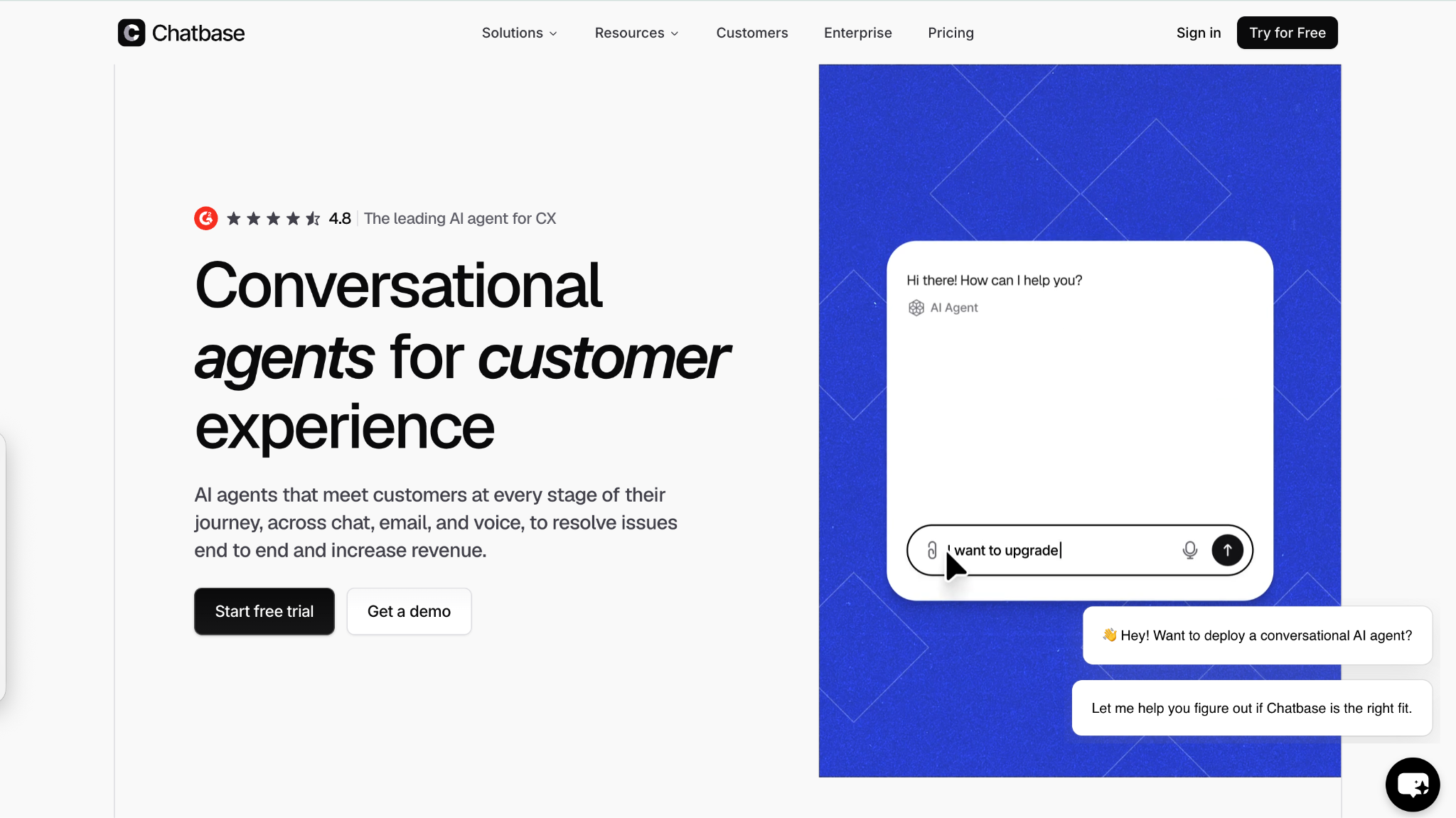
Chatbase helps companies build AI agents that handle customer conversations across website chat, email, WhatsApp, Messenger, Slack, and voice. It is useful for SaaS teams that need faster answers for product, billing, onboarding, and account questions without adding more agents.
Its standout feature is action-taking. Chatbase can connect with tools like Stripe, Zendesk, Salesforce, HubSpot, Intercom, Freshdesk, Shopify, Gorgias, and Zapier, so agents can check information, trigger approved workflows, and hand off complex issues with context.
For growing SaaS and ecommerce teams, Chatbase works best when support volume is repetitive but still needs accuracy, context, and human oversight. It can support multiple customer touchpoints from one platform, making it useful for teams that want automation without losing control of sensitive conversations.
Pros: Multichannel AI agents, Help Desk, human handoff, approved actions, strong SaaS and ecommerce integrations.
Cons: Advanced workflows need setup time, and larger teams should review message-credit limits before choosing a plan.
Pricing: Free plan available; paid plans start at $32/month when billed annually.
Best for: SaaS, ecommerce, education, nonprofit, and service teams that want AI agents for product help, billing support, onboarding questions, order support, and human handoff.
6. HubSpot Service Hub
Source: G2 - 4.4/5 | 167,000+ total customers
.png)
For B2B SaaS companies where the line between an upsell and a support ticket is blurred, HubSpot Service Hub brings everything under one roof. It connects your support tickets directly to the CRM profiles your sales and marketing teams are already using.
The biggest advantage here is context. When an agent opens a ticket, they don't just see the problem; they see every marketing email the customer opened, their current subscription tier, and the notes from their last sales call. This unified data empowers teams to provide deeply personalized answers.
The catch is that the full value is locked inside the HubSpot ecosystem. If you are using Salesforce or Pipedrive for your CRM, adopting Service Hub means you miss out on its primary superpower: native, seamless CRM integration.
- Pros: Flawless alignment with HubSpot CRM, great knowledge base builder, unified customer view.
- Cons: Expensive if you aren't utilizing the rest of the HubSpot suite. AI automation features are gated behind higher-tier plans, so the free and Starter plans are significantly limited on bot capability.
- Pricing: Free tools available; Starter starts at $15/seat/month.
- Best for: Teams already running their sales and marketing on HubSpot.
7. Front
Source: G2 - 4.7/5 | 8,000+ businesses
.png)
Front reimagines support not as a ticketing queue, but as a highly collaborative multiplayer email inbox. If you're running a fast-moving Fintech startup, your support queries often require input from compliance, engineering, and finance before you can actually hit "reply."
Front allows your team to comment internally on an email thread, draft responses together, and assign ownership without forwarding the email or creating confusing CC chains. It looks and feels exactly like a standard email client, which makes adoption incredibly fast for teams averse to traditional help desks.
However, because it operates like an inbox rather than a rigid ticketing system, it can sometimes lack the strict SLAs (Service Level Agreements) and deep metrics required by massive, traditional call centers.
- Pros: Incredible team collaboration, feels like familiar email, prevents forward/CC chaos.
- Cons: Analytics and SLA tracking aren't as robust as traditional ticketing systems. At $59/seat/month, it is one of the more expensive per-seat options on this list and the cost adds up quickly for teams of 10+.
- Pricing: Starts at $59/seat/month.
- Best for: Financial services, agencies, and B2B teams managing shared inboxes (like support@ or billing@).
8. Help Scout
Source: G2 - 4.4/5 | 12,000+ businesses
.png)
Help Scout is built for companies that want to provide exceptional support without making their customers feel like they are just another ticket number. When you reply via Help Scout, it looks like a normal, personal email to the customer, no portal logins or "Ticket #9872" subject lines.
Its distinctive feature is its simplicity and focus on human-centric communication. It includes excellent collision detection, saved replies, and a feature called "Beacon" that lets you embed a lightweight help widget and knowledge base directly onto any page of your web app.
The limitation is that it is primarily email-focused. While it supports live chat, it lacks native social media integrations or complex telephony setups, making it less ideal for teams that need to juggle WhatsApp, Instagram, and phone calls simultaneously.
- Pros: Invisible to the customer, beautifully simple UI, excellent knowledge base tool.
- Cons: Limited native integrations for modern social media channels. There's no built-in chatbot or AI automation layer, bots require third-party integrations, which adds setup complexity.
- Pricing: Starts at $22/user/month.
- Best for: Startups and SaaS companies that prioritize a personal, email-driven touch.
9. Jira Service Management
Source: G2 - 4.5/5 | 100,000+ customers
.png)
Jira Service Management (formerly Jira Service Desk) is Atlassian’s answer to customer support, built directly on top of the Jira architecture that most engineering teams already use to track bugs and build software.
Its biggest strength is the frictionless connection between support and development. If a customer reports a software bug, an agent can instantly link that ticket to a developer's Jira backlog. When the dev team pushes the fix and closes the issue, the support ticket updates automatically.
The downside is that it feels very much like an engineering tool. The interface is highly functional but lacks the sleek, conversational marketing polish of tools like Intercom, and non-technical staff often find it clunky to navigate.
- Pros: Seamless integration with Jira Software, excellent for ITIL practices, robust automation.
- Cons: UI is very technical, steep learning curve for non-developers. Customer-facing experience lacks the conversational polish of dedicated support tools.
- Pricing: Free for up to 3 agents; Standard starts at $22/agent/month.
- Best for: SaaS companies where support and engineering need to work in lockstep.
10. Kustomer
Source: G2 - 4.5/5 | Meta-owned infrastructure
.png)
Kustomer is a CRM-first support platform designed to give agents a continuous, timeline-based view of a user's entire history with a brand. Rather than looking at isolated tickets, agents see a chronological feed of every purchase, chat, email, and site visit.
What makes it distinctive is how it structures data. Because it uses a continuous timeline, an agent never has to ask a customer to repeat themselves. It also integrates incredibly deeply with custom back-end data, allowing agents to issue refunds or change subscription tiers directly from the chat window.
The caveat is that Kustomer is an enterprise-grade tool with pricing and implementation timelines to match. It requires a significant upfront investment to connect all your data sources properly before it becomes truly useful.
- Pros: Unrivaled chronological customer timeline, deep back-end data integrations.
- Cons: Expensive and requires heavy engineering resources to implement fully. Pricing at $89/user/month plus implementation costs makes this inaccessible for most businesses below $5M ARR.
- Pricing: Starts at $89/user/month.
- Best for: High-volume digital brands that need deep data context for every interaction.
11. Drift
Source: G2 - 4.4/5 | 50,000+ businesses
.png)
Drift essentially pioneered the B2B conversational marketing movement, and while it's heavily utilized by marketing teams, its capabilities as a support tool are formidable when dealing with high-value enterprise accounts.
Its standout feature is its ability to route VIP customers instantly. If a user from a target enterprise account lands on your support page, Drift can immediately alert their dedicated account manager and launch a personalized chat, bypassing the standard queue entirely.
Because Drift is built primarily as an enterprise revenue and lead-gen tool, using it strictly for basic customer service is usually cost-prohibitive. The pricing model is geared toward companies with high average contract values.
- Pros: Incredible VIP routing, intent data targeting, seamless sales-to-support handoffs.
- Cons: Premium enterprise pricing makes it inaccessible for early-stage start ups. Is not suitable for reactive customer support and is designed for proactive outbound engagement, not ticket resolution workflows.
- Pricing: Custom enterprise contracts.
- Best for: Enterprise B2B SaaS companies running account-based marketing (ABM).
12. Tidio
Source: Shopify App Store - 4.7/5 | Lyro AI resolution rate: 67%
.png)
Tidio built its reputation by sitting perfectly at the intersection of customer service and marketing, making it incredibly popular for e-commerce and fast-growing digital brands. It combines live chat, email integration, and a visual builder into a highly accessible interface.
Its standout feature is Lyro, its proprietary conversational engine leveraging AI support automation to handle repetitive inquiries. According to published data, Lyro achieves an impressive resolution rate of 67%. The visual flow builder allows teams without technical resources to design automated sequences for order tracking and basic troubleshooting effortlessly.
Certain tools are excellent for high-volume, transactional support where speed is the only metric that matters. However, if you’re managing complex B2B sales cycles, you usually need a deeper level of account-level tracking than a standard chat widget provides. It really comes down to whether your priority is quick fire-fighting or long-term relationship management, and comparing different customer messaging platforms based on those specific needs can save you a lot of integration headaches down the road
- Pros: Easy visual builder, excellent AI resolution metrics, great Shopify integration.
- Cons: Not designed for complex, multi-touch B2B account management. Its Cchannel coverage is primarily website chat and email and native WhatsApp and Instagram support is limited compared to social-first platforms.
- Pricing: Free plan available; Lyro AI starts at $29/month.
- Best for: Growing e-commerce brands and transactional SaaS needing rapid automation.
13. Crisp
Source: G2 - 4.5/5 | 400,000+ brands
.png)
Crisp is the ultimate startup-friendly chat tool. It provides a shared inbox, live chat, a knowledge base, and even simple CRM functionality in one incredibly lightweight, fast-loading package that won't bog down your website.
What makes Crisp unique is its pricing model. Unlike almost every other tool on this list that charges per agent, Crisp charges a flat monthly rate for unlimited agents. You can add your entire startup team: founders, developers, and marketers, to the inbox without your bill increasing by a single cent.
The limitation is that the routing rules and reporting features are somewhat basic. Once your support team scales to dozens of dedicated agents needing granular performance metrics, you will likely outgrow Crisp's lightweight architecture.
- Pros: Flat-rate pricing for unlimited agents, lightweight script, fun user interface.
- Cons: Reporting and advanced ticket routing are relatively basic. AI and automation features are noticeably thinner than specialist tools, not a strong choice if automation rates are a primary KPI.
- Pricing: Free plan available; Unlimited plan is $95/month for the whole team.
- Best for: Early-stage startups wanting the whole team involved in support without seat taxes.
14. LiveAgent
Source: G2 - 4.5/5 | 150+ integrations
.png)
LiveAgent is built for teams that need robust omnichannel support on a tighter budget. It handles email, live chat, social media, and crucially, has an excellent built-in cloud call center for teams that still rely heavily on phone support.
Its distinctive strength is its "Universal Inbox," which funnels every single communication channel into one place with an interface that is fast and heavily optimized for high-volume ticket clearing. It also offers over 150 native integrations, making it easy to plug into legacy billing systems or niche software.
But, It's slightly limited, because the user interface feels slightly dated compared to modern conversational tools, and setting up complex automation rules can be less intuitive than modern drag-and-drop builders.
- Pros: Built-in call center, highly affordable, massive integration library.
- Cons: The UI feels older, and the setup process can be clunky. The dated interface creates slower agent workflows, productivity per agent is lower than modern conversational tools at equivalent volume.
- Pricing: Free trial available; paid starts at $9/agent/month.
- Best for: Value-conscious teams that still handle a high volume of traditional phone calls.
15. Zoho Desk
Source: G2 - 4.4/5 | 100,000+ businesses
.png)
Zoho Desk is part of the massive Zoho ecosystem, providing a deeply capable, context-aware ticketing system for businesses that want enterprise features without the enterprise price tag.
It stands out through Zia, Zoho's native AI assistant, which can automatically tag tickets, analyze customer sentiment, and suggest relevant knowledge base articles to agents before they even start typing. Because it is part of Zoho One, it integrates flawlessly with their CRM, analytics, and accounting software.
The downside is the same as with most massive suites: the interface can feel overwhelming due to the sheer number of toggles, menus, and options. It requires patience to customize it to your specific liking.
- Pros: Incredible value for money, deep ecosystem integration, strong sentiment analysis.
- Cons: UI can be cluttered, steep learning curve for advanced customization. Deep value is locked inside the Zoho ecosystem, teams not using Zoho CRM will miss the platform's most compelling features.
- Pricing: Free plan available; paid starts at $14/user/month.
- Best for: Budget-conscious teams or companies already utilizing the Zoho suite.
16. Agentforce Service (formerly Salesforce Service Cloud)
Source: G2 - 4.3/5 | 150,000+ customers
.png)
Agentforce Service is the absolute titan of enterprise service platforms. It is designed to handle the most complex, globally distributed support organizations in the world, bringing the full weight of the Salesforce database to every customer interaction.
Its defining feature is "Omni-Channel Routing," which doesn't just route tickets; it routes work based on agent capacity, skill set, and current presence status across every conceivable channel. With the addition of Einstein AI, it offers predictive case routing and incredibly advanced data analytics.
The limitation is obvious: cost and complexity. Implementing this solution usually requires hiring a dedicated Salesforce consultancy, and the ongoing maintenance requires certified administrators.
- Pros: Limitless customization, predictive AI analytics, deep Salesforce CRM integration.
- Cons: Extremely expensive to implement and maintain; requires certified developers. Implementation timelines of 3–6 months are common for full deployments — not suitable for teams needing support infrastructure live quickly.
- Pricing: Starts at $25/user/month, but quickly scales based on features.
- Best for: Large enterprise organizations with complex, global service architectures.
Which Tool Is Right For Your Team?
Not every platform belongs at every stage. Here is how the 15 tools on this list map to three common growth phases, so you can shortlist based on where your team is now.
What to Look For in Your Next Platform
Finding the right fit isn't just about picking the tool with the most features. Here are the core things to evaluate:
- Conversational AI that actually resolves: Don't settle for bots that just spit out links. Look for platforms that integrate with your data to provide real actions. When a system can actually access your data to perform tasks, like checking an order or updating a subscription, it stops being a detour and starts being a resolution. Teams can also use an AI detector as part of their content governance process to review AI-generated knowledge base articles, chatbot responses, and customer-facing documentation for quality and consistency before deployment. Nailing the fundamentals of AI customer service usually comes down to that transition from simple deflection to actual, hands-off task completion.
- Contextual data: Look for genuine integrations where an agent can see a user's subscription tier, billing history, and recent activity before typing a single word.
- Ease of handoff: The transition from a bot to a human must pass the full context of the chat so the customer never has to repeat themselves.
Choosing the Best SaaS Support Tools for Your Stack
At the end of the day, the best saas support tools are the ones your team will actually use without friction. If you are a massive enterprise handling deeply complex IT tickets, the rigid routing of Zendesk or Agentforce Service is necessary. If you are a purely product-led team, Intercom makes perfect sense.
But if your goal is to launch quickly, automate the repetitive noise, and unify all your channels with zero code, a modern AI-first platform is the way to win in 2026. That is exactly the sweet spot we built Heyy for. It gives growing brands the power of an autonomous AI support agent that scales with your volume, without the enterprise-level setup headache or massive seat costs.
Ready to see how much of your ticket backlog you can automate by tomorrow?
Start Your Free Trial with Heyy
Frequently Asked Questions
When is the right time to upgrade from a shared email inbox to a dedicated support tool?
Honestly, sooner than you think. If your team is constantly asking, "Did you reply to this yet?", forwarding emails to different departments, or losing track of bug reports, it's time. Usually, once you hit around 100 active customers or have more than two people handling queries, a shared inbox (like a basic Gmail alias) becomes a liability that slows down your response times.
What are the essential features of Saas support tools?
At a bare minimum, you need a unified inbox, robust automation and routing rules, a self-service knowledge base builder, and detailed reporting to track core metrics like first-response time and resolution rates.
What does "OmniChannel support" actually mean in 2026?
It means your customer shouldn't feel a disconnect whether they reach out via email, your website chat, WhatsApp, or X (formerly Twitter). A true omnichannel support tool pulls all these different channels into one continuous, unified thread for your agents. That way, if a customer starts a chat on your website and follows up via email the next day, the agent sees the whole story and the customer never has to repeat themselves.
How long does it typically take to deploy a new help desk platform?
It heavily depends on the architecture of the platform. Legacy enterprise giants like Salesforce or Zendesk might take weeks or even months of specialized IT configuration to map out your complex routing rules. On the flip side, modern, AI-first platforms designed for agility can often be deployed, trained on your existing FAQs, and pushed live in a single afternoon.
Does AI support automation replace human agents?
No. The data shows that while bots can handle 20-30% of straightforward transactional queries alone, the highest resolution rates happen when AI handles the repetitive tasks and seamlessly hands complex, emotionally sensitive issues to human experts. AI is here to clear the noise so your humans can focus on the nuanced problems.
How much should a B2B SaaS company spend on support tools?
It varies widely based on your stage and volume. Small startups can get away with free tiers or flat-rate tools for under $100/month, while mid-market teams should expect to budget anywhere from $30 to $80 per agent, per month, depending on the required CRM integrations and advanced AI add-ons.
Are these tools secure enough to handle sensitive customer data?
The top-tier tools absolutely are, but you must do your due diligence. If your SaaS handles proprietary data, PII (Personally Identifiable Information), or billing details, ensure the support platform you choose is SOC 2 compliant. You should also look for built-in features like automatic data redaction (which hides credit card numbers or passwords from chat logs) and custom data retention policies.
More blog posts to read

Ready to Automate Support
Across Every Channel?
.svg)
.avif)