.svg)
15 Best Zendesk Alternatives for 2026 (Comparison + Migration Guide)

Let me be honest with you.
Zendesk is a really good platform. Thousands of companies use it. It's been around forever. It works.
But here's what nobody talks about: Zendesk also drives some teams absolutely insane.
If that sounds familiar, this guide is for you.
Below, I'm breaking down 15 Zendesk alternatives, platforms that are simpler, cheaper, or just plain better at solving the actual problems your support teams face in 2026.
I'm not going to pretend every tool is perfect. I'll tell you exactly what each one does well, where it falls short, and who should actually use it.
Not sure where to start? Find your pain point in the table below, it'll take you straight to the right tool:
Quick Comparison Table
Why Teams Are Leaving Zendesk in 2026
Zendesk is a capable platform. But 'capable' and 'worth the cost' are different questions, and in 2026, more teams are asking the second one. Here are the four pain points driving most departures:
1. Pricing has outgrown most budgets
Zendesk's Suite Professional plan runs $115/agent/month. For a 15-agent team, that's $20,700 per year before any add-ons. According to procurement data from Vendr, the median annual spend on Zendesk across their customer base is $47,772, significantly above Zendesk's advertised starting prices once real-world usage, seat counts, and add-ons are factored in. For teams that were sold on the entry-level price and hit this figure at renewal, the cost-to-value calculation changes significantly.
2. AI is an expensive extra, not a core feature
Zendesk's Advanced AI add-on costs $50/agent/month on top of your existing plan. That's $9,000/year for a 15-agent team, just to access AI features that come included (or are substantially cheaper) on alternatives like Heyy, Freshdesk, and Intercom. At scale, the per-resolution fee structure of some AI features makes cost forecasting unpredictable: a high-volume month or a successful campaign that generates support volume can blow your budget without warning.
3. The interface shows its age
Zendesk's admin interface was built for a different era of support. Teams that have tried modern tools like Front or Help Scout consistently cite the contrast in day-to-day usability. Setting up routing rules requires navigating multiple menus. New agents take longer to get productive. The gap between what Zendesk can do and how quickly you can configure it is a real operational cost that doesn't appear on any pricing page.
4. Modern messaging channels are bolt-ons
WhatsApp, Instagram DMs, and Telegram weren't part of Zendesk's original architecture. They've been added over time, which means the integrations often feel less native than they should. For businesses where most customer conversations happen on social and messaging platforms, a growing majority in ecommerce and DTC, a platform built from the ground up for those channels makes a measurable operational difference.
The 15 Best Zendesk Alternatives (Ranked & Compared)
I'm grouping these by use case, not some random order. Pick the category that matches your biggest pain point.
Best for Multi-Channel Messaging & AI Automation
1. Heyy.io — Best Overall Zendesk Alternative for Customer Messaging
Disclosure: Heyy is our own product. We've ranked it first because it genuinely solves the specific problem most readers come to this post with managing modern messaging channels that Zendesk handles poorly but we encourage you to evaluate all 15 options and make the decision that fits your team's actual workflow.
We all know your customers aren't emailing you anymore. They're DMing you on Instagram asking about shipping. They're texting you on WhatsApp at 11 PM asking if an item is in stock. They're hitting you up on Facebook Messenger wondering where their order is.
Zendesk was built for email and website chat. Adding on messaging channels later means they never work as smoothly as they should. Heyy was built from day one for all the platforms people frequently use in 2026: Whatsapp, Instagram, Facebook, Email and Webchat.
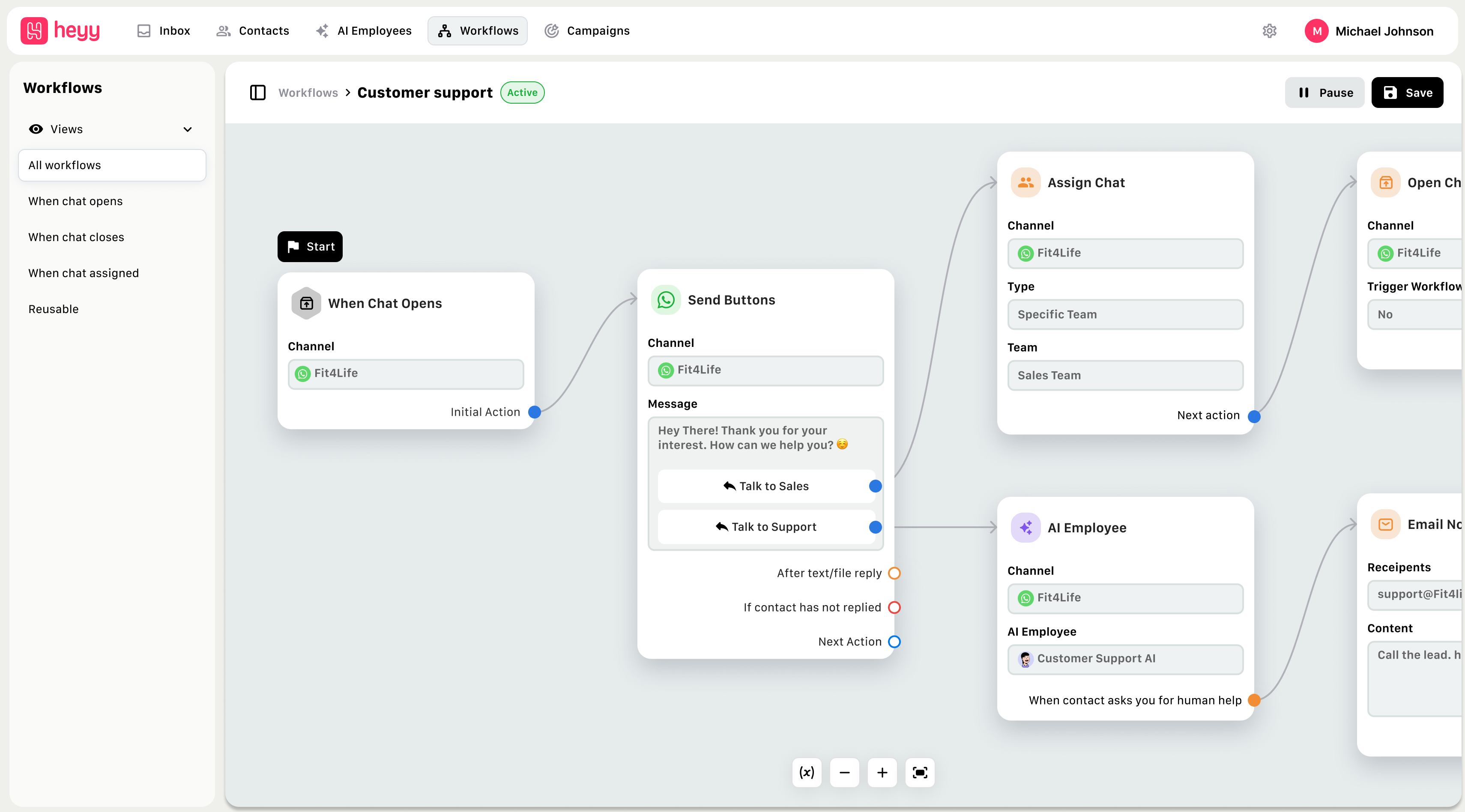
How Heyy Works
Instead of forcing customers to email you or use a website chatbot, Heyy meets them where they already are: WhatsApp (2.7B users globally), Instagram DMs, Facebook Messenger, Telegram, and your website.
Every message, regardless of platform lands in one unified inbox. No switching between apps. No messages getting lost. Everything in one place.
Here's where it gets interesting: Heyy's AI agent allows you train it on your business. Upload your FAQs, product documentation, shipping policies, return procedures, whatever your customer's frequently ask about. The AI learns your business and gives accurate answers based on your business information.
When someone asks "Do you ship to Canada?" on Instagram, the AI employee checks your shipping info and responds instantly. When they ask "How do I return this?" on WhatsApp, it walks them through your actual return process. When a question is too difficult or sensitive, it automatically escalates to your team with full conversation history.
Your agents see everything in one dashboard. Customer history, past conversations across all channels, order information (if you're on Shopify or WooCommerce), and AI-suggested responses. They can jump in and take over from the AI at any time, or let it handle things automatically.
Key Features:
- Unified inbox — WhatsApp, Instagram, Facebook, Telegram, website chat all in one place
- AI trained on your data — Upload docs, FAQs, product specs; AI gives accurate answers based on YOUR business
- No-code setup — Get it live in 15 minutes without developers or IT team
- Team handoff — Questions route to your team automatically with the full context
- E-commerce integrations — Shopify, WooCommerce, Stripe for order tracking and management
- Workflow automation — Route messages, tag conversations, trigger actions based on customer behaviour
- Multi-language support — Auto-detects and responds in 80+ languages
- Analytics dashboard — See what customers ask, where AI struggles, resolution rates, response times
Pros:
- Dramatically cheaper than Zendesk — $49-499/month vs Zendesk's $825+ for similar functionality
- Resolves tickets — AI employee doesn't just deflect to help articles; it answers questions and resolves tickets based on your business information.
- Modern channels included — WhatsApp and Instagram support built-in
- Fast setup — Have it up and running in less than 15 minutes.
- Great for e-commerce — Deep Shopify integration, order tracking, return handling built-in and so much more
- Scales efficiently — Pricing based on conversations, not agents (better economics as you grow)
- AI Employees that work — All trained on your data.
Cons:
- Not a traditional ticketing system — If you need complex SLA management, multi-tier escalations, or enterprise ITSM workflows, you'll want something like Zendesk or Salesforce
- Newer platform — Less brand recognition than Zendesk (though that also means they're not slow-moving enterprise bureaucracy)
- Best for messaging-first businesses — If 90% of your support is email and you don't care about social/messaging, there are simpler options
Best For:
- E-commerce stores (especially Shopify and WooCommerce)
- Social commerce businesses selling through Instagram/Facebook
- Teams supporting customers on WhatsApp, Instagram, Telegram
- Companies wanting AI that actually knows their product, not generic chatbot responses
- Businesses handling 500-10,000 conversations per month
- Teams tired of juggling multiple platforms for different channels
Pricing:
- Free: Up to 50 conversations/month (perfect for testing)
- Hobby: $49/month (2,000 credits)
- Pro: $149/month (8,000 credits)
- Ultra: $499/month (20,000 credits)
Unlike Zendesk's per-agent model, Heyy charges based on conversations. This means if your AI is deflecting 60-70% of inquiries, you're paying for far fewer conversations than the total volume hitting your channels.
Migration Note: Switching from Zendesk to Heyy is straightforward. Export your customer data and conversation history from Zendesk (CSV format), import into Heyy, connect your messaging channels, upload your knowledge base, and you're live. Most teams complete migration in under a week. (See detailed migration guide below.)
For more on how AI customer service saves time, check out our guide on AI customer service chatbots that save 40+ hours per week.
Best Traditional Helpdesk Alternatives
These platforms replace Zendesk's ticketing, automation, and agent tools, just simpler, cheaper, or more specialized.
2. Freshdesk — Best for Simple, Affordable Ticketing
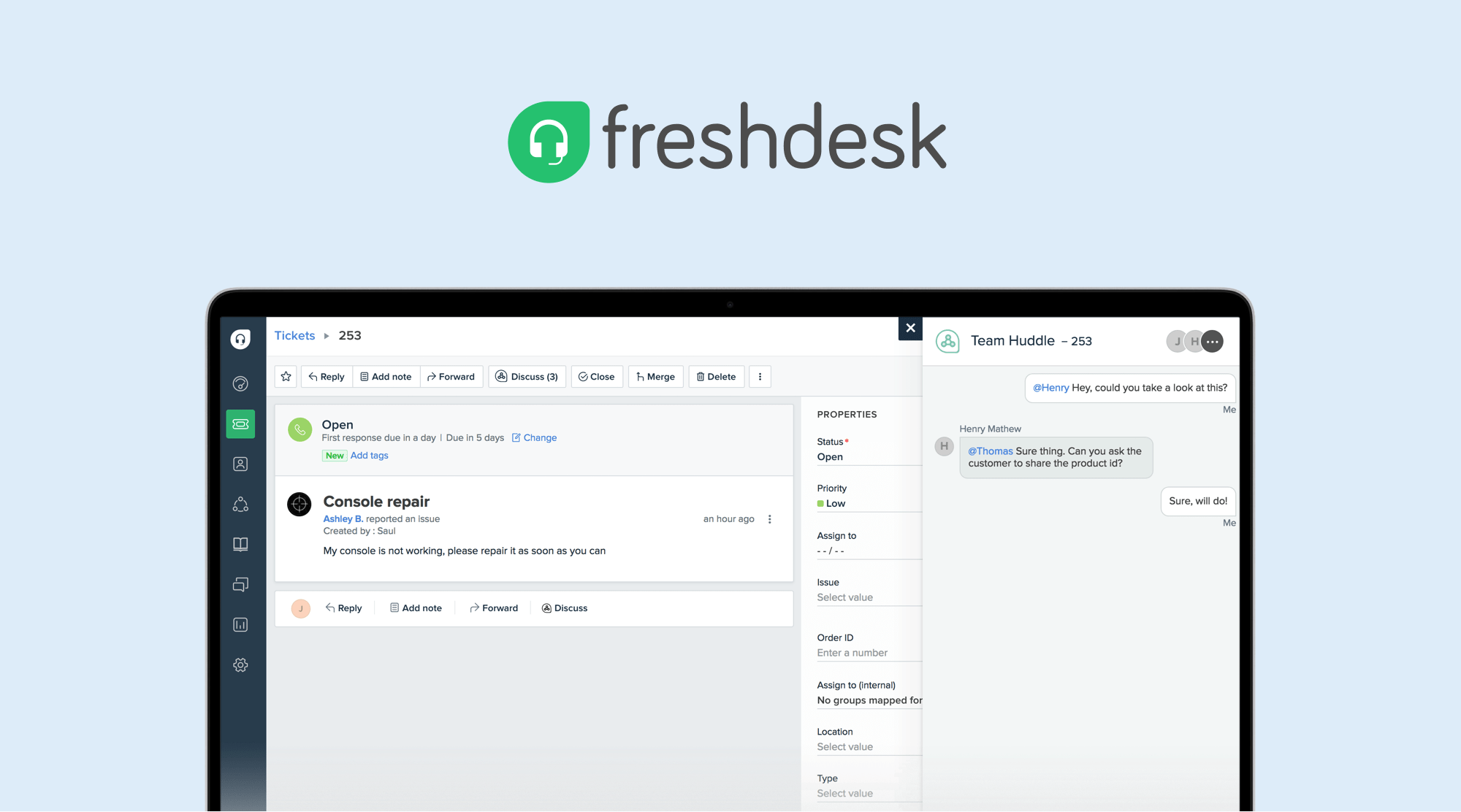
Freshdesk is basically Zendesk's more affordable younger sibling. If you like what Zendesk does but hate the price tag and how difficult it is to navigate, Freshdesk is probably your answer.
Freshdesk they took everything people use in Zendesk, stripped out the 40% of features most teams never touch, and built a cleaner interface around it. You get the all-in-one channel ticketing (email, chat, phone, social media), solid automation, AI features, knowledge base, and reporting.

The interface is genuinely easier to navigate. New agents can start taking tickets on day one without extensive training. Setting up automation rules doesn't require reading through documentation for hours.
Freddy AI is Freshdesk's answer to Zendesk's AI features. It handles ticket routing, suggests responses based on similar tickets, can detect customer sentiment (helpful for prioritizing angry customers), and offers a chatbot for self-service. It's not as advanced as some AI-first platforms, but it's included in the platform rather than being a massive upcharge.
The knowledge base builder is straightforward, you can create help articles, categorize them, add images and videos, and publish without any technical knowledge. Customers can search for answers themselves, which deflects simple tickets before they even reach your team.
One thing Freshdesk does particularly well: team collaboration. Agents can leave private notes on tickets, loop in colleagues from other departments, and track who's working on what without stepping on each other's toes. The collision detection feature shows when multiple agents are viewing the same ticket, preventing duplicate responses.
Key Features:
- Clean, intuitive interface that doesn't require extensive training
- Omnichannel ticketing (email, phone, chat, social media)
- Freddy AI for intelligent routing, sentiment analysis, and suggested responses
- SLA management with automatic escalations
- Team collaboration tools (private notes, collision detection, shared ownership)
- Knowledge base with article suggestions during ticket creation
- Mobile app for iOS and Android
- Canned responses and macros for common questions
- Multi-product support for teams managing several products
- Marketplace with 1,000+ integrations
Pros:
- Significantly cheaper — Starts at $15/agent vs Zendesk's $55/agent minimum
- Generous free tier — Up to 10 agents can use basic features forever
- Fast setup — Most teams are fully operational within days, not weeks
- Good automation — Workflow rules are powerful but not overly complex
- Strong mobile experience — Actually usable on phones
- Active development — Freshworks regularly ships new features
- Good customer support — Freshdesk's own support team is generally responsive
Cons:
- Advanced features locked behind higher tiers — Enterprise-level reporting, custom roles, and some integrations require Pro or Enterprise plans
- Interface can feel cluttered at scale — Once you have 50+ agents and thousands of tickets, the UI can get busy
- AI costs extra at volume — Freddy AI sessions are pay-as-you-go beyond included quota
- Less sophisticated than Zendesk for complex B2B — If you need deep account hierarchies or complex multi-tier escalation workflows, Zendesk still wins
- Some integrations require higher tiers — Premium integrations often need Pro plan or above
Best For: Small to mid-sized teams (5-50 agents) wanting straightforward, budget-friendly helpdesk without sacrificing core functionality. Perfect for teams that found Zendesk too expensive or too difficult for their needs.
Pricing:
- Free: Up to 10 agents (basic ticketing, knowledge base, email support)
- Growth: $15/agent/month (automation, SLA management, integrations)
- Pro: $49/agent/month (custom roles, advanced reporting, AI features)
- Enterprise: $79/agent/month (advanced security, sandbox, dedicated account manager)
Freddy AI costs: 500 sessions free per month, then $49 per 100 sessions.
For teams looking at automation across channels, see our guide on automating support channels across WhatsApp and Instagram.
3. Help Scout — Best for Email-Focused Support

Help Scout takes a completely different philosophy than Zendesk. Instead of building a complex ticketing system with ticket numbers, statuses, and rigid workflows, they asked: "What if customer support just felt like email?"
That's exactly what Help Scout is. It's a shared inbox that looks and feels like Gmail. Every conversation is just that, a conversation. No ticket #847392 nonsense.
The genius of Help Scout is what they don't include. There's no overwhelming array of features you'll never use. No complex automation builder that requires training. No ticket routing system that takes weeks to configure properly. They focused on doing a few things exceptionally well rather than doing everything okay.
When a customer emails you, it lands in a shared inbox. Any team member can pick it up, respond, and it just... works. Behind the scenes, Help Scout tracks who's working on what (collision detection prevents two people from replying to the same message), keeps conversation history, and makes sure nothing falls through the cracks.
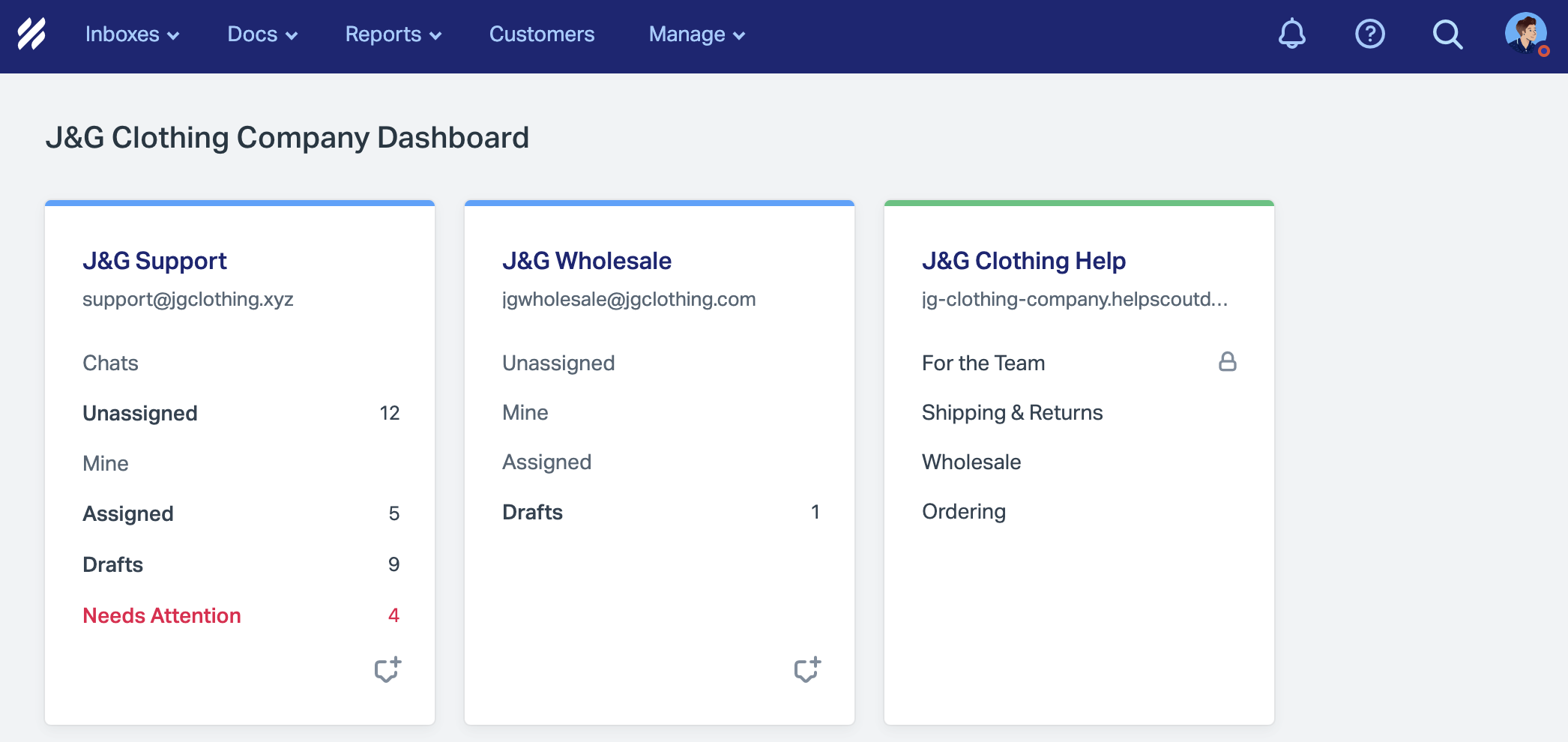
The AI features are included even on the free plan, which is pretty remarkable. AI can summarize long email threads, suggest responses based on previous similar conversations, and help agents find relevant knowledge base articles without switching tabs. It's not trying to replace your team, it's just making them faster and more confident.
The knowledge base (called Docs) is similarly simple. Write articles in a clean editor, organize them into categories, publish. Customers can search for answers themselves. The widget (called Beacon) pops up on your website and shows relevant articles before customers even need to send a message.
One of Help Scout's underrated features is how it handles customer context. When an agent opens a conversation, they see the customer's entire history, previous conversations, what pages they've visited on your website, what they've purchased, any notes from past interactions. This means agents can give personalized, contextual responses without asking customers to repeat themselves.
Key Features:
- Shared inbox that feels like email
- Collision detection (shows when teammates are viewing/replying)
- Customer profiles with full conversation history
- Knowledge base (Docs) with self-service widget (Beacon)
- AI features included on all plans (summarization, suggested responses)
- Internal notes and @mentions for team collaboration
- Saved replies for common questions
- Mobile apps for iOS and Android
- Reporting on response times, team performance, customer satisfaction
- 100+ integrations (Slack, Shopify, HubSpot, etc.)
- Contact-based pricing (not per-agent)
Pros:
- Incredibly simple — Zero learning curve, agents are productive immediately
- Free tier with AI — Even the free plan includes AI features (almost unheard of)
- Great for small teams — Perfect for 3-10 people who want simplicity
- Feels personal — Customers don't know they're in a "support system"
- Unlimited users on all paid plans — Pay by contacts, not agents
- Fast, helpful support team — Help Scout's own support is consistently praised
- Clean, distraction-free interface — No overwhelming menus or complex configurations
Cons:
- Limited omnichannel — Primarily email and chat focused; adding phone or social requires integrations
- Not ideal for high-volume — Teams handling 10,000+ tickets/month will find it limiting
- Fewer integrations than Zendesk — Marketplace is smaller (though Zapier fills most gaps)
- Basic automation — Workflow automation exists but isn't as powerful as Zendesk or Freshdesk
- No native call center features — If you need phone support, you'll need third-party tools
Best For: Small teams (3-15 people) prioritizing simplicity and personal, email-style support. Perfect for agencies, SaaS start ups, small e-commerce businesses, and anyone who wants their support to feel more human.
Pricing:
- Free: Up to 5 users, 100 contacts (shared inbox, knowledge base, basic reporting)
- Standard: $50/month for 100 contacts, then contact-based pricing (all features, unlimited users)
- Plus: $75/month for 100 contacts (advanced permissions, API access, multiple teams)
All paid plans include unlimited users. You pay based on how many customers you're supporting, not how many agents you have.
If you're curious about the difference between chatbots and live chat, see our comparison: Chatbot vs Live Chat 2026.
4. Zoho Desk — Best for Zoho Users & Budget-Conscious Teams

Zoho Desk is part of Zoho's massive ecosystem of business tools (CRM, email, projects, accounting, HR, marketing automation, they have like 50 products). If you're already using Zoho products, Zoho Desk is a no-brainer. If you're not, it's still worth considering as one of the most affordable full-featured helpdesk platforms out there.
The value proposition is simple: you get Zendesk-level features at a fraction of the price. Omnichannel ticketing, automation, AI assistant (Zia), knowledge base, SLA management, multi-brand support, all the stuff you'd expect from a robust helpdesk platform.
Where Zoho Desk really shines is the deep integration with other Zoho products. If you're using Zoho CRM for sales, Zoho Desk pulls in complete customer information: purchase history, sales interactions, contact details, account hierarchy. Your support team sees the full customer story without switching platforms.
If you're using Zoho Books for accounting, support agents can see invoice status, payment history, and subscription details right inside support tickets. Zoho Projects integration lets you turn support tickets into development tasks for your engineering team. It's this kind of seamless data flow that makes Zoho Desk powerful for businesses already in the Zoho ecosystem.
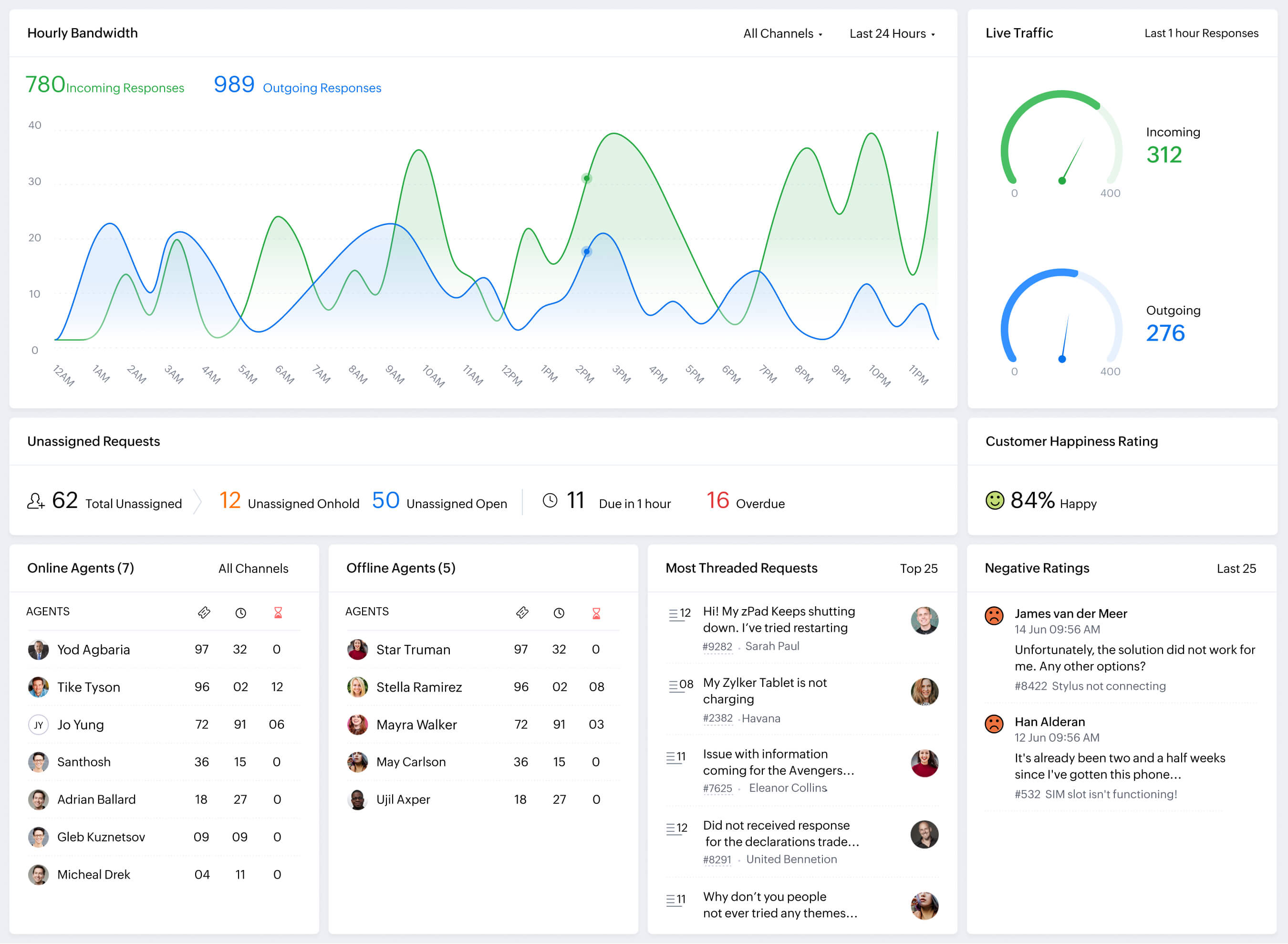
Zia, Zoho's AI assistant, handles sentiment analysis (helps prioritize angry customers), automated ticket tagging and routing, suggests knowledge base articles to customers and agents, and can even predict which tickets will take longest to resolve based on historical data.
The knowledge base is solid, you can create internal and external knowledge bases, organize articles by category and product, track article performance, and embed the help center widget on your website. The community forums feature lets customers help each other, reducing your support load.
Blueprint is Zoho's workflow automation tool, and it's actually more powerful than what you get in Zendesk's lower tiers. You can create complex, multi-step workflows with conditional logic, parallel processes, and custom approval workflows. For teams with specific business processes, this level of customization is valuable.
Key Features:
- Omnichannel ticketing (email, phone, live chat, social media, web forms)
- Zia AI for sentiment analysis, ticket routing, and Answer Bot
- Ticket automation and workflow rules (Blueprint)
- SLA management with escalations and notifications Multi-brand support (available on Professional and Enterprise)
- Knowledge base (internal and external)
- Community forums for peer-to-peer support
- Time tracking and billing
- Deep integration with Zoho ecosystem (CRM, Projects, Books, etc.)
- Mobile apps for iOS and Android
- Third-party integrations via Zapier and native connectors
Pros:
- Most affordable full-featured option — Starts at $14/agent/month (billed annually)
- Free plan available — Up to 3 agents can use basic email ticketing features forever
- Powerful if you're in the Zoho ecosystem — Seamless data flow across
- CRM, projects, and accounting
- Zia AI included — Advanced AI like Answer Bot and auto-tagging on Enterprise tier
- Blueprint workflows — More powerful visual automation than many competitors
- Multi-brand support — Manage multiple brands/departments from one account
Cons:
- Best value when you're already using Zoho — Standalone value is good, but integration depth is highest within the ecosystem
- Learning curve — More complex than Help Scout, though simpler than Zendesk
- Limited third-party integrations — Outside Zoho ecosystem, library is smaller than Zendesk or Salesforce
- Support quality varies — Some users report slow response times from standard Zoho support
Best For:
Budget-conscious teams (especially those already using Zoho CRM or other Zoho products), small to mid-sized businesses wanting full-featured helpdesk at low cost, teams comfortable with slightly more complex interfaces in exchange for powerful features.
Pricing:
- Free: Up to 3 agents (email ticketing, private knowledge base, help center)
- Standard: $14/agent/month (social channels, community forums, basic automation)
- Professional: $23/agent/month (Blueprint workflows, SLA management, time tracking)
- Enterprise: $40/agent/month (Full Zia AI, Answer Bot, sandbox environment, custom functions)
All plans offer 15-day free trials. Annual billing provides the rates listed above. For more on unified messaging platforms, see unified customer messaging platforms.
Best for E-Commerce & Shopify
5. Gorgias — Best for Shopify-First E-Commerce Support

Gorgias was built by e-commerce people, for e-commerce businesses. If you run a Shopify store (or sell on BigCommerce, Magento, or WooCommerce), Gorgias understands your world in a way generic helpdesks never will.
The core insight behind Gorgias is this: most customer support for online stores isn't complex problem-solving. It's answering the same 20 questions over and over. "Where's my order?" "Can I change my shipping address?" "How do I return this?" "Is this item back in stock?"
Gorgias automatically pulls their order information from Shopify, checks the shipping status, and responds with tracking information, without your team touching it. When they ask to cancel an order, Gorgias can actually cancel it in Shopify and confirm with the customer. When they want to return something, it can initiate the return process and send them a return label.
The agent interface shows everything support needs to see: full order history, customer lifetime value, past conversations, subscription status (if you use ReCharge or similar), loyalty points, items in cart, and even what marketing emails they've received. Agents can edit orders, issue refunds, change subscription frequency, apply discount codes, all without leaving the ticket.
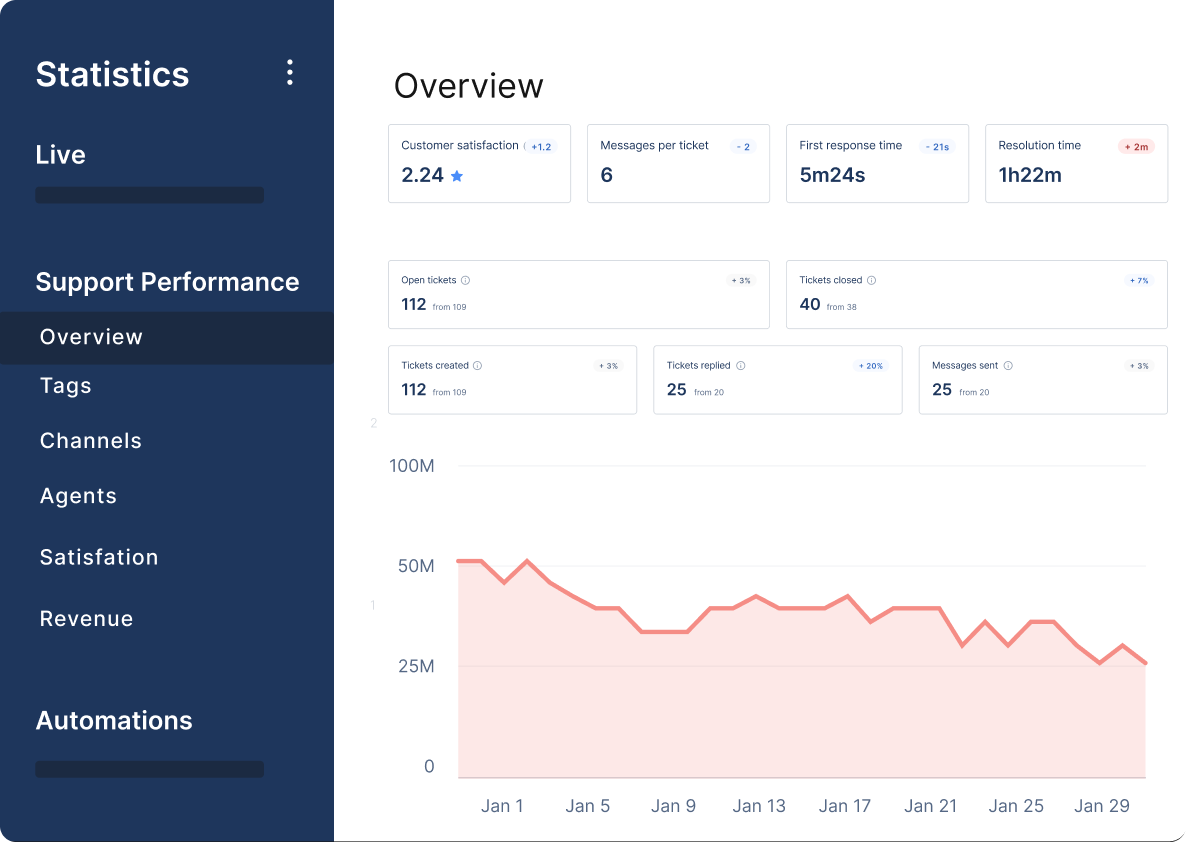
Gorgias lives where your customers are: Instagram DMs, Facebook Messenger, email, live chat, SMS, WhatsApp. E-commerce in 2026 is heavily social, customers see a product on Instagram and message you right there. Gorgias captures those conversations and treats them like any other support channel.
The automation builder is specifically designed for e-commerce scenarios. Pre-built automation rules for WISMO (Where Is My Order), return requests, order modifications, and out-of-stock notifications. You can customize these or build your own using triggers, conditions, and actions.
Revenue attribution is built in. Gorgias tracks which support interactions lead to sales. When an agent recommends a product and the customer buys it, that's tracked. When they save a customer who was about to churn, it's measured. Support isn't just a cost center—it's a revenue opportunity.
Key Features:
- Deep Shopify integration (also BigCommerce, Magento, WooCommerce)
- Unified inbox for email, chat, social media, SMS, WhatsApp, and TikTok
- Automation rules specifically for e-commerce (WISMO, returns, cancellations)
- Direct Order Management: Edit orders, process refunds, and cancel subscriptions directly from tickets
- Full customer context (order history, lifetime value, subscription status)
- Revenue attribution tracking to see sales generated by support
- Macros for common e-commerce questions with live data tags
- Live chat widget with product recommendations and self-service
- SMS campaigns and automation
- AI intent detection and Auto-responses for instant resolution
- Third-party integrations (ReCharge, Klaviyo, Yotpo, ShipStation, etc.)
Pros:
- Best Shopify integration in the industry — See full order history, edit orders, and process returns in one place
- E-commerce-specific automation — Pre-built rules for common scenarios like "Where is my order?"
- Revenue tracking — Clearly see which support interactions drive sales and conversions
- Handles high volume efficiently — Built for stores processing hundreds or thousands of orders weekly
- Multi-channel by default — Instagram, Facebook, TikTok, email, chat, and SMS all work smoothly
- Powerful macros — Template responses that pull live data (order status, tracking numbers)
- Self-service flows — Customers can track orders and start returns without agent involvement
Cons:
- Pricing can escalate quickly — Ticket-based pricing means high-volume months or busy seasons get expensive fast
- Best value for high-volume stores — If you're only doing 50 orders/month, the platform is likely overkill
- Limited outside e-commerce — Not ideal for SaaS, B2B, or general service businesses
- Reporting limitations — Analytics are solid but not as deep as dedicated BI or enterprise tools
- Learning curve for automation — Setting up complex, high-accuracy automation rules takes time
Best For:
- Shopify, BigCommerce, WooCommerce, and Magento stores doing 500+ orders/month and handling 1,000+ support tickets/month. Perfect for apparel, beauty, supplements, consumer electronics—any direct-to-consumer e-commerce business where customers ask repetitive questions about orders.
Pricing:
- Gorgias uses ticket-based pricing instead of per-agent seats:
- Starter: $10/month (Includes 50 tickets/month)
- Basic: $60/month (Includes 300 tickets/month)
- Pro: $360/month (Includes 2,000 tickets/month)
- Advanced: $900/month (Includes 5,000 tickets/month)
- Unlimited agent seats on all plans. You pay based on ticket volume, not team size. This is great when you have seasonal support staff or a large team handling tickets part-time.
For more on e-commerce chatbots, see 10 Best eCommerce Chatbots to Increase Sales in 2026.
Best for B2B & SaaS Companies
6. Intercom — Best for AI-First Conversational Support
![Intercom Review: Features, Pricing, & Alternatives [2026]](https://cdn.prod.website-files.com/68b0a30773f876f5f4c5c09a/69cd9d343e8385b9027eebb3_intercom-review.png)
Intercom is a complete customer communication platform built for SaaS products and product-led growth companies. If your business lives inside a web or mobile app, Intercom meets customers where they are: inside your product.
The philosophy behind Intercom is fundamentally different from Zendesk. Instead of waiting for customers to have problems and then solving them via tickets, Intercom focuses on proactive engagement, in-app messaging, and conversational AI that prevents issues before they become support requests.
Fin AI Agent is Intercom's flagship feature, and it's genuinely impressive. Unlike basic chatbots that deflect to help articles, Fin resolves customer questions end-to-end. It connects to your knowledge base, product documentation, past conversations, and can answer complex, multi-part questions with context.
Fin doesn't just search your help docs and regurgitate text. It understands context, can handle follow-up questions, knows when it doesn't know something (and says so rather than making stuff up), and seamlessly hands off to human agents when needed.
The handoff experience is particularly smooth. When Fin escalates a conversation, the human agent sees the entire conversation history, what Fin already tried, and full customer context (their plan, usage data, past tickets, product activity). No "can you repeat that for the human agent" friction.
Copilot is Intercom's AI assistant for human agents. It suggests responses based on similar past conversations, summarizes long ticket threads, identifies customer intent, and helps agents find relevant knowledge base articles without leaving the conversation. It's like having a really good mentor looking over your shoulder. For teams and early-stage startups looking to implement these AI tools cost-effectively, leveraging an Intercom discount can significantly lower per-seat pricing and usage fees while scaling support operations.
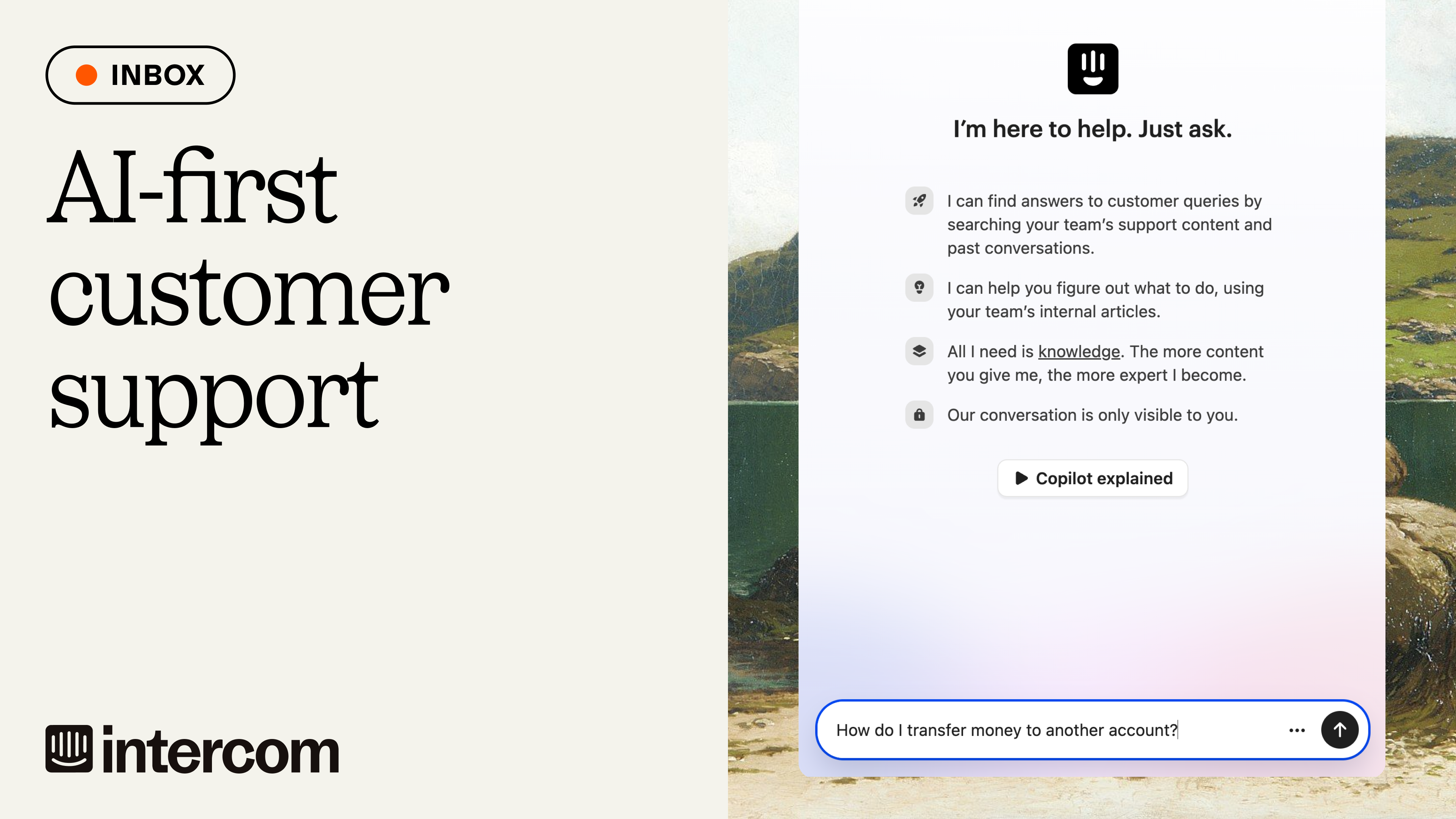
The Messenger widget (what customers see) is highly customizable. You can trigger messages based on user behavior ("Hey, I noticed you're on the pricing page, need help?"), show product tours, collect feedback, announce new features, or just provide support. It feels native to your product, not like a bolted-on chat widget.
Inbox is where your team manages conversations. It's collaborative, agents can assign conversations, leave internal notes, snooze tickets for follow-up, and see what teammates are working on. The interface is clean and fast, designed for teams who live in the app all day.
Intercom also includes marketing and sales tools. You can send targeted email campaigns, set up email sequences, score leads, and route high-value prospects to sales. For many SaaS companies, this means Intercom replaces both their helpdesk and parts of their marketing automation stack.
Key Features:
- Fin AI Agent for autonomous conversation resolution across chat, email, and social
- Copilot AI assistant for human agents (auto-drafts, summaries, and instant answers)
- Messenger widget for in-app, proactive messaging and self-service
- Proactive Support Plus: Includes product tours, surveys, and onboarding flows (as an add-on)
- Shared team inbox with collaboration tools and side conversations
- Outbound messaging and automated email campaigns
- Customer data platform that tracks user behavior, properties, and events
- Workflow automation and advanced routing rules (Advanced/Expert tiers)
- Resolution Bot for simple, rule-based FAQ handling
- Reports and analytics on team performance, Fin performance, and customer satisfaction
- Mobile SDK for native iOS and Android app integration
- 300+ integrations including Salesforce, HubSpot, Shopify, and Slack
Pros:
- Most advanced AI in this comparison — Fin resolves complex queries with high accuracy (avg. 65% resolution rate)
- Perfect for SaaS and product-led growth — Built specifically for deep in-app support
- Proactive engagement — Reach users before they have problems using "Proactive Support Plus"
- Great for reducing headcount — AI deflection can dramatically reduce the number of human agents needed
- Unified platform — Combines support, marketing, and sales in one messenger
- Excellent user experience — Messenger feels modern and native to software products
- Strong analytics — Granular ROI metrics for AI performance and agent efficiency
Cons:
- Expensive at scale — The $0.99 per AI resolution fee makes high-volume support very costly
- Complex pricing — The combination of per-seat and per-resolution fees makes monthly bills hard to predict
- Overkill for simple use cases — Too powerful and expensive if you only need a basic email inbox
- Software-first focus — Not ideal for businesses outside of tech or high-growth e-commerce
- Requires good documentation — Fin’s accuracy depends entirely on the quality of your help center
Best For:
- SaaS companies, web apps, and mobile apps that want to reduce support volume through proactive engagement and high-end AI automation.
Pricing:
- Essential: $29/seat/month (Includes shared inbox, Messenger, and basic reports)
- Advanced: $85/seat/month (Includes workflows, multiple inboxes, and 20 lite seats)
- Expert: $132/seat/month (Includes SLAs, HIPAA compliance, and 50 lite seats)
- Fin AI Agent: $0.99 per resolution (Only charged when Fin solves the issue without a human)
- Copilot: 10 conversations free per agent; $29/seat/month for unlimited usage (annual billing)
- Proactive Support Plus: $99/month (Includes 500 outbound messages)
Note: All plan pricing assumes annual billing. Monthly billing is approximately 25-35% higher.
For a comparison of AI chatbot options, see AI Chatbot vs ChatGPT: Which is Better for Your Business?.
7. Front — Best for Team Collaboration on Customer Conversations
Front takes the best parts of email, combines them with the best parts of project management tools, and creates something specifically designed for customer-facing teams who need to collaborate on every response.
The core idea: most customer conversations require input from multiple people. Sales needs to loop in support. Support needs to check with the product. Everyone needs to see what's been said before.
Every message, whether it's email, SMS, social media, live chat, or WhatsApp lands in shared team inboxes. But unlike a simple shared inbox, Front lets you comment on messages (like commenting on a Google Doc), assign ownership, create internal discussion threads, and collaborate on draft responses before sending.
Here's a common scenario:
A customer emails asking if your product can integrate with their CRM. The support agent isn't sure, so they @mention Sarah from product who confirms the integration exists, then @mention James from sales who adds pricing information. The three of them collaborate on a response draft, Sarah approves it, and the support agent sends it, all inside one conversation thread.
From the customer's perspective, they just got one well-informed email. Behind the scenes, three people collaborated on it without a single Slack message or internal meeting.
Front's Rules engine automates routing, tagging, and workflow triggers. When a VIP customer emails, automatically assign to your senior agent and tag as high-priority. When someone mentions "refund," route to the billing team. When a conversation is idle for 48 hours, send a reminder to follow up.
The analytics are team-focused. See who's responding fastest, where bottlenecks are, which topics generate the most questions, and how your team's performance trends over time. Front helps managers actually manage support teams, not just process tickets.
One standout feature: shared drafts. Multiple team members can work on the same email response simultaneously (like Google Docs), leave comments on specific parts of the draft, and approve before sending. This is invaluable for high-stakes customer communications where you need legal review, manager approval, or technical accuracy checks.
Front's AI features include smart routing (learns who should handle what based on past assignments), automated tagging, and sentiment analysis. It's not as advanced as Intercom's Fin, but it makes your team faster without trying to replace them.
The migration from Zendesk is particularly smooth. Front built a specific migration tool that imports your conversation history, customer data, and settings without manual CSV exports.
Key Features:
- Shared team inboxes for email, SMS, social, chat, and WhatsApp
- Internal comments and discussion threads directly on customer conversations
- Shared drafts with multi-person editing and approval workflows
- Front AI: Includes AI Answers (resolves tickets using your knowledge base) and AI Compose
- Rules engine for automation (routing, tagging, and assignments)
- Analytics on team performance, response times, and AI resolution rates
- AI-powered smart routing and automated tagging/categorization
- Collision detection to see who is viewing or responding in real-time
- Custom views and filters for individual or team organization
- Mobile apps for iOS and Android
- Deep Integrations: Salesforce, HubSpot, Slack, Asana, Jira, and more
- Shared contact management with CRM synchronization
Pros:
- Best collaboration features — @mentions and shared drafts make cross-department teamwork seamless
- Clean, fast interface — High adoption rate because it feels like a modern email client
- Great for cross-functional teams — Simplest way to loop in non-support staff (Sales/Legal/Product)
- Unified AI experience — AI Answers can now resolve repetitive queries autonomously
- Transparent pricing — Straightforward per-seat model without complex usage fees
- Strong mobile experience — One of the best mobile apps in the help desk category
- Reduces internal noise — Keeps discussions within the ticket rather than jumping to Slack or internal email
Cons:
- Premium pricing — Higher entry point than Zoho or Freshdesk (starts at $59/seat for most businesses)
- AI requires setup — To get the most out of AI Answers, you need a very well-maintained knowledge base
- B2B focus — Still lacks some of the heavy-duty "mass-consumer" tools found in Zendesk
- Phone support limitations — Requires third-party integrations (like Aircall or Talkdesk) for voice
- Growth-locked features — Advanced analytics and many AI features are reserved for higher tiers
Best For:
- Mid-market B2B teams (10-100+ people) where customer conversations are complex and require input from multiple departments. Ideal for SaaS, logistics, professional services, and agencies.
Pricing:
- Starter: $19/seat/month (For teams up to 10; basic collaboration and shared inboxes)
- Growth: $59/seat/month (Includes automation, basic AI, and full integrations)
- Scale: $99/seat/month (Includes AI Answers, advanced analytics, SLAs, and admin controls)
- Premier: $229/seat/month (Includes sandbox, dedicated support, and enterprise security)
Note: Annual billing is required for these rates. 14-day free trials are standard.
For more on improving customer service workflows, see How AI Chatbots Improve Customer Service Workflows.
Best for IT & Internal Support
8. Jira Service Management — Best for IT Teams & ITSM
Jira Service Management (JSM) is Atlassian's answer to internal IT support, incident management, and ITSM (IT Service Management) workflows. If Zendesk is built for external customer support, JSM is built for internal employee support, especially IT helpdesk.
You're not going to use JSM to handle customer emails about your product. But if you're an IT team supporting internal employees, managing incidents, handling change requests, or running an internal service desk, JSM is purpose-built for exactly that.
The integration with Jira Software is seamless. When a support ticket reveals a bug, you can convert it to a Jira issue and track it through your development workflow. When engineering deploys a fix, the original ticket updates automatically. IT and development teams stay in sync without manual status updates or cross-platform coordination.
JSM follows ITIL (Information Technology Infrastructure Library) best practices out of the box. You get incident management, problem management, change management, and service request workflows that align with enterprise IT standards. For companies that need ITIL compliance or are moving toward it, this is a huge advantage over Zendesk.
The asset and configuration management features let you track hardware, software licenses, and infrastructure dependencies. When someone submits a ticket about a laptop issue, you can see the device's full history: who's used it, what's been fixed before, what software is installed, warranty status.
Automation in JSM is powerful. You can build workflows that automatically escalate critical incidents, notify on-call engineers via Opsgenie integration, create change requests when certain conditions are met, and route tickets based on impact and urgency.
The knowledge base is internal-focused. Create documentation for common IT issues, onboarding procedures, software installation guides, or company policies. Employees can self-serve before submitting tickets, reducing your team's workload.
One JSM strength: customizable request types. You can create specific forms for different types of requests (new laptop, software access, password reset, VPN issues) with custom fields relevant to each scenario. This ensures you collect the right information upfront instead of going back-and-forth with employees.
Key Features:
- ITIL-compliant incident, problem, and change management
- Seamless integration with Jira Software for bug tracking
- Asset and configuration management (CMDB)
- Service request catalog with custom forms
- SLA management with escalations
- On-call scheduling and alerting (via Opsgenie)
- Knowledge base for IT documentation
- Automation engine for workflows and notifications
- Self-service portal for employees
- Advanced permissions and request types
- Confluence integration for documentation
- Mobile apps for agents and end-users
Pros:
- Purpose-built for IT/ITSM — Actually designed for internal support.
- Best Jira integration — Dev and IT workflows stay connected
- ITIL compliance out of the box — Follows industry best practices
- Asset management included — Track hardware, software, and configurations
- Affordable — Free for 3 agents, then $19/agent
- Powerful automation — Complex workflows possible
- Great for DevOps teams — Incident management connects directly to development
Cons:
- Not for customer support — This is internal IT only
- Learning curve — Atlassian products take time to master
- Better when you're already using Atlassian — Standalone value is good but not exceptional
- UI can feel complex — Not as clean as some modern helpdesks
- Best for larger IT teams — Overkill if you're a 2-person IT department
Best For: IT teams, internal service desks, DevOps teams, companies needing ITIL-compliant processes, businesses already using Jira Software or other Atlassian tools.
Pricing:
- Free: Up to 3 agents (basic incident management, knowledge base)
- Standard: $19/agent/month (SLA management, automation, asset tracking)
- Premium: $47/agent/month (advanced permissions, sandbox environment, unlimited storage)
- Enterprise: Custom pricing (enterprise SLAs, dedicated support, advanced security)
All plans offer a 7-day free trial.
Best for Enterprise & CRM Integration
9. Salesforce Service Cloud — Best for Enterprise with Deep CRM Needs
Salesforce Service Cloud is the 800-pound heavy weight champion of enterprise support platforms. If Zendesk is a comprehensive helpdesk, Service Cloud is a full customer service platform built on top of the world's most popular CRM.
This is for enterprises that need support, sales, marketing, and customer data unified in one massive ecosystem and have the budget and technical resources to make it work.
The core advantage of Service Cloud is the same as Salesforce's core advantage everywhere: unified customer data. Every support interaction is tied to the complete customer record in Salesforce CRM. Your agents see purchase history, sales interactions, opportunity pipeline, account hierarchy, contract terms, renewal dates, everything.
For B2B companies with complex account structures (multiple contacts at the same company, different support tiers, reseller relationships), this level of integration is game-changing. A support agent can see that the person they're talking to is the CFO at a $500K/year account up for renewal next month, and adjust their approach accordingly.
Agentforce (formerly Einstein AI) is Salesforce's autonomous AI agent platform. Unlike simpler chatbots, Agentforce connects to your entire Salesforce data model: CRM records, Knowledge articles, case history, product information. It can resolve complex queries by pulling data from multiple sources, execute workflows, and make decisions based on business rules you define.
The customization possibilities are almost endless. You can build custom fields, objects, workflows, and integrations to match your exact business processes. Need support cases to automatically create tasks in your project management system? Build it. Want different SLA rules based on customer tier, product line, and issue severity? Configure it.
Omni-Channel routing is powerful. You can route cases based on agent skills, workload, availability, language, and priority. Queue management ensures work is distributed fairly and urgent issues get immediate attention.
Service Cloud Voice integrates telephony directly into the platform. Agents can make/receive calls without switching apps, with full call recording, transcription, and AI-driven real-time suggestions during calls.
The reporting and analytics are enterprise-grade. Build custom dashboards, track any metric imaginable, forecast support volume, identify trends, and measure team performance across any dimension. If you can think of a report you want, you can probably build it.
Key Features:
- Full Salesforce CRM integration (360° customer view)
- Agentforce AI for autonomous case resolution
- Omni-Channel routing with skills-based assignment
- Service Cloud Voice for integrated telephony
- Lightning Service Console for agent productivity
- Knowledge base with AI-powered article suggestions
- Field Service integration for dispatching technicians
- Advanced workflow automation (Flow)
- Einstein AI for predictions, case classification, recommendations
- Unlimited customization via Salesforce platform
- Enterprise-grade security and compliance
- Thousands of AppExchange integrations
ros:
- Deepest CRM integration possible — Support (Service Cloud), sales, and marketing are natively unified
- Unlimited customization — Use Flow Builder and Apex to build exactly what your business needs
- Best for complex B2B — Handles account hierarchies and multi-contact relationships better than any competitor
- Enterprise-grade everything — Global security, compliance (HIPAA/GDPR), and 99.9% uptime
- Powerful AI (Agentforce) — Uses your actual CRM data to take actions, not just answer questions
- Massive ecosystem — Thousands of AppExchange integrations and a global network of certified consultants
- Unmatched Scalability — Seamlessly scales to support thousands of agents across global regions
Cons:
- Extremely expensive — High per-user costs ($165+) plus massive implementation and consultant fees
- Requires dedicated admins — Most companies need at least one full-time Salesforce specialist on staff
- Complex and overwhelming — Implementation usually takes months, and the learning curve is steep
- Overkill for SMBs — Features are too dense and costly for teams with under 50 employees
- Best when you're already on Salesforce — The true value lies in the "Single Source of Truth" across departments
Best For:
- Large enterprises (500+ employees), companies already using Salesforce Sales Cloud, B2B businesses with complex account structures, and organizations with dedicated IT budgets for platform customization.
Pricing:
- Starter Suite: $25/user/month (Includes simplified Sales, Service, and Marketing for small teams)
- Professional: $80/user/month (Standard features, basic automation, and pipeline management)
- Enterprise: $165/user/month (Full customization, record types, and Einstein AI foundations)
- Unlimited: $330/user/month (Includes premier support, sandbox environments, and advanced AI)
- Agentforce AI: $2 per conversation (Salesforce moved to consumption-based pricing for autonomous agents rather than a flat monthly add-on)
- Implementation costs: $25,000–$500,000+ (Typically requires a third-party implementation partner)
Note: All prices reflect annual billing. 30-day free trials are available for the Starter and Professional suites.
10. HubSpot Service Hub — Best for HubSpot CRM Users

HubSpot Service Hub is customer service software built into HubSpot's CRM. If you're already using HubSpot for sales (Sales Hub) and marketing (Marketing Hub), Service Hub completes the trifecta with unified customer data across your entire customer journey.
The value proposition is straightforward: instead of buying separate tools for marketing automation, CRM, and customer support, each with their own customer databases that never quite sync properly, you get everything in HubSpot's unified platform.
When a support agent opens a ticket, they see the complete customer timeline: every marketing email they've received, what content they've downloaded, sales calls and meetings, deal history, contract details, past support tickets, and support satisfaction scores. No switching between platforms. No wondering "what's this customer's history with us?"
The ticketing system is solid. Omnichannel support (email, chat, phone, Facebook Messenger), automation for routing and assignment, SLAs with escalations, team collaboration, and knowledge base, all the basics you'd expect from a helpdesk.
Breeze Customer Agent is HubSpot's AI chatbot. It connects to your knowledge base and can answer common questions 24/7. It has access to CRM data, so it can provide personalized responses based on who the customer is, what they've purchased, and their support history.
Conversations inbox unifies all customer messages: email, live chat, Facebook, Instagram, in one place. Your team can respond from any channel without switching tools. Shared inbox features like assignments, notes, and status tags keep everyone coordinated.
The customer portal lets customers check ticket status, browse your knowledge base, and submit requests without emailing you. This self-service option deflects simple tickets before they reach your team.
HubSpot's reporting connects support data to the rest of your business. See how support impacts customer retention, which marketing campaigns generate the most support volume, what support topics correlate with churn, and how different customer segments use support.
One underrated feature: customer feedback tools. Send NPS surveys, CSAT surveys, or custom feedback forms. Track scores over time, identify unhappy customers before they churn, and measure how product or service changes impact satisfaction.
Key Features:
- Unified HubSpot CRM integration
- Shared conversations inbox (email, chat, social)
- Ticketing system with automation and routing
- Knowledge base with SEO optimization
- Customer portal for self-service
- Breeze Customer Agent (AI chatbot)
- Live chat widget with chatbot automation
- Customer feedback tools (NPS, CSAT, custom surveys)
- Team email for shared inboxes
- Call recording and tracking
- Workflows for automation
- Custom reporting and dashboards
- Mobile app for iOS and Android
- Integrations with 1,000+ apps
Pros:
- Perfect for HubSpot users — Seamless integration with Sales and Marketing Hubs
- Unified customer data — See complete customer journey in one place
- Free tools available — Basic features accessible on free HubSpot CRM
- Good for growing companies — Scales from startup to mid-market
- Strong knowledge base — SEO-optimized help center
- Breeze AI included — Chatbot and automation on Professional tier
- Great reporting — Connect support data to marketing and sales metrics
Cons:
- Expensive for standalone use — If you're not using HubSpot CRM, there are cheaper options
- Professional tier required for key features — Free and Starter plans are limited
- Not as powerful as dedicated helpdesks — Zendesk and Freshdesk have more advanced support features
- Best value when you're all-in on HubSpot — Using just Service Hub misses the main benefit
Best For: Companies already using HubSpot CRM for sales or marketing, growing SaaS and tech companies, teams wanting unified data across marketing, sales, and support, businesses prioritizing customer lifecycle visibility.
Pricing:
- Free: Basic ticketing, live chat, knowledge base (limited features)
- Starter: $15-20/seat/month (depending on annual vs monthly billing)
- Professional: $90/seat/month (Breeze AI, automation, advanced reports)
- Enterprise: $150/seat/month (advanced permissions, custom objects, dedicated support)
No free trial on Service Hub, but free HubSpot CRM includes basic Service Hub features.
For more on customer messaging platforms, see Best Customer Messaging Tools for Growing Businesses.
Other Notable Alternatives Worth Considering
11. Kustomer — Best for Unified Customer Timelines
Kustomer organizes every customer interaction into a single, unified timeline. Instead of ticket-focused views, you see the complete customer relationship.
What It Does: CRM-style helpdesk with conversation history, omnichannel support, powerful automation, and AI features. Popular with mid-market e-commerce and subscription businesses.
Best For: E-commerce, subscription businesses, mid-market teams (20-100 agents) wanting customer-centric (not ticket-centric) support.
Pricing: From $89/user/month or usage-based at $0.35/conversation.
12. LiveAgent — Best for Live Chat-First Support
LiveAgent is a full-featured helpdesk with particular strength in real-time chat and phone support.
What It Does: Omnichannel ticketing, live chat, call center features, knowledge base, automation. Strong focus on real-time customer engagement.
Best For: Teams where live chat and phone are primary support channels, small to mid-sized businesses wanting affordable omnichannel support.
Pricing: From $15/agent/month. Free trial available.
13. Tidio — Best for Small Businesses & Website Chat
Tidio offers live chat and chatbots specifically designed for small businesses and online stores.
What It Does: Website live chat, visual chatbot builder, simple ticketing, e-commerce integrations. Easy setup, no technical skills required.
Best For: Small online stores, local businesses with websites, teams wanting quick-to-implement live chat.
Pricing: Free plan available. Paid from $29/month.
For detailed comparison, see Tidio vs Heyy: Which Customer Messaging Platform Is Right for Your Business?.
14. HappyFox — Best for Highly Customizable Workflows
HappyFox offers robust ticketing with deep customization options for workflows, fields, and automations.
What It Does: Helpdesk with strong customization, multi-brand support, asset management, SLA tracking, and integration options.
Best For: Teams needing tailored helpdesk workflows, IT service management, multi-brand support operations.
Pricing: From $29/agent/month. No free tier, demo required.
15. Chatbase — Best for Maximum AI Ticket Deflection
Chatbase builds custom AI agents trained specifically on your business data to deflect support tickets before they reach agents.
What It Does: AI chatbot builder that trains on your documents, website, and FAQs to provide accurate answers to customer questions. Integrates with existing helpdesks.
Best For: High-volume support teams (5,000+ tickets/month) wanting to maximize AI deflection without replacing their entire helpdesk.
Pricing: Free plan available. Paid from $40/month based on message credits.
How to Choose the Right Zendesk Alternative for Your Team
Staring at 15 different platforms is overwhelming. Here's a simple decision framework to narrow down your options fast.
Step 1: Identify Your Main Pain Point with Zendesk
What's the primary reason you're looking for alternatives?
If you said "Too expensive": → Look at: Heyy.io, Freshdesk, Help Scout, Zoho Desk, Tidio
If you said "Too complex to use": → Look at: Help Scout, Heyy.io, Tidio, LiveAgent
If you said "Customers are on WhatsApp/Instagram, not email": → Look at: Heyy.io (this is literally what it's built for)
If you said "AI doesn't actually resolve tickets": → Look at: Intercom (Fin AI), Heyy.io, Chatbase
If you said "Need better e-commerce/Shopify integration": → Look at: Gorgias, Heyy.io
If you said "Need better CRM integration": → Look at: Salesforce Service Cloud, HubSpot Service Hub, Kustomer
If you said "This is for internal IT support, not customers": → Look at: Jira Service Management
Step 2: Match Your Team Size and Ticket Volume
Small team (1-10 people), low volume (<1,000 tickets/month): → Help Scout, Tidio, Freshdesk Free, Zoho Desk Free
Growing team (10-30 people), medium volume (1,000-5,000 tickets/month): → Heyy.io, Freshdesk, Front, HubSpot Service Hub
Established team (30-100 people), high volume (5,000-20,000 tickets/month): → Intercom, Gorgias (e-commerce), Freshdesk Pro, Heyy.io
Enterprise (100+ people), very high volume (20,000+ tickets/month): → Salesforce Service Cloud, Intercom, Kustomer
Step 3: Calculate Real Total Cost
Don't just look at the monthly per-agent fee. Calculate:
- Base platform cost (agents × monthly fee × 12)
- AI/automation add-ons (if applicable)
- Integration costs (third-party tools needed)
- Migration/setup costs (consultant fees, team time)
- Training time (hours spent learning × hourly rate)
For example, Zendesk Suite Professional for 15 agents:
- Base: 15 × $115 × 12 = $20,700/year
- Advanced AI: 15 × $50 × 12 = $9,000/year
- Total: $29,700/year
Compare to Heyy.io for same team with AI deflection:
- Base: $299/month × 12 = $3,588/year (Pro plan handling 5,000 conversations)
- AI included, no extra fees
- Total: $3,588/year
Savings: $26,112/year (88% reduction)
Step 4: Test Before You Commit
Most platforms offer free trials or free tiers. Actually test them with your team:
- Sign up for free trials on your top 3 choices
- Import sample customer data
- Have your team use it for real tickets for at least 3-5 days
- Gather feedback from agents (what do they like/hate?)
- Check key metrics (response time, resolution rate, ease of use)
Don't just test as an admin. Have your actual support agents use it in real scenarios.
Step 5: Consider Migration Complexity
Some platforms are easier to switch to than others:
Easy migration (1-2 weeks):
- Heyy.io
- Help Scout
- Freshdesk
- Front (has Zendesk migration tool)
- HubSpot (if you're already using HubSpot)
Medium migration (2-4 weeks):
- Zoho Desk
- Intercom
- Gorgias
Complex migration (1-3 months):
- Salesforce Service Cloud
- Jira Service Management (if not already on Atlassian)
- Kustomer
If you need to be operational quickly, prioritize platforms with fast setup times and migration support.
How to Migrate from Zendesk to Heyy.io: Complete Step-by-Step Guide
Switching helpdesks sounds scary. It doesn't have to be. Here's exactly how to migrate from Zendesk to Heyy without losing data or confusing your team.
Before You Start
Timeline: Most teams complete this migration in 5-7 days. Plan for 2 weeks to be safe.
You'll need:
- Zendesk admin access
- Heyy.io account (free to start)
- Access to your messaging channels (WhatsApp Business, Instagram, Facebook, etc.)
- Your knowledge base content (FAQs, help docs)
- About 4-6 hours of focused time
Phase 1: Preparation (Day 1)
Step 1: Audit Your Zendesk Setup
Before migrating, understand what you're actually using in Zendesk:
- Customer data: How many contact records do you have?
- Ticket history: Do you need to migrate old tickets, or just customer contacts?
- Automation rules: Which automations are critical and need to be recreated?
- Integrations: What tools are connected to Zendesk?
- Team members: How many agents, what are their roles?
Write this down. It's your migration checklist.
Step 2: Export Your Data from Zendesk
Zendesk lets you export customer data and ticket history:
- Go to Zendesk Admin → Data → Export
- Select Contacts export (CSV format)
- Optionally export Tickets (if you want historical records)
- Download the CSV files
- Review the data to make sure it exported correctly
Step 3: Document Your Current Workflows
Take screenshots or write down:
- How tickets are currently routed (by topic, channel, priority)
- Common canned responses or macros
- SLA policies and escalation rules
- Tags and ticket categorization
- Any custom ticket fields you use
You'll recreate the important ones in Heyy.
Phase 2: Heyy Setup (Days 2-3)
Step 4: Create Your Heyy Account
- Go to heyy.io
- Sign up (it's free to start)
- Complete basic account setup
- Add your team members
Step 5: Connect Your Messaging Channels
This is where Heyy differs from Zendesk, you're connecting real messaging platforms, not just email.
To connect WhatsApp:
- Go to Settings → Integrations → WhatsApp
- Click "Connect WhatsApp Business"
- Follow Meta's verification process (you'll need a WhatsApp Business Account)
- Authorize Heyy to access your WhatsApp
- Test by sending a message to your WhatsApp number
To connect Instagram:
- Settings → Integrations → Instagram
- Click "Connect Instagram"
- Log into your Facebook Business account
- Select your Instagram business profile
- Grant permissions
- Test by sending a DM to your Instagram account
To connect your website chat:
- Settings → Integrations → Website Widget
- Copy the embed code
- Paste into your website's HTML (before closing </body> tag)
- Test on your live site
To connect Telegram, Facebook Messenger: Similar process in Settings → Integrations.
Step 6: Import Your Customer Data
- In Heyy, go to Contacts → Import
- Upload your Zendesk contacts CSV
- Map the fields (Zendesk fields → Heyy fields)
- Review and confirm import
- Check that contacts imported correctly
Step 7: Upload Your Knowledge Base
This is critical—your AI needs accurate information to give good answers.
- Go to Settings → Knowledge Base
- Upload documents:
- FAQs (paste from Zendesk, upload as PDF, or provide URL)
- Product documentation
- Shipping/return policies
- Common troubleshooting guides
- Alternatively, just provide your website URL and Heyy will crawl it
- Review what was imported
- Add any missing information manually
Step 8: Train Your AI Agent
- Go to AI Agent → Training
- Review the knowledge base content the AI learned
- Add specific Q&A pairs for common questions:
- "What's your return policy?" → [Your actual policy]
- "Do you ship to Canada?" → [Your shipping info]
- "How do I track my order?" → [Your tracking process]
- Set your AI's personality/tone (friendly, professional, casual, etc.)
- Configure when to escalate to humans (complex questions, angry customers, specific keywords)
Step 9: Set Up Automations
Recreate your important Zendesk workflows:
- Go to Automation → Workflows
- Create routing rules:
- Example: Messages mentioning "refund" → tag as "billing" and assign to Sarah
- Example: Messages from VIP customers → high priority + notify manager
- Set up auto-responses:
- Example: After 5pm → "We're offline but will respond tomorrow morning"
- Configure follow-ups:
- Example: If no response from customer in 48 hours → send follow-up
Phase 3: Testing (Days 4-5)
Step 10: Internal Testing
Before going live, thoroughly test with your team:
- Send test messages to all connected channels (WhatsApp, Instagram, website chat)
- Verify they land in Heyy unified inbox
- Test AI responses:
- Ask common questions
- Check if answers are accurate
- Verify it escalates complex questions properly
- Test human agent takeover:
- Agent jumps into a conversation
- Check they see full history
- Verify they can respond across all channels
- Test automations:
- Trigger routing rules
- Check tags apply correctly
- Verify notifications work
Fix any issues you find.
Step 11: Team Training
Get your support team comfortable with Heyy:
- Give access to all team members
- Walk through the interface:
- Unified inbox
- How to respond to messages
- How to tag/categorize
- How to see customer history
- How to collaborate with notes
- Practice responding to test conversations
- Review AI agent behavior (when it helps vs when to jump in)
- Answer questions and address concerns
This should take 30-60 minutes per person.
Phase 4: Go Live (Day 6)
Step 12: Parallel Running (Optional but Recommended)
For a few days, run Zendesk and Heyy simultaneously:
- Keep Zendesk active for email support
- Route WhatsApp/Instagram/website chat through Heyy
- Monitor both platforms
- Compare performance and customer satisfaction
This reduces risk if something goes wrong.
Step 13: Full Cutover
When you're confident Heyy is working:
- Update your email support to forward to Heyy (or stop using Zendesk entirely)
- Notify your team that Heyy is now primary
- Update any documentation referencing Zendesk
- Monitor closely for the first 48 hours
Step 14: Cancel Zendesk
Once you're confident (usually after 1-2 weeks on Heyy):
- Export any remaining data from Zendesk you might need
- Download ticket history for records
- Cancel your Zendesk subscription (check cancellation policies to avoid being charged for another month)
- Celebrate saving thousands of dollars per year
Phase 5: Optimization (Ongoing)
Step 15: Monitor and Improve
Your first week on Heyy, pay attention to:
- AI deflection rate (what % of messages does AI handle vs escalate?)
- Response times (are they improving?)
- Customer satisfaction (are customers happy with responses?)
- Agent feedback (what do your team members say?)
Step 16: Refine Your AI
Based on real conversations:
- Identify questions AI struggles with (check escalated conversations)
- Add more knowledge base content for those topics
- Update AI training with better answers
- Adjust escalation rules if AI is escalating too much or too little
Step 17: Iterate on Workflows
After a few weeks, revisit your automations:
- Are messages being routed correctly?
- Are tags helping or just adding clutter?
- Are follow-ups working?
- What manual work can be automated?
What to Expect After Migration
Week 1:
- Team gets comfortable with Heyy interface
- AI deflection rate around 40-50% (will improve)
- Some questions about "where is X feature from Zendesk?"
- Response times should maintain or improve
Week 2-4:
- AI deflection improves to 60-70% as training improves
- Team efficiency increases (unified inbox saves time)
- Customers notice faster response times
- You start seeing cost savings
Month 2-3:
- AI performance stabilizes at 65-75% deflection
- Team fully comfortable, won't want to go back
- Customer satisfaction typically 15-25% higher
- You're saving $1,000-2,000+/month depending on team size
Need Help?
Heyy offers migration support:
- Live chat support during setup
- Documentation and video tutorials
- For larger teams, dedicated onboarding calls
Contact support@heyy.io if you get stuck.
So At The End: Which Zendesk Alternative Should You Choose?
I’ll help…
If you're supporting customers on WhatsApp, Instagram, Facebook: → Heyy.io is purpose-built for this. Nothing else even comes close.
If you want the cheapest full-featured helpdesk: → Zoho Desk ($7/agent) or Freshdesk ($15/agent) are your winners.
If you want maximum simplicity: → Help Scout feels like email, requires zero training.
If you run a Shopify store: → Gorgias has the deepest e-commerce integration.
If you're a SaaS product and want advanced AI: → Intercom with Fin AI is the most sophisticated.
If you're an IT team supporting employees: → Jira Service Management is purpose-built for ITSM platform.
If you're an enterprise already on Salesforce: → Salesforce Service Cloud gives you the deepest integration.
If you're already using HubSpot for sales/marketing: → HubSpot Service Hub completes your unified platform.
If you need maximum AI deflection on top of your existing helpdesk: → Chatbase plugs into anything and deflects tickets.
Still unsure? Here's the simplest decision tree:
- Are most of your customers messaging you on WhatsApp/Instagram?
- Yes → Try Heyy.io
- No → Continue
- Is price your #1 concern?
- Yes → Try Freshdesk or Zoho Desk
- No → Continue
- Do you want the absolute simplest tool possible?
- Yes → Try Help Scout
- No → Continue
- Are you a Shopify store?
- Yes → Try Gorgias
- No → Continue
- Are you a SaaS product?
- Yes → Try Intercom
- No → Try Heyy.io (it works great for non-SaaS too)
Zendesk isn't bad. For some brands, it's just expensive, complex, and built for an older era of customer support when everything happened over email.
In 2026, your customers are on Instagram. They're messaging on WhatsApp. They expect immediate responses from AI that actually knows your business.
The platforms in this guide were built for that world.
Pick one, test it for a week, and see if you can get back to Zendesk. Chances are, you won't want to.
Ready to try the #1 alternative?
Start with Heyy.io's free plan unlimited channels, all features included, no credit card required.
See what customer support looks like when it's built for 2026.
Frequently Asked Questions (FAQs)
Q: What happens to my old Zendesk ticket history when I switch?
A: You have a few options: (1) Export ticket history from Zendesk as CSV and keep it for records, (2) Import historical tickets into your new platform (some support this, others don't), or (3) Keep Zendesk in "read-only" mode for a few months so agents can reference old tickets if needed. Most teams find that after 30-60 days on a new platform, they rarely need to reference old Zendesk tickets. Always export and archive your data before canceling Zendesk.
Q: Can I try these alternatives before canceling Zendesk?
A: Absolutely and you should. Most platforms offer free trials (7-30 days) or free tiers you can test. Run the new platform in parallel with Zendesk for 1-2 weeks. Route some channels through the new platform (like Instagram or WhatsApp) while keeping email in Zendesk. This lets you test with real customer conversations without risk. Once you're confident, do a full cutover.
Q: Will my customers notice if I switch from Zendesk?
A: They shouldn't notice anything negative, in fact, most teams report improved customer satisfaction after switching because response times get faster and answers become more accurate (especially with AI-powered platforms).
Q: Can I use Heyy.io if I'm not an e-commerce business?
A: Yes! While Heyy works great for e-commerce (thanks to Shopify integration), it's built for any business that supports customers on messaging platforms. SaaS companies, service businesses, agencies, healthcare providers, real estate, hospitality, if your customers are messaging you on WhatsApp, Instagram, Facebook, or Telegram, Heyy handles it. The unified inbox and AI work for any industry. The Shopify integration is an added bonus for online stores, not a requirement.
More blog posts to read

Ready to Automate Support
Across Every Channel?
.svg)
.avif)