
Live Chat vs Contact Form: Which Gets You More Leads?

In a study of web leads, InsideSales.com and MIT found the odds of reaching a lead dropped 100 times when the reply came after 30 minutes instead of 5. The odds of qualifying that lead dropped 21 times.
That’s the real contest between live chat and a contact form. It isn't a chat bubble against form fields. It’s whether the visitor hears back while they still care. A contact form asks them to wait. A live chat answers while they’re still on your page, as long as someone, or something, is there to answer.
So which gets you more leads? Here’s the short version, then the details.
What happens after a visitor clicks “Submit”
Picture someone on your pricing page with one question before they buy. Here’s how the next hour plays out, depending on which option you give them.
The form didn’t fail because it’s a form. It failed because of the wait. Research on lead response time keeps coming back to the same point. Harvard Business Review’s 2011 study, “The Short Life of Online Sales Leads,” found that most companies aren’t responding nearly fast enough to the leads they already get.
Live chat vs contact form, round by round
Neither option wins everything. Here’s how they compare on the things that decide how many leads you get, and how good they are.
Live chat takes three rounds outright and a fourth with AI. Forms take the other three, where the request is detailed or your team can’t answer quickly. That’s the pattern worth remembering: chat is better at starting conversations, and forms are better at collecting a brief.
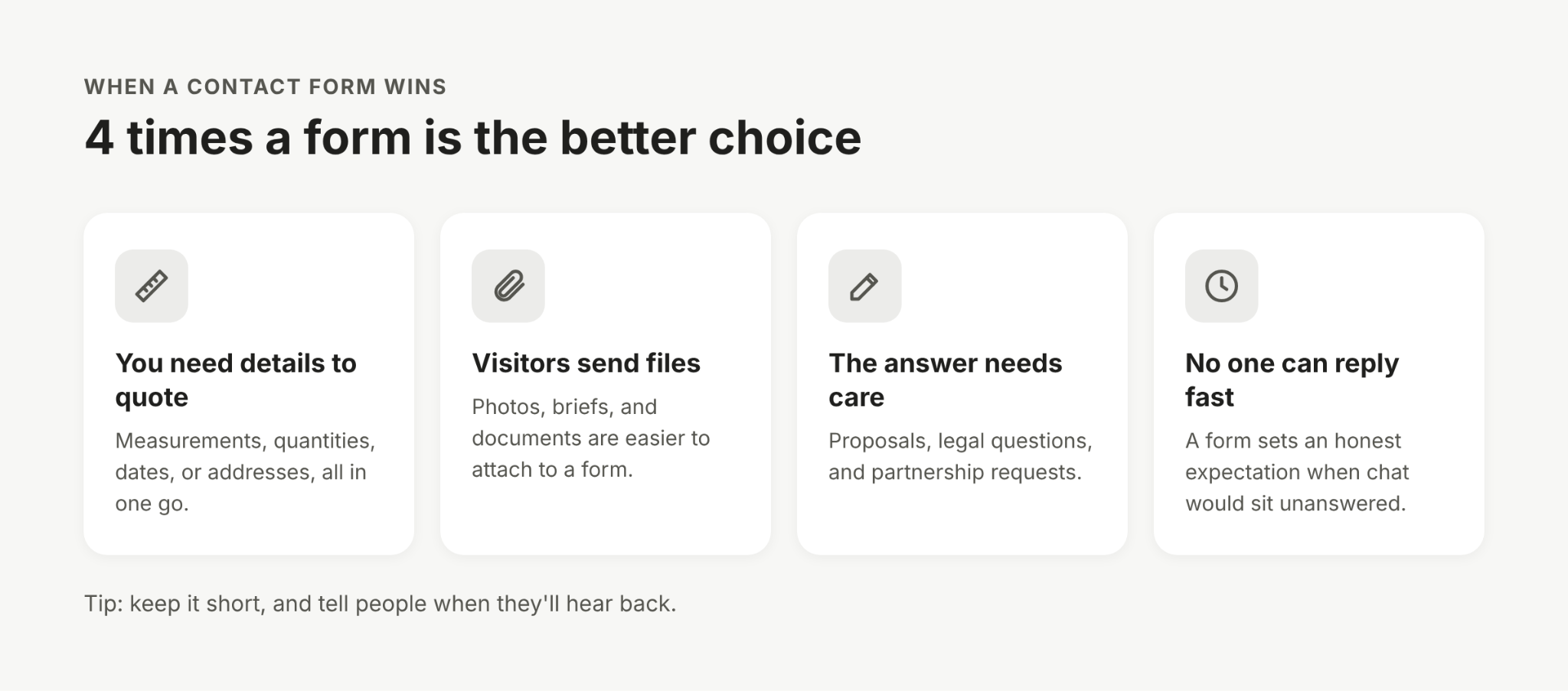
When a contact form is the better choice
A form is still the right tool when the visitor needs to give you more than a quick question. Keep one, or make it the main option, if:
- You need details before you can quote. A builder needs measurements, a printer needs quantities, and a removals company needs dates and addresses. A form gets all of that in one go.
- Visitors need to send files. Photos of damage, design briefs, and documents are easier to attach to a form than to drop into a chat.
- The request needs a careful written answer. Proposals, legal questions, and partnership requests usually deserve a considered reply, not a quick one.
- Nobody can answer chats quickly, and you don’t use AI. A form at least sets the right expectation. A chat window that looks live but never replies does more harm.
If you keep a form, make it short. Ask only for what you need to reply, and tell people when they’ll hear back.
When live chat gets you more leads
Live chat earns its place wherever a visitor is close to a decision and one answer could tip them over. That usually means:
- Pricing pages, where people want help picking a plan before they commit.
- Product pages, where a question about size, stock, or delivery decides whether they buy.
- Visitors on phones, who would rather type a quick message than fill in a form on a small screen.
- Visitors who aren’t ready to share details, and would rather ask a question first.
- Evenings and weekends, when an AI can answer straight away instead of leaving the question until Monday.
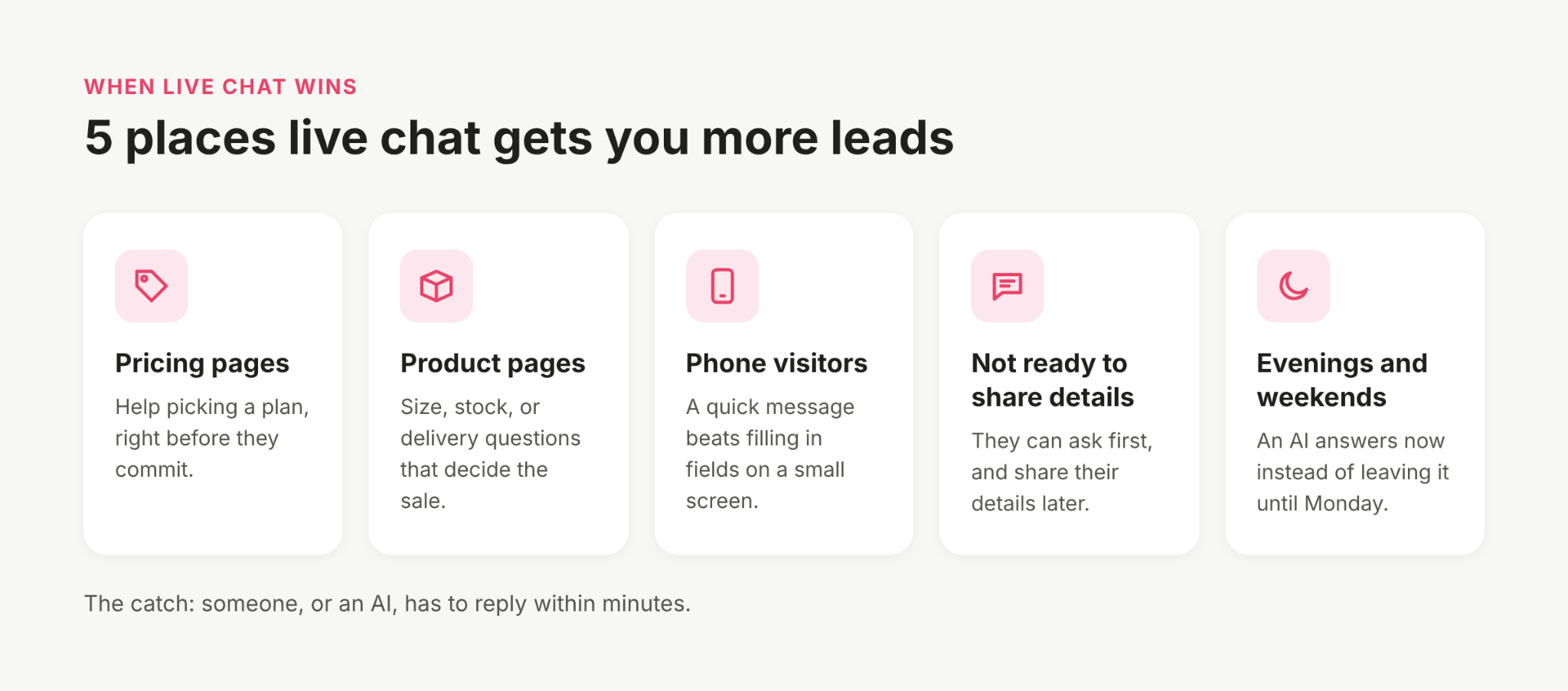
The catch is that someone has to reply quickly. If your team can’t, an AI can answer the common questions, collect the visitor’s details, and pass the chat on when a person needs to step in. For where to place the chat and what it should say first, see our chat widget best practices and live chat greeting examples.
How to use both without losing leads
For most businesses, the answer isn’t one or the other. It’s giving visitors both, and making sure neither becomes a place where leads get forgotten.
- Make chat the first option on decision pages. Pricing and product pages are where a fast answer matters most. Keep a form on your contact page for detailed requests.
- Let the chat collect details too. A good chat can ask for a name, email, and the details you’d normally put in form fields, one question at a time, as part of the conversation.
- Send both to the same inbox. If form leads land in one email account and chats in another, someone will eventually miss one. One inbox means one place to check.
- Reply to form leads fast as well. The response-time research applies to forms too. Set a target, like replying within the hour during working hours, and stick to it.
- Offer a way to keep talking. A visitor who leaves your site can still be reached if the conversation moves to WhatsApp, where the chat stays on their phone. Our guide to adding a WhatsApp chat widget explains how.
How to test which works better on your site
Other people’s numbers only tell you so much. The quickest way to know is to test it on your own pages:
- Pick one page with steady traffic, like your pricing or contact page.
- Run it with only a form for two to four weeks, then with chat added for the same length of time. Avoid busy seasons, so the two periods are comparable.
- Count leads, not chats. A lead is someone who left contact details or asked a real buying question.
- Follow them through. Check how many became customers, not just how many got in touch. A channel that brings in more leads but fewer sales isn’t winning.
- Check your reply times. If chat leads were answered in minutes and form leads the next day, that difference will explain much of the result.
If chat brings in more leads but your team can’t keep up, that’s a sign to let an AI handle the first reply, not to switch chat off.
Turning chats into leads with Heyy
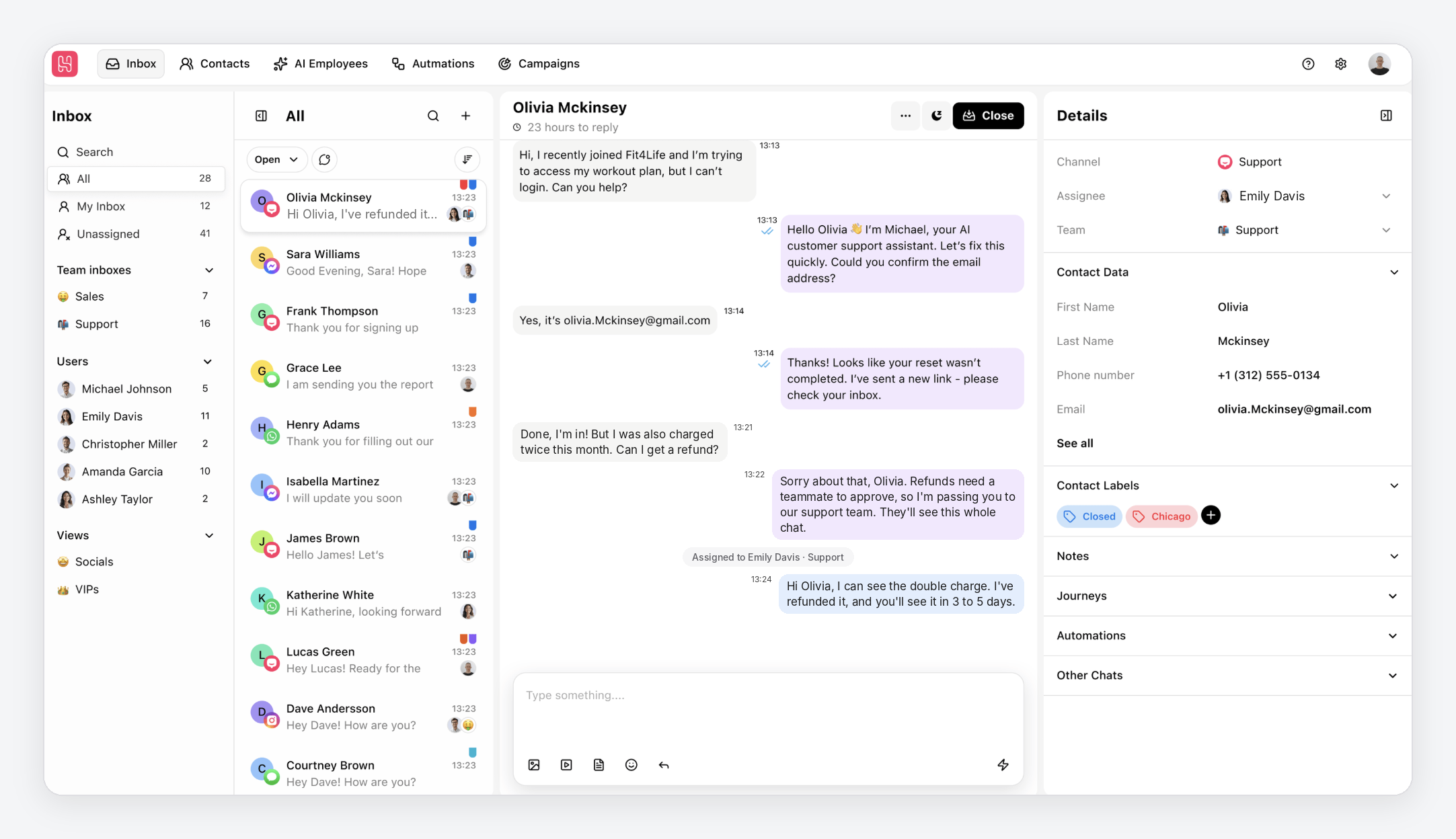
The hard part of live chat is answering quickly, every time. That’s the job we built Heyy’s AI Employee to do.
When a visitor opens your website live chat, the AI Employee replies straight away, using your business information. You decide what it should aim for in each conversation. Heyy’s conversation flow guidelines include templates for qualifying new leads, collecting contact details, and moving the visitor to the next step, like booking a call. So the chat gathers what a form would, without making anyone fill in fields.
When a lead is ready for a person, an exit point hands the chat to your team with the whole conversation in front of them. And because website chat shares an inbox with WhatsApp, Instagram, and Messenger, your team sees every lead in one place, wherever it came from.
Before you go live, you can test the whole flow in the Playground, so you know exactly what visitors will see.
Live chat vs contact form FAQs
1. Does live chat get more leads than a contact form?
Usually, yes, because asking one question takes less effort than filling in a form, and visitors get an answer while they’re still interested. The condition is speed. A chat that isn’t answered quickly can do worse than a form.
2. Should I remove my contact form if I add live chat?
No. Keep a short form for detailed requests, like quotes that need measurements or files. Put chat first on pricing and product pages, where a quick answer matters most.
3. How fast should I reply to a contact form lead?
As fast as you can. In the InsideSales.com and MIT study, the odds of reaching a lead dropped 100 times between a 5-minute and a 30-minute reply. Within the hour, during working hours, is a sensible minimum.
4. Are live chat leads lower quality?
They can be, if the chat only collects a question. A chat that asks the right follow-up questions, and collects contact details along the way, gives you leads that are just as detailed as form leads.
5. What if nobody is available to answer live chat?
Let an AI handle the first reply. It can answer common questions, collect the visitor’s details, and hand the chat to your team when a person is needed. Without that, show a clear offline message and offer the form.
6. Is a chatbot the same as live chat?
Not quite. Live chat means a person answers, and a chatbot means software does. Many businesses now combine the two. Our guide to chatbot vs live chat explains the difference.
Don’t make your leads wait
A contact form and a live chat can collect the same lead. The difference is what happens next. One asks the visitor to wait, and the other answers while they’re still deciding. Keep a short form for detailed requests, put chat where people make decisions, and make sure every message gets a fast reply.
That last part is where most businesses struggle, and it’s what Heyy is built for. An AI Employee answers your website visitors straight away, collects their details, and hands ready leads to your team. Try Heyy free for 7 days and see how many more visitors turn into leads.
More blog posts to read

Ready to Automate Support
Across Every Channel?

