.svg)
WhatsApp for E-commerce: How to Sell, Update, and Support Customers in One Chat

A lot of online stores are trying WhatsApp. They add a “Chat with us” button, send discount blasts to their whole list, or set up a catalog in the WhatsApp Business app.
None of that sells on its own. The button brings in questions nobody gets to in time. People who never asked for the blasts block you, and a catalog can’t tell a shopper whether the dress runs small.
What actually sells is a conversation. In Meta’s 2026 business messaging research, 72% of people said they’re more likely to buy from a brand they can message and 75% said they want to message businesses the way they message friends and family.
So in this guide, we’ll follow one shopper through a single WhatsApp chat, from her first question to her next order, and look at what your store needs at each step to turn that chat into a sale.
Why shoppers buy on WhatsApp
WhatsApp has more than 3 billion monthly users. For many of your customers, it’s the app they open most often, so messaging your store takes no extra effort. There’s no contact form to fill in and no email to wait on.
Messaging also builds trust. Meta’s research found that 75% of people trust a business more when they can message it, and two in three get frustrated when a business doesn’t offer messaging at all.
What this means for your store: the shoppers who message you are usually close to buying. They just need one question answered first, like whether it’s in stock, if it will fit, when it will arrive, or whether they can return it. Answer quickly and specifically, and you’ll make the sale. Leave them waiting, and they’ll buy from whoever replies first.
That doesn’t mean everything should move to WhatsApp, though.
WhatsApp vs email vs Instagram DMs
WhatsApp is strongest once a shopper is interested and has a question. Email and Instagram still do jobs WhatsApp can’t, so here’s how they compare.
The setup that works for most stores: Instagram and ads to get discovered, WhatsApp to answer, sell, and update, and email for newsletters and receipts.
The WhatsApp shopping journey, step by step
Let’s follow Racheal, who’s shopping for a dress at an online clothing store. Every step below happens in the same WhatsApp chat.
1. Showing products
Racheal clicks a link on the store’s Instagram and lands in WhatsApp. She wants to see what’s available before she asks anything.
WhatsApp has a few built-in ways to show products:
- A catalog is a list of your products, with photos and prices, that you upload to Meta and link to your WhatsApp number. Shoppers can browse it from your profile, and if the cart is switched on, add items and send you an order.
- Product messages let you send one product, or a selection of up to 30, straight into the chat.
- Carousels show up to 10 products as cards that the shopper swipes through, each with its own photo and button.
Not every WhatsApp platform supports these, and you don’t need them to sell. Many stores simply send a product photo, the price, and a link to the product page when a shopper asks. For most questions, that’s all the shopper needs.
2. Answering questions before she buys
Racheal finds a dress she likes and asks about it. This is the moment most sales are won or lost. She has the product open and her mind half made up. If the answer comes in seconds, she keeps going. If it comes tomorrow, she’s gone.
Questions at this stage are usually the same handful: stock, sizing, delivery times, and returns. That’s why many stores let AI answer them instantly, at any hour, and keep their team for the conversations that need a person.
3. Getting paid
Once Racheal decides, the store sends a payment link. She pays on the store’s checkout page and comes straight back to the chat. Here’s how steps 2 and 3 might look together:
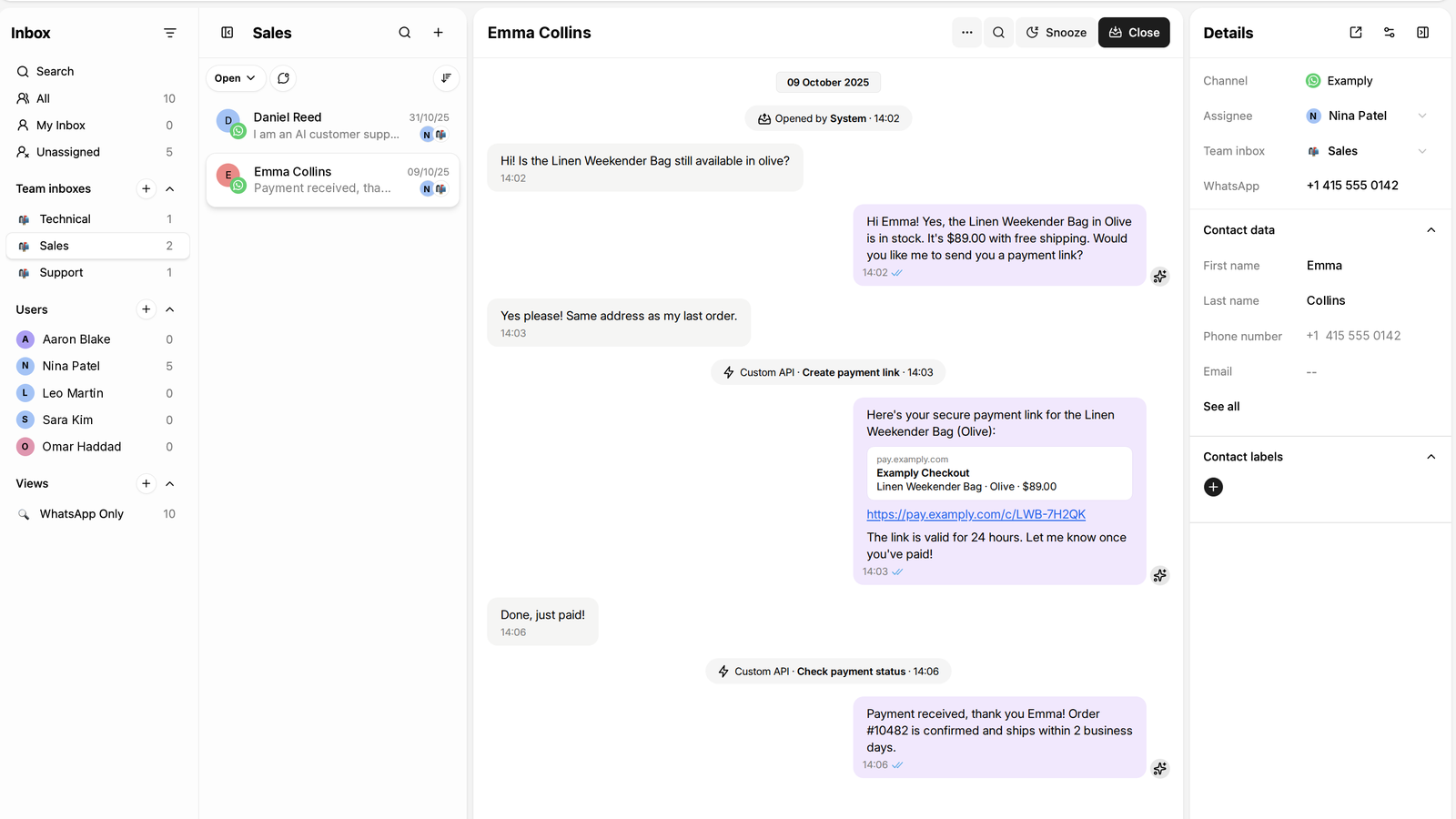
Racheal: Hi! Do you have the Linen Wrap Dress in green, size 12?
Store: Hi Racheal! Yes, the green is in stock in sizes 8 to 14. Here’s a photo of it 👇 [product photo] It’s $68, and it runs true to size. Here’s our size guide if you’d like to check: [size guide]
Racheal: Great. How long does delivery take to Toronto?
Store: Usually 3 to 5 business days to Canada, and returns are free within 30 days. Want me to send you a payment link for the size 12?
Racheal: Yes please.
Store: Here you go: [payment link]. Once you’ve paid, I’ll send your order confirmation here.
The whole exchange takes a couple of minutes. Racheal got her answers, saw the dress, and paid without having to search the website or wait for an email.
4. Order and shipping updates
Racheal gets a WhatsApp message confirming her order, then another when it ships, with a tracking link. She doesn’t have to dig through her email or message the store to ask.
These are utility messages: updates about something the customer already did. They’re sent as approved message templates, and they’re one of the easiest ways to cut “where’s my order?” questions. Add a discount code and Meta treats the whole message as marketing, and charges for it that way.
5. Recovering abandoned carts
5. Recovering abandoned carts
Say Racheal had added the dress to her cart on your website and left before paying. A short WhatsApp reminder an hour or two later, with a link back to her cart, gives her an easy way to finish. If she replies with a question, the conversation picks up right there.
Cart reminders count as marketing messages, so they need the shopper’s permission and cost more to send. For timing, wording, and setup, see our full guide to WhatsApp abandoned cart recovery.
6. Support after the sale
The dress arrives, but it’s too small. Racheal messages the store to ask about an exchange.
Simple questions, like how returns work or where to send the parcel, can be answered straight away. Anything that needs judgment, like a refund outside your policy or a damaged item, should go to a person, with the full conversation in front of them so Racheal doesn’t have to explain it again.
7. Bringing customers back
A few weeks later, the store messages Racheal: a new linen collection has just landed, in the colors she liked. She buys a second dress.
New collections, back-in-stock alerts, and reorder reminders are marketing messages. They work best when they’re based on what the customer actually bought or looked at, and when you don’t send them too often. If you’re sending them to a large list, our guide to sending bulk WhatsApp messages covers the rules and costs.
How to set up WhatsApp for your store with Heyy
Heyy is an official Meta partner built on the WhatsApp Business Platform. Its AI Employees answer shoppers, send product photos and payment links, and hand conversations to your team when a person is needed. Here’s how to set up the journey above, including the conversation Racheal had.
Step 1: Connect your WhatsApp number
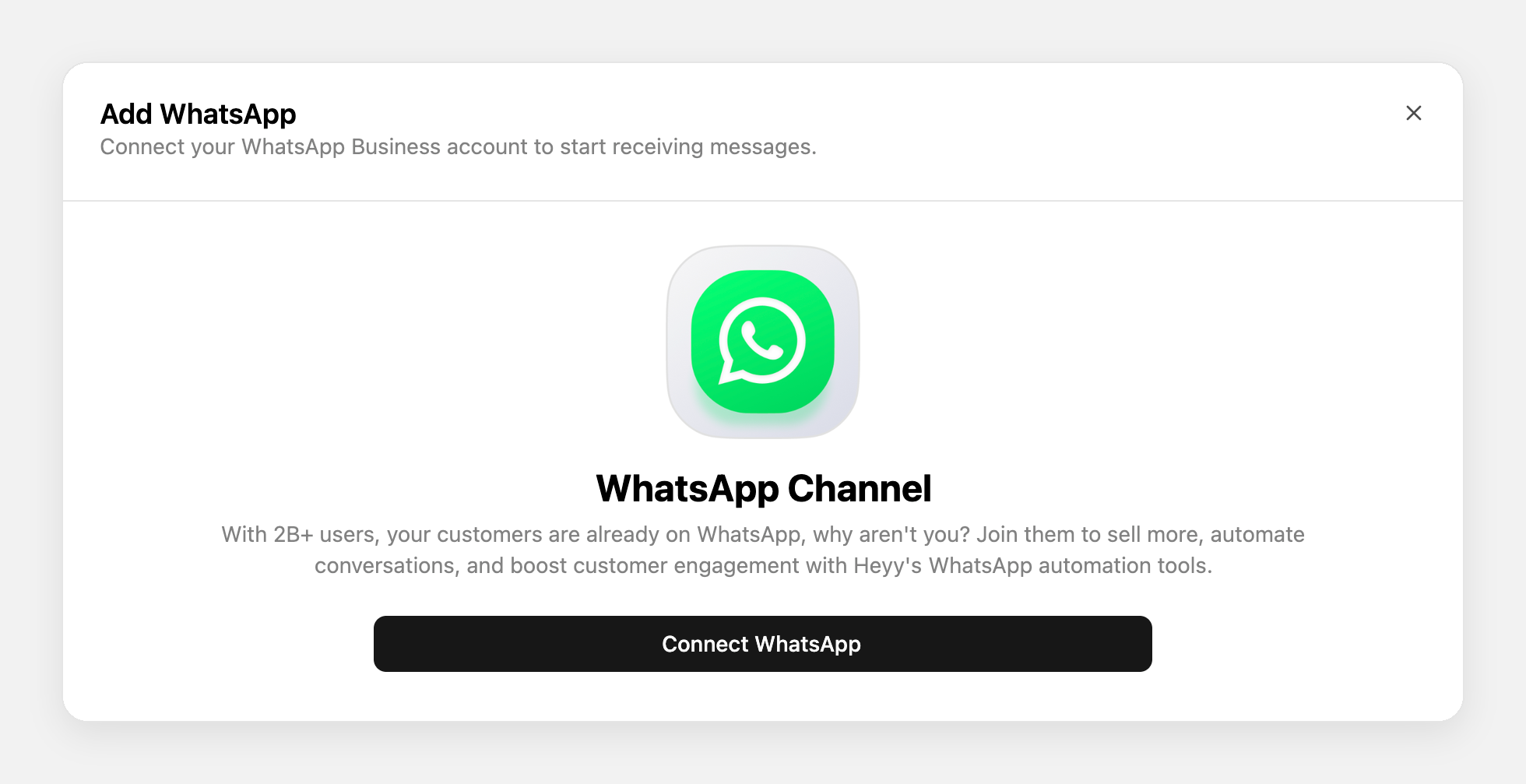
Go to Settings → Channels → Add Channel, select WhatsApp, and click Connect Number. Choose Cloud API, which suits most stores, or Coexistence if you want to keep using the WhatsApp Business app on your phone.
Step 2: Teach your AI Employee about your store
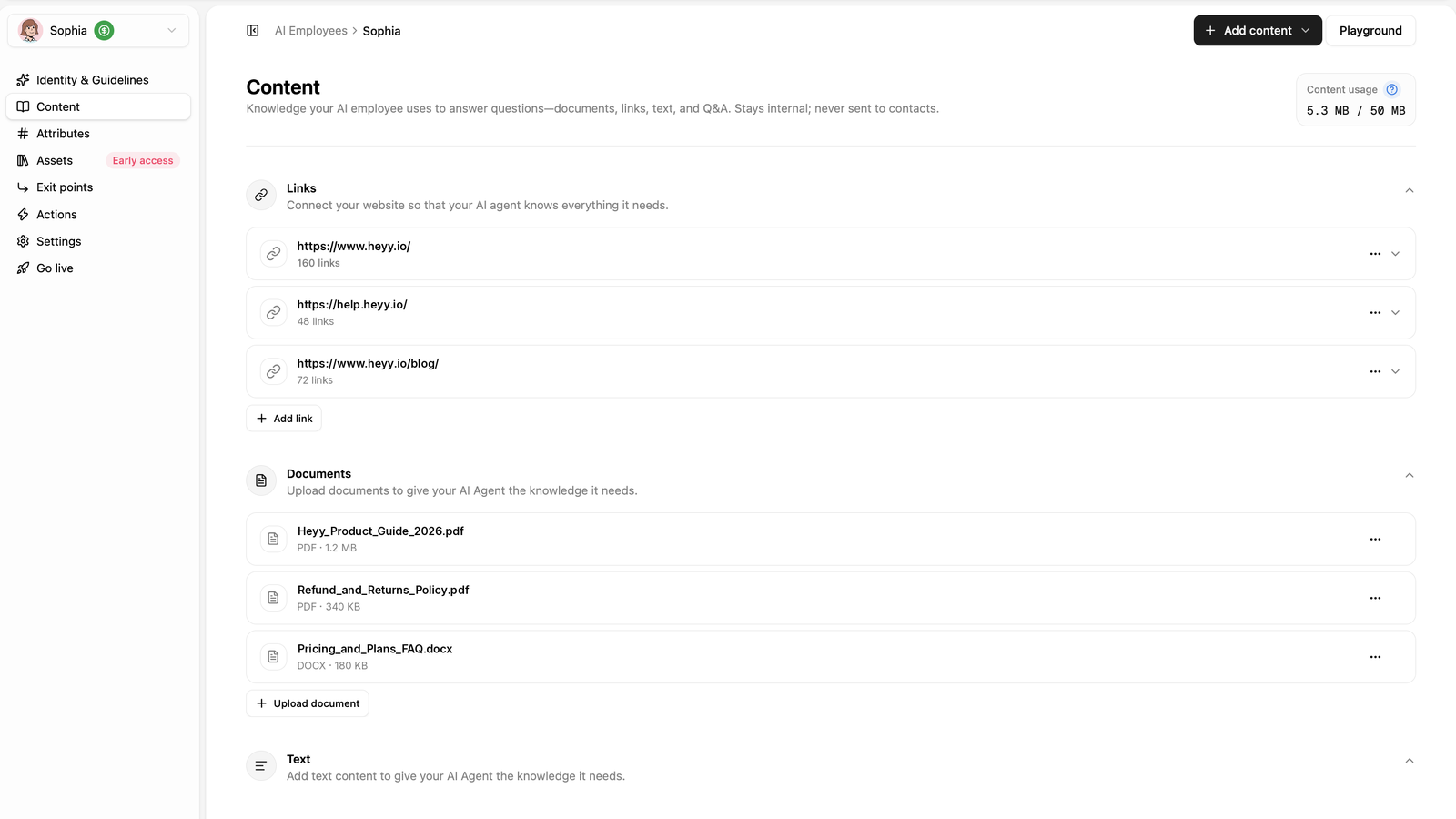
Add your product details, sizing, delivery times, and returns policy to your AI Employee’s Content. This is what it uses to answer questions like “How long does delivery take to Toronto?”
Step 3: Add product photos and size guides
Upload product photos, size guides, or a product list PDF to Assets, then tell the AI Employee when to send each one in its guidelines. For example: “When a customer asks about a specific product, send the product image with the description.”
Assets are available on the Pro plan and above.
Step 4: Send payment links in the chat
Add a Custom API action that connects to your payment provider. When a shopper is ready to buy, the AI Employee creates a payment link and sends it in the chat.
Step 5: Connect your store for cart reminders and order updates
Set up a webhook from your e-commerce platform to Heyy. When a shopper abandons a cart, places an order, or their order ships, Heyy starts an automation that sends the right WhatsApp template, with details like their name and order number filled in.
Step 6: Decide when a person takes over
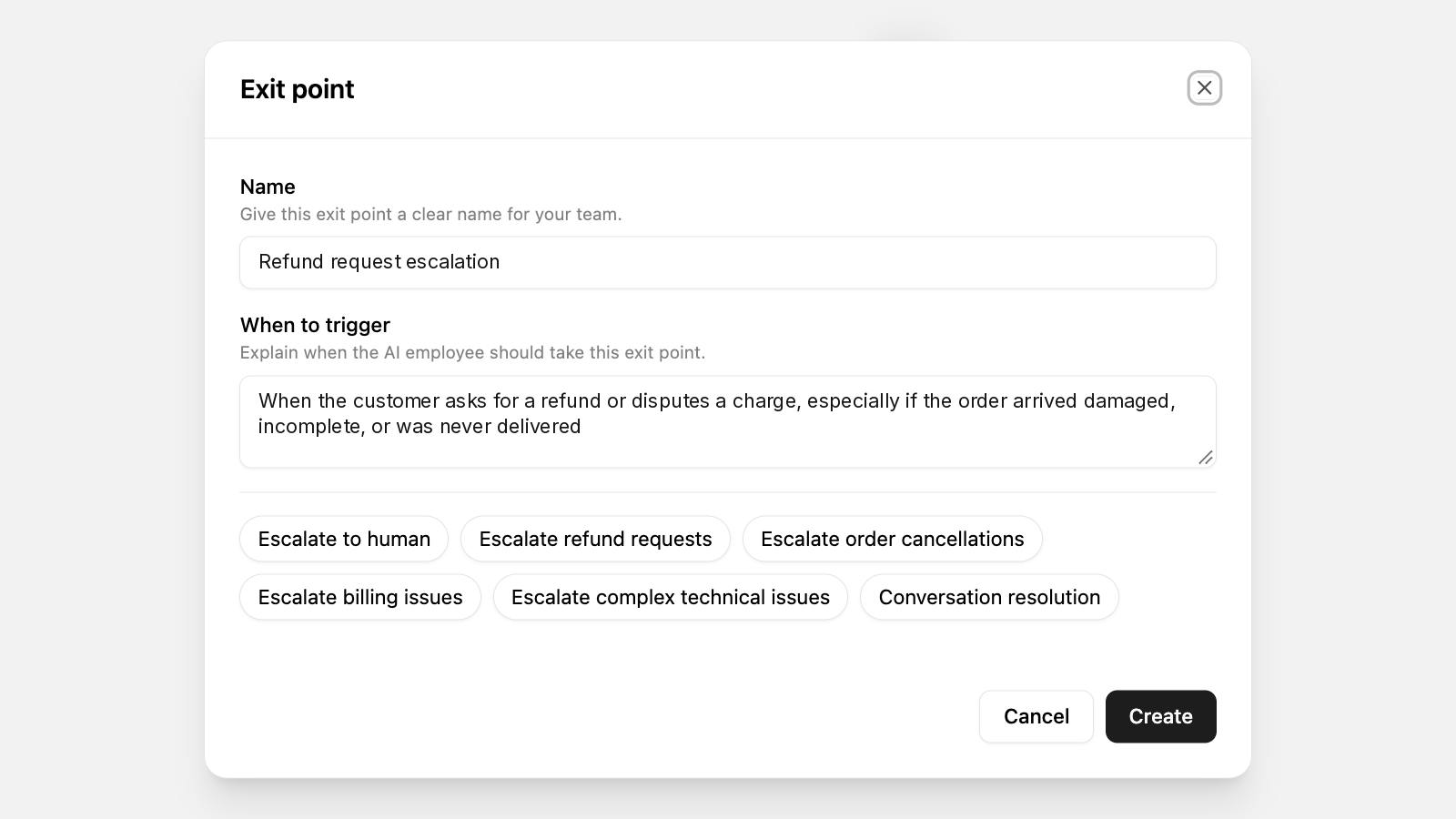
Create exit points for the conversations your team should handle, like refund requests, damaged items, or a customer asking for a person. The AI Employee hands those chats over, and your team sees the full conversation in the shared inbox.
Step 7: Run campaigns
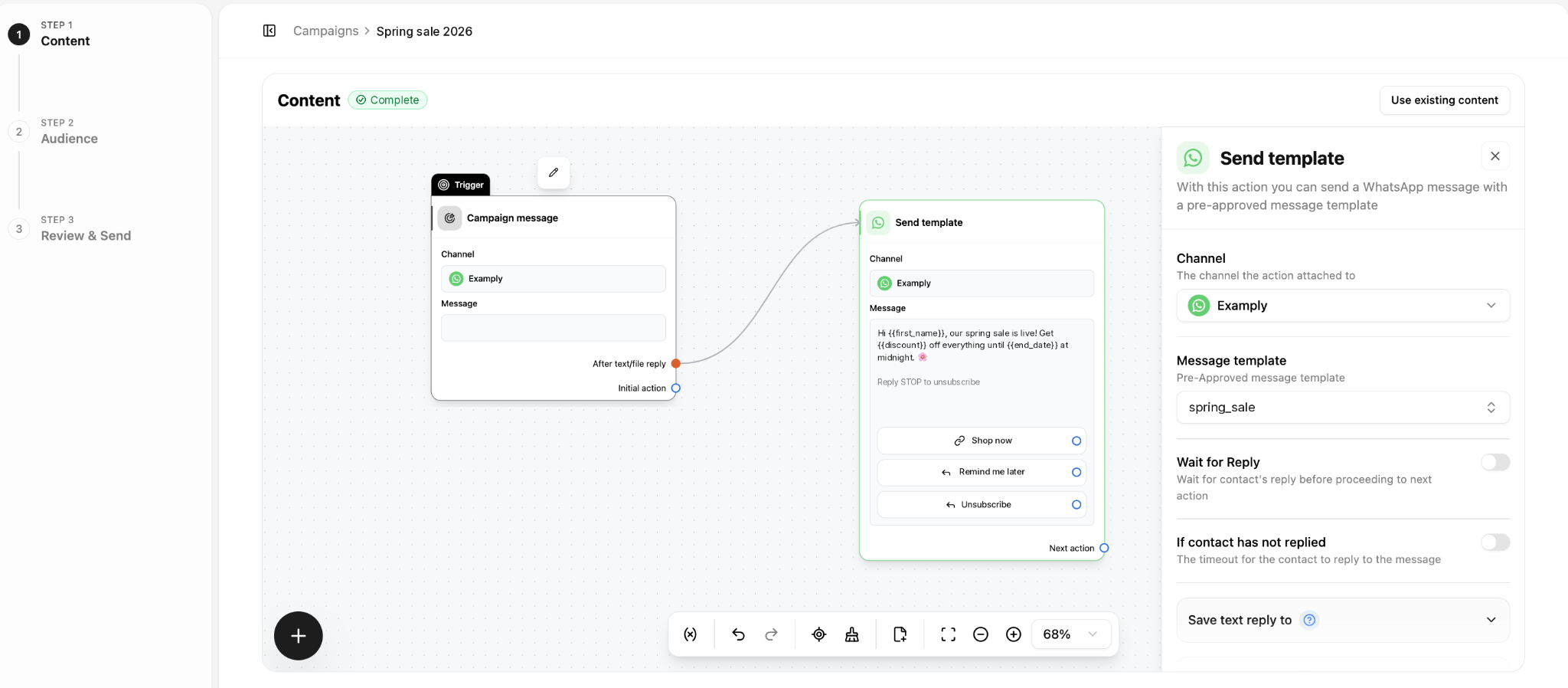
Use Campaigns for launches, restocks, and win-back offers. Choose your audience, pick an approved template, and send it now, schedule it for later, or repeat it.
WhatsApp message templates for online stores
Copy these, swap in your store’s details, and submit them to Meta for approval. The words in {{ }} are variables that fill in for each customer.
Order confirmation (utility)
Hi {{name}}, thanks for your order! 🎉 Order #{{order_number}} is confirmed, and we’ll message you here when it ships.
Shipping update (utility)
Good news, {{name}}! Your order #{{order_number}} is on its way. Track it here: {{tracking_link}}
Abandoned cart reminder (marketing)
Hi {{name}}, you left {{product_name}} in your cart. It’s still waiting for you: {{cart_link}}
Back-in-stock alert (marketing)
{{product_name}} is back in stock, {{name}}! Sizes go quickly, so grab yours here: {{product_link}}
Reorder reminder (marketing)
Hi {{name}}, it’s been about a month since you ordered {{product_name}}. Running low? Reorder in one tap: {{product_link}}
Review request (marketing)
Hi {{name}}, how are you finding your {{product_name}}? We’d love to hear what you think: {{review_link}}
Add a line like “Reply STOP to opt out” to your marketing templates, so customers can easily stop hearing from you.
Mistakes to avoid
WhatsApp works best when customers feel every message is worth opening. These are the mistakes that most often lead to blocks, higher costs, or problems with Meta
- Messaging people who never agreed to it. Meta requires opt-in before you send marketing messages. Collect it at checkout or on your website, and make it clear customers are signing up for WhatsApp messages from your store.
- Slipping promotions into order updates. A discount code in a shipping message turns it into a marketing message. It costs more, and customers who expected a simple update may block you.
- Sending every promotion to every customer. Someone who bought a winter coat last week doesn’t need your coat sale today. Use what they bought or looked at to decide who gets what, and space your campaigns out.
- Letting the bot handle what it shouldn’t. An AI Employee is great for stock, sizing, and delivery questions. A refund dispute or a damaged order needs a person, so set clear handoff rules before you go live.
WhatsApp for e-commerce FAQs
1. Is WhatsApp commerce the same as WhatsApp for e-commerce?
Mostly, yes. “WhatsApp commerce” usually means selling inside the chat itself, through catalogs, carts, and payments. “WhatsApp for e-commerce” is broader and also covers order updates, cart reminders, and support.
2. Can you sell directly on WhatsApp?
Yes. You can show products, answer questions, and send a payment link in the chat. In a few countries, such as India and Brazil, customers can also pay inside WhatsApp itself.
3. How do I add a catalog to WhatsApp Business?
In the WhatsApp Business app, go to Business tools → Catalog and add your products. On the WhatsApp Business Platform, you create the catalog in Meta’s Commerce Manager and link it to your WhatsApp number. Check that your messaging platform supports catalogs before you build one.
4. Does WhatsApp work with Shopify?
Yes, through a messaging platform. With Heyy, you connect your store using a webhook, so new orders, shipped orders, and abandoned carts can trigger WhatsApp messages automatically.
5. Is WhatsApp better than email for e-commerce?
They do different jobs. Email suits newsletters and long receipts. WhatsApp suits quick questions, order updates, and short, timely offers, because that’s where customers already chat. Most stores use both.
6. How much does WhatsApp cost for an online store?
You pay for your messaging platform, plus Meta’s charge for each delivered message. Marketing messages cost more than utility messages, and since October 1, 2026, replies to customers are charged too.
Turn your WhatsApp chats into sales
Your customers are already messaging you on WhatsApp. The question is whether those chats end in a sale or a missed reply.
With Heyy, an AI Employee answers shoppers in seconds, sends product photos and payment links, and hands tricky conversations to your team. Order updates and cart reminders go out on their own, and campaigns bring customers back. Try Heyy free for 7 days and see how many of your chats turn into sales.
More blog posts to read

Ready to Automate Support
Across Every Channel?
.svg)
.avif)